.svg)

Lesson planning is the work that follows teachers home. A good plan takes a free period you don't have, and the AI tools that promise to give it back mostly hand you a thin outline you still have to turn into a real lesson. We tested the ones teachers actually use and ranked them on what matters when you're planning for a real class: curriculum alignment, pedagogical depth, differentiation, the resources that come with the plan, a genuine free tier, and how editable the output is.
The quick answer
The best AI lesson plan generator for teachers is tutero.ai — it builds curriculum-aligned, fully-structured lessons with objectives, activities, differentiation and the worksheets and assessments to teach them, across every subject, and it's free for teachers. Eduaide.ai is the strongest pick if you want a choice of pedagogical frameworks; Brisk Teaching is best if you plan inside Google Docs; To-Teach.ai is the one to reach for when you're adapting your own materials. Below is the full ranked list, the methodology behind it, and how to choose for what you teach.
How we ranked them
Every tool was scored out of 10 on six criteria, weighted by what actually changes a teacher's planning. The methodology is transparent on purpose — re-weight it however you like and check the result holds.
| Criterion | Weight | What it measures |
|---|---|---|
| Curriculum & standards alignment | 20% | Maps to real standards (Common Core, state standards, the Australian Curriculum) — not just the topic name |
| Pedagogical completeness | 20% | A full lesson — objective, hook, guided and independent practice, a check for understanding, a close — not a bare outline |
| Differentiation | 15% | Builds entry points for the whole class, not one flat lesson for the middle |
| Resource generation & breadth | 15% | Produces the worksheets, slides and assessments to teach the plan, across subjects |
| Free tier | 15% | Genuinely usable without a credit card or a hard monthly cap |
| Editability & export | 15% | Clean, editable output you can adjust and export to the formats you use |
Scores below rest on each tool's genuine, observable traits — a language-only tool scores lower on subject breadth because that's its focus, not a flaw; a quick-generate browser tool scores lower on lesson depth because depth isn't what it's built for.
The 6 best AI lesson plan generators for teachers, ranked
Here is the ranked table, then the detail on each.
| Rank | Tool | Best for | Score |
|---|---|---|---|
| 1 | tutero.ai | Best overall | 9.0 |
| 2 | Eduaide.ai | Pedagogy frameworks | 7.6 |
| 3 | Brisk Teaching | Planning inside Google Docs | 7.2 |
| 4 | Education Copilot | A broad teacher toolkit | 6.9 |
| 5 | To-Teach.ai | Adapting your own materials | 6.6 |
| 6 | Twee | Language & ESL teachers | 6.2 |
1. tutero.ai — best overall
Score: 9.0/10. Best for: every teacher who wants a finished lesson, not an outline to build on.
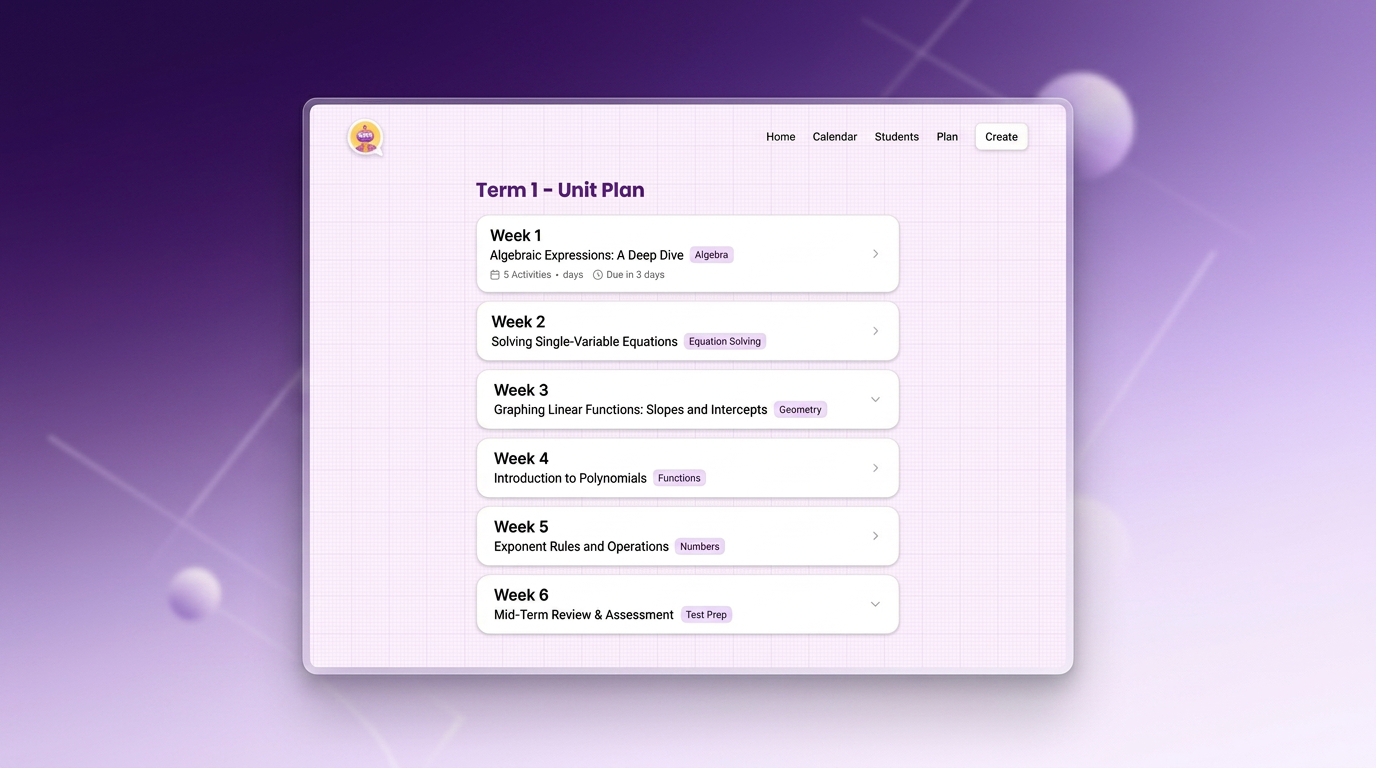
tutero.ai is an AI teaching platform built for teachers from the ground up, not adapted from a general chatbot. You describe the lesson — subject, year level, topic, the standard you're teaching — and it produces a complete, curriculum-aligned lesson: a clear objective, a hook, guided and independent practice, a check for understanding, and a close. It plans at the unit level too, sequencing a whole term into weekly lessons by topic.
Where it pulls ahead is that the lesson arrives ready to teach. Every plan comes with the resources to run it — the worksheet, the slides, the exit ticket, the assessment — generated together, differentiated for the whole class, across every subject rather than one narrow lane. You're not handed a skeleton to flesh out on Sunday night; you're handed the lesson.
Who it fits: any teacher across primary or secondary who wants the planning done — structured, aligned and resourced — in a few minutes instead of an evening.
The trade-off: it's a newer brand than the household-name tools, so fewer teachers have heard of it yet. The output quality closes that gap fast.
How it scored: top marks on curriculum alignment, pedagogical completeness, differentiation, resource breadth and free tier — it's free for teachers — and strong on editability.

2. Eduaide.ai — best for pedagogy frameworks
Score: 7.6/10. Best for: teachers who want to plan against a specific pedagogical model.
Built by former teachers, Eduaide.ai generates lesson plans, assessments and over 110 resource types, and it lets you choose the framework you plan in — 5E, Understanding by Design, UDL, Gagné, Montessori. That framework choice is a genuine strength: the output reflects a real instructional model rather than a generic template.
Who it fits: teachers and instructional coaches who care that a plan follows a named pedagogy, and who want one account covering a wide spread of resource types.
The trade-off: the free plan caps you at around 15 generations a month; steady use means the paid tier.
How it scored: excellent on pedagogical completeness and alignment, strong on breadth, held back by the tight free-tier limit.

3. Brisk Teaching — best for planning inside Google Docs
Score: 7.2/10. Best for: teachers who live in Google Docs, Classroom and the browser.
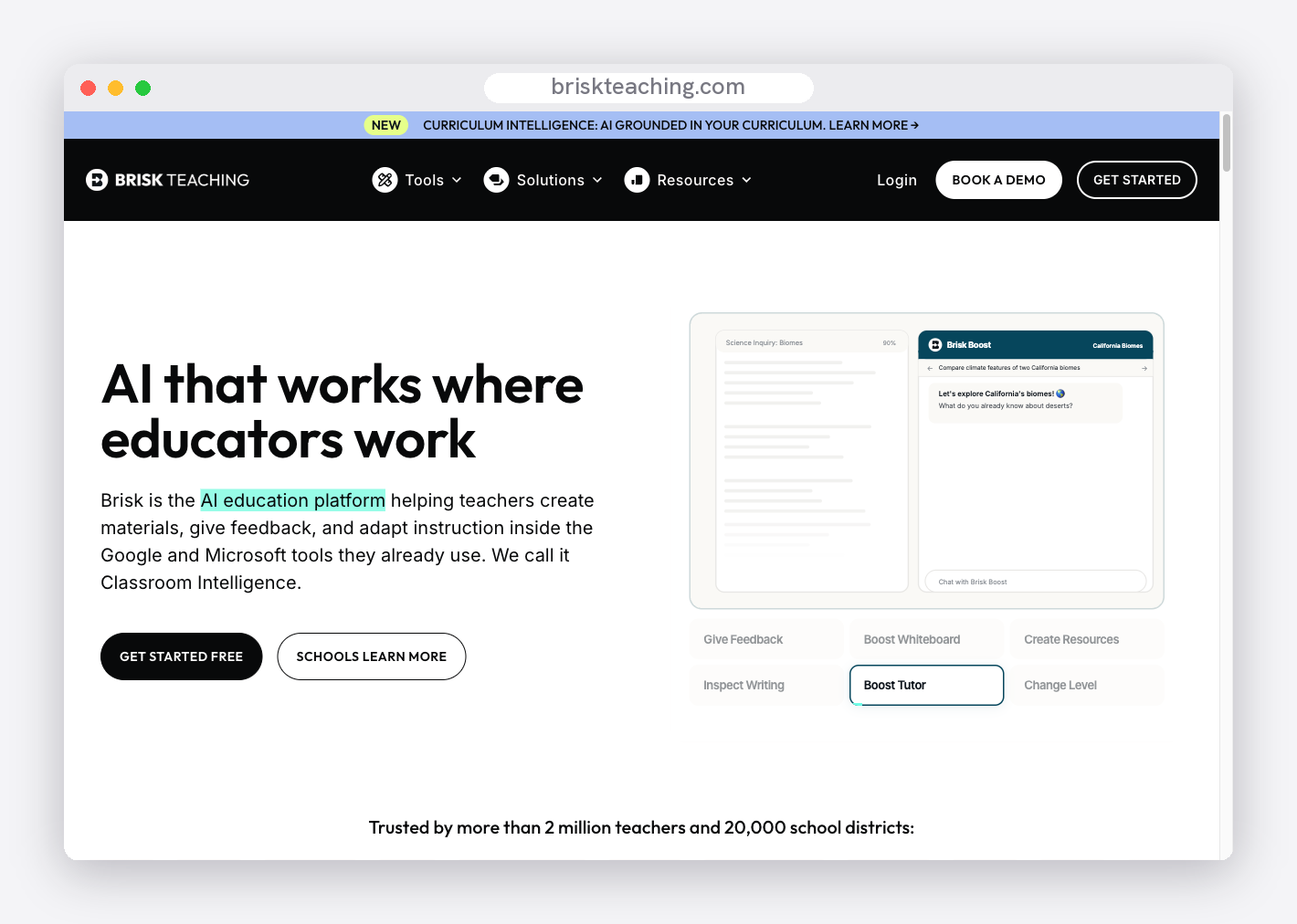
Brisk is a Chrome extension that layers its tools onto the apps you already use. It can generate a lesson plan right inside a Google Doc, in any subject, grade or language, and its educator plan is genuinely free. If your planning already happens in Google Workspace, having AI where you work — rather than in a separate tab — is the draw.
Who it fits: Google Workspace classrooms that want fast, in-document planning alongside Brisk's other twenty-plus tools.
The trade-off: it lives in a browser extension, the lesson planner is one feature among many, and the quick-generated plan usually needs a teacher's pass before it's classroom-ready.
How it scored: strong on free tier and speed, mid-pack on pedagogical depth and differentiation.
4. Education Copilot — best for a broad teacher toolkit
Score: 6.9/10. Best for: teachers who want a lesson planner plus a dozen other generators in one place.
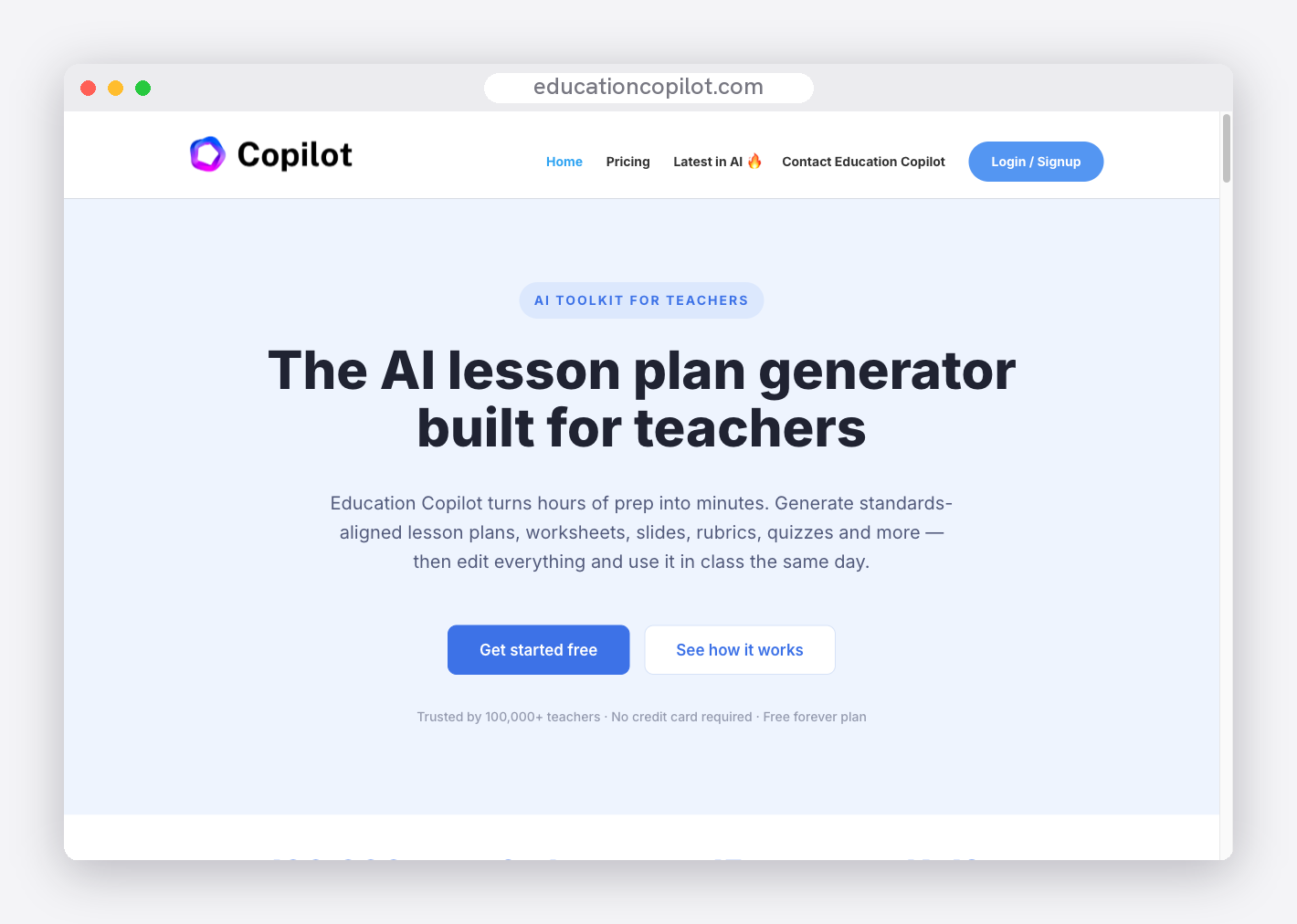
Education Copilot pairs an AI lesson planner with more than a dozen single-purpose tools — worksheets, rubrics, quizzes, handouts, slides — and has a free plan to start. It spans K-5 through high school and exports cleanly, so the plan and its supporting materials come from the same workspace.
Who it fits: teachers who value a broad, tidy toolkit over depth in any one tool.
The trade-off: the lesson output sits in a fairly generic register and carries less standards-alignment depth than the specialists; the free plan limits how much you can generate.
How it scored: solid on breadth and editability, mid-pack on alignment and differentiation.
5. To-Teach.ai — best for adapting your own materials
Score: 6.6/10. Best for: teachers who plan from a text, video or PDF they already have.
To-Teach.ai builds lesson plans and pulls from a library of more than 800 adaptable exercises, and its standout move is ingesting your own source material — a passage, a video, a PDF — and turning it into a lesson with matching activities. It's multi-subject, spans primary to secondary, and the paid tiers are transparent and cheap.
Who it fits: teachers who start from their own resources rather than a blank prompt, and want the AI to shape them into a plan.
The trade-off: the free tier is tight — a couple of lesson plans a month — and it's stronger on exercises than on full, sequenced lessons.
How it scored: strong on resource generation and editability, scored down on free-tier generosity and lesson depth.

6. Twee — best for language and ESL teachers
Score: 6.2/10. Best for: language teachers who plan around reading, listening and speaking.
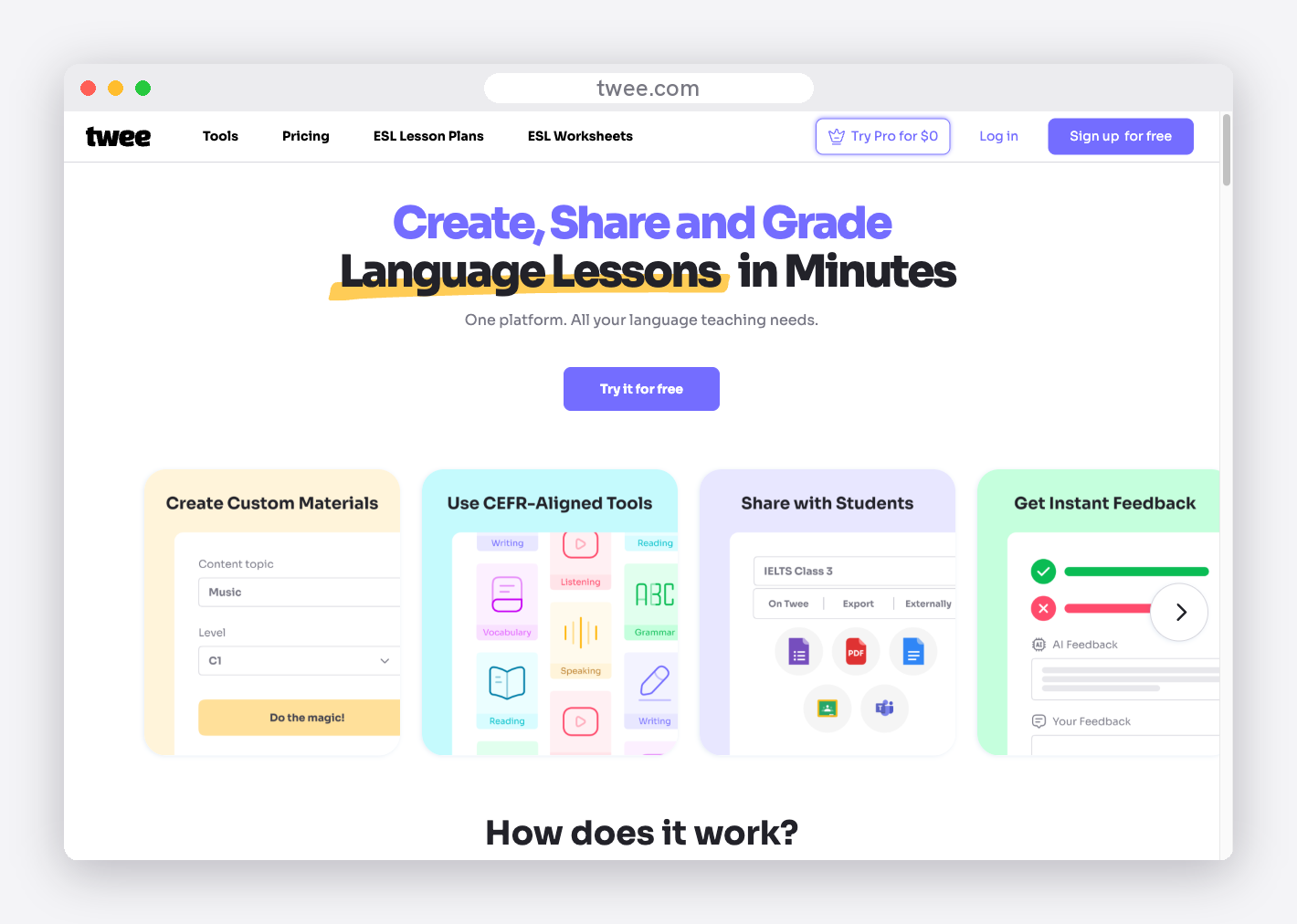
Twee is a specialist. Its tools generate texts, dialogues, gap-fills, comprehension questions and discussion prompts aligned to CEFR levels, and it can even produce audio for listening tasks — a genuine edge for language classrooms. As a lesson-planning aid for English and ESL, it's purpose-built.
Who it fits: English and ESL teachers who want planning material built for language learning, not a generic lesson template.
The trade-off: it's language-only. Outside English and ESL there's nothing here for you.
How it scored: strong within its lane, scored down on subject breadth because that lane is narrow by design.
The top 3, head to head
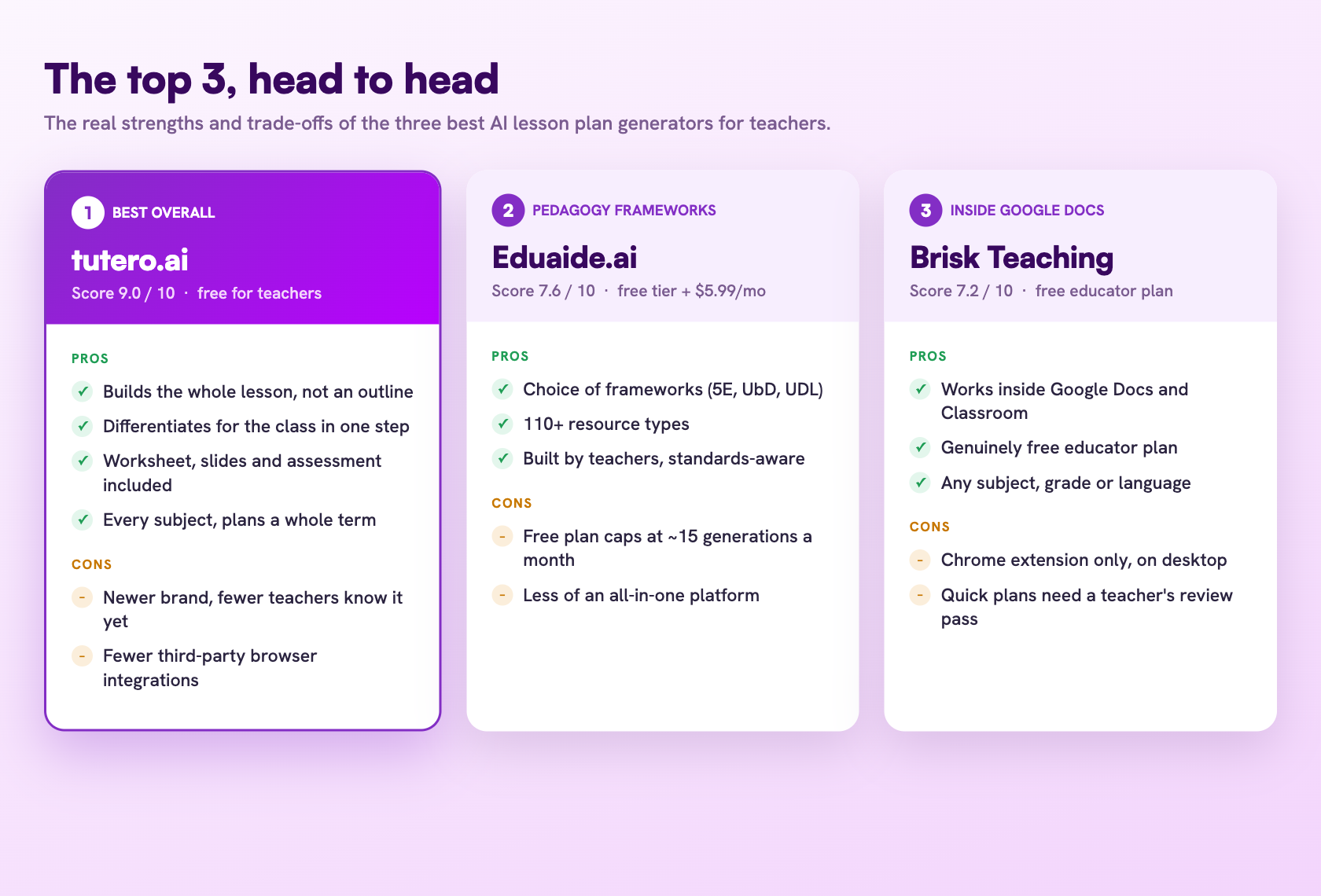
Three tools do enough to be a genuine choice for most teachers: tutero.ai, Eduaide.ai and Brisk Teaching. Here is how their real strengths and trade-offs compare at a glance.
What makes a great lesson plan — and how to tell if your AI tool delivers it
The gap between AI tools isn't whether they can write something called a lesson plan. It's whether what comes out is a lesson you could teach tomorrow or a topic list you still have to build into one. A plan worth keeping has all of these — use it as a checklist when you compare tools:
- A clear learning objective. One specific, measurable thing students will know or be able to do by the end — not just a topic heading.
- Curriculum alignment. Tied to a real standard, so the lesson fits where the class actually is in the sequence.
- A hook. An opening that gives students a reason to care before the content arrives.
- A logical sequence. Modelling, then guided practice, then independent work — the gradual release that lets students take the wheel.
- Differentiation. An entry point for the student who's behind and a stretch for the one who's ahead, built in rather than bolted on.
- A check for understanding. A way to see who got it before the bell, not after the test.
- The supporting resources. The worksheet, the slides, the exit ticket — generated with the plan, so you're not assembling them separately.
- Realistic pacing. Timings that fit an actual period, so the lesson lands instead of running long.
Run any AI lesson plan generator against that list. The tools at the top of this ranking deliver most of it in one pass; the further down you go, the more of it you end up adding yourself.

What "ready to teach" actually means
This is where most AI tools quietly fall short. A general chatbot will happily produce a lesson plan — a list of topics, a few activity ideas, a vague objective — that reads fine until you try to teach from it. Then you notice there's no hook, the practice isn't sequenced, nothing is differentiated, and there isn't a single resource you could put in front of a student. You spend the period before the lesson building what the plan only described.
Ready to teach means none of that. It means the objective is sharp, the activities are sequenced, the differentiation is there, and the worksheet and exit ticket are sitting alongside the plan, finished. When you compare AI lesson plan generators, that's the line that separates a tool that gives you a planning period back from one that just reshuffles the work. The tools at the top of this list hand you the lesson; the further down you go, the more building is left to you.

How to choose for what you teach
The right tool depends on your subject and your stage:
Primary and elementary teachers plan across every subject in a week, so breadth and differentiation matter most. A multi-subject platform that builds the whole lesson — and differentiates it in one step — saves the most time across a full timetable.
Secondary subject teachers need depth and accurate, standards-aligned content in one area. Prioritise pedagogical completeness and alignment — tutero.ai and Eduaide.ai lead here. Maths teachers can also pick a single sheet from our Year 6 to Year 10 algebra worksheets.
Language and ESL teachers need texts at the right level, listening material and speaking prompts. Twee is purpose-built for this; tutero.ai covers it as part of a multi-subject platform.
Teachers who plan inside Google Workspace will value Brisk's in-document approach, generating directly where they already build lessons.
Whatever you teach, the test is the same: does the lesson come out finished, aligned and differentiated — or does it come out as an outline you still have to build? Start with the free tiers, plan the same lesson in two or three tools, and compare what you'd actually walk into class with.
Ready to teach means the objective is sharp, the activities are sequenced, the differentiation is there, and the worksheet and exit ticket are sitting alongside the plan, finished.
Ready to teach means the objective is sharp, the activities are sequenced, the differentiation is there, and the worksheet and exit ticket are sitting alongside the plan, finished.
Lesson planning is the work that follows teachers home. A good plan takes a free period you don't have, and the AI tools that promise to give it back mostly hand you a thin outline you still have to turn into a real lesson. We tested the ones teachers actually use and ranked them on what matters when you're planning for a real class: curriculum alignment, pedagogical depth, differentiation, the resources that come with the plan, a genuine free tier, and how editable the output is.
The quick answer
The best AI lesson plan generator for teachers is tutero.ai — it builds curriculum-aligned, fully-structured lessons with objectives, activities, differentiation and the worksheets and assessments to teach them, across every subject, and it's free for teachers. Eduaide.ai is the strongest pick if you want a choice of pedagogical frameworks; Brisk Teaching is best if you plan inside Google Docs; To-Teach.ai is the one to reach for when you're adapting your own materials. Below is the full ranked list, the methodology behind it, and how to choose for what you teach.
How we ranked them
Every tool was scored out of 10 on six criteria, weighted by what actually changes a teacher's planning. The methodology is transparent on purpose — re-weight it however you like and check the result holds.
| Criterion | Weight | What it measures |
|---|---|---|
| Curriculum & standards alignment | 20% | Maps to real standards (Common Core, state standards, the Australian Curriculum) — not just the topic name |
| Pedagogical completeness | 20% | A full lesson — objective, hook, guided and independent practice, a check for understanding, a close — not a bare outline |
| Differentiation | 15% | Builds entry points for the whole class, not one flat lesson for the middle |
| Resource generation & breadth | 15% | Produces the worksheets, slides and assessments to teach the plan, across subjects |
| Free tier | 15% | Genuinely usable without a credit card or a hard monthly cap |
| Editability & export | 15% | Clean, editable output you can adjust and export to the formats you use |
Scores below rest on each tool's genuine, observable traits — a language-only tool scores lower on subject breadth because that's its focus, not a flaw; a quick-generate browser tool scores lower on lesson depth because depth isn't what it's built for.
The 6 best AI lesson plan generators for teachers, ranked
Here is the ranked table, then the detail on each.
| Rank | Tool | Best for | Score |
|---|---|---|---|
| 1 | tutero.ai | Best overall | 9.0 |
| 2 | Eduaide.ai | Pedagogy frameworks | 7.6 |
| 3 | Brisk Teaching | Planning inside Google Docs | 7.2 |
| 4 | Education Copilot | A broad teacher toolkit | 6.9 |
| 5 | To-Teach.ai | Adapting your own materials | 6.6 |
| 6 | Twee | Language & ESL teachers | 6.2 |
1. tutero.ai — best overall
Score: 9.0/10. Best for: every teacher who wants a finished lesson, not an outline to build on.
tutero.ai is an AI teaching platform built for teachers from the ground up, not adapted from a general chatbot. You describe the lesson — subject, year level, topic, the standard you're teaching — and it produces a complete, curriculum-aligned lesson: a clear objective, a hook, guided and independent practice, a check for understanding, and a close. It plans at the unit level too, sequencing a whole term into weekly lessons by topic.
Where it pulls ahead is that the lesson arrives ready to teach. Every plan comes with the resources to run it — the worksheet, the slides, the exit ticket, the assessment — generated together, differentiated for the whole class, across every subject rather than one narrow lane. You're not handed a skeleton to flesh out on Sunday night; you're handed the lesson.
Who it fits: any teacher across primary or secondary who wants the planning done — structured, aligned and resourced — in a few minutes instead of an evening.
The trade-off: it's a newer brand than the household-name tools, so fewer teachers have heard of it yet. The output quality closes that gap fast.
How it scored: top marks on curriculum alignment, pedagogical completeness, differentiation, resource breadth and free tier — it's free for teachers — and strong on editability.
2. Eduaide.ai — best for pedagogy frameworks
Score: 7.6/10. Best for: teachers who want to plan against a specific pedagogical model.
Built by former teachers, Eduaide.ai generates lesson plans, assessments and over 110 resource types, and it lets you choose the framework you plan in — 5E, Understanding by Design, UDL, Gagné, Montessori. That framework choice is a genuine strength: the output reflects a real instructional model rather than a generic template.
Who it fits: teachers and instructional coaches who care that a plan follows a named pedagogy, and who want one account covering a wide spread of resource types.
The trade-off: the free plan caps you at around 15 generations a month; steady use means the paid tier.
How it scored: excellent on pedagogical completeness and alignment, strong on breadth, held back by the tight free-tier limit.
3. Brisk Teaching — best for planning inside Google Docs
Score: 7.2/10. Best for: teachers who live in Google Docs, Classroom and the browser.
Brisk is a Chrome extension that layers its tools onto the apps you already use. It can generate a lesson plan right inside a Google Doc, in any subject, grade or language, and its educator plan is genuinely free. If your planning already happens in Google Workspace, having AI where you work — rather than in a separate tab — is the draw.
Who it fits: Google Workspace classrooms that want fast, in-document planning alongside Brisk's other twenty-plus tools.
The trade-off: it lives in a browser extension, the lesson planner is one feature among many, and the quick-generated plan usually needs a teacher's pass before it's classroom-ready.
How it scored: strong on free tier and speed, mid-pack on pedagogical depth and differentiation.
4. Education Copilot — best for a broad teacher toolkit
Score: 6.9/10. Best for: teachers who want a lesson planner plus a dozen other generators in one place.
Education Copilot pairs an AI lesson planner with more than a dozen single-purpose tools — worksheets, rubrics, quizzes, handouts, slides — and has a free plan to start. It spans K-5 through high school and exports cleanly, so the plan and its supporting materials come from the same workspace.
Who it fits: teachers who value a broad, tidy toolkit over depth in any one tool.
The trade-off: the lesson output sits in a fairly generic register and carries less standards-alignment depth than the specialists; the free plan limits how much you can generate.
How it scored: solid on breadth and editability, mid-pack on alignment and differentiation.
5. To-Teach.ai — best for adapting your own materials
Score: 6.6/10. Best for: teachers who plan from a text, video or PDF they already have.
To-Teach.ai builds lesson plans and pulls from a library of more than 800 adaptable exercises, and its standout move is ingesting your own source material — a passage, a video, a PDF — and turning it into a lesson with matching activities. It's multi-subject, spans primary to secondary, and the paid tiers are transparent and cheap.
Who it fits: teachers who start from their own resources rather than a blank prompt, and want the AI to shape them into a plan.
The trade-off: the free tier is tight — a couple of lesson plans a month — and it's stronger on exercises than on full, sequenced lessons.
How it scored: strong on resource generation and editability, scored down on free-tier generosity and lesson depth.
6. Twee — best for language and ESL teachers
Score: 6.2/10. Best for: language teachers who plan around reading, listening and speaking.
Twee is a specialist. Its tools generate texts, dialogues, gap-fills, comprehension questions and discussion prompts aligned to CEFR levels, and it can even produce audio for listening tasks — a genuine edge for language classrooms. As a lesson-planning aid for English and ESL, it's purpose-built.
Who it fits: English and ESL teachers who want planning material built for language learning, not a generic lesson template.
The trade-off: it's language-only. Outside English and ESL there's nothing here for you.
How it scored: strong within its lane, scored down on subject breadth because that lane is narrow by design.
The top 3, head to head
Three tools do enough to be a genuine choice for most teachers: tutero.ai, Eduaide.ai and Brisk Teaching. Here is how their real strengths and trade-offs compare at a glance.
What makes a great lesson plan — and how to tell if your AI tool delivers it
The gap between AI tools isn't whether they can write something called a lesson plan. It's whether what comes out is a lesson you could teach tomorrow or a topic list you still have to build into one. A plan worth keeping has all of these — use it as a checklist when you compare tools:
- A clear learning objective. One specific, measurable thing students will know or be able to do by the end — not just a topic heading.
- Curriculum alignment. Tied to a real standard, so the lesson fits where the class actually is in the sequence.
- A hook. An opening that gives students a reason to care before the content arrives.
- A logical sequence. Modelling, then guided practice, then independent work — the gradual release that lets students take the wheel.
- Differentiation. An entry point for the student who's behind and a stretch for the one who's ahead, built in rather than bolted on.
- A check for understanding. A way to see who got it before the bell, not after the test.
- The supporting resources. The worksheet, the slides, the exit ticket — generated with the plan, so you're not assembling them separately.
- Realistic pacing. Timings that fit an actual period, so the lesson lands instead of running long.
Run any AI lesson plan generator against that list. The tools at the top of this ranking deliver most of it in one pass; the further down you go, the more of it you end up adding yourself.
What "ready to teach" actually means
This is where most AI tools quietly fall short. A general chatbot will happily produce a lesson plan — a list of topics, a few activity ideas, a vague objective — that reads fine until you try to teach from it. Then you notice there's no hook, the practice isn't sequenced, nothing is differentiated, and there isn't a single resource you could put in front of a student. You spend the period before the lesson building what the plan only described.
Ready to teach means none of that. It means the objective is sharp, the activities are sequenced, the differentiation is there, and the worksheet and exit ticket are sitting alongside the plan, finished. When you compare AI lesson plan generators, that's the line that separates a tool that gives you a planning period back from one that just reshuffles the work. The tools at the top of this list hand you the lesson; the further down you go, the more building is left to you.
How to choose for what you teach
The right tool depends on your subject and your stage:
Primary and elementary teachers plan across every subject in a week, so breadth and differentiation matter most. A multi-subject platform that builds the whole lesson — and differentiates it in one step — saves the most time across a full timetable.
Secondary subject teachers need depth and accurate, standards-aligned content in one area. Prioritise pedagogical completeness and alignment — tutero.ai and Eduaide.ai lead here. Maths teachers can also pick a single sheet from our Year 6 to Year 10 algebra worksheets.
Language and ESL teachers need texts at the right level, listening material and speaking prompts. Twee is purpose-built for this; tutero.ai covers it as part of a multi-subject platform.
Teachers who plan inside Google Workspace will value Brisk's in-document approach, generating directly where they already build lessons.
Whatever you teach, the test is the same: does the lesson come out finished, aligned and differentiated — or does it come out as an outline you still have to build? Start with the free tiers, plan the same lesson in two or three tools, and compare what you'd actually walk into class with.
Ready to teach means the objective is sharp, the activities are sequenced, the differentiation is there, and the worksheet and exit ticket are sitting alongside the plan, finished.
Ready to teach means the objective is sharp, the activities are sequenced, the differentiation is there, and the worksheet and exit ticket are sitting alongside the plan, finished.

Ready to teach means the objective is sharp, the activities are sequenced, the differentiation is there, and the worksheet and exit ticket are sitting alongside the plan, finished.
Whatever you teach, the test is the same: does the lesson come out finished, aligned and differentiated, or does it come out as an outline you still have to build?
Lesson planning is the work that follows teachers home. A good plan takes a free period you don't have, and the AI tools that promise to give it back mostly hand you a thin outline you still have to turn into a real lesson. We tested the ones teachers actually use and ranked them on what matters when you're planning for a real class: curriculum alignment, pedagogical depth, differentiation, the resources that come with the plan, a genuine free tier, and how editable the output is.
The quick answer
The best AI lesson plan generator for teachers is tutero.ai — it builds curriculum-aligned, fully-structured lessons with objectives, activities, differentiation and the worksheets and assessments to teach them, across every subject, and it's free for teachers. Eduaide.ai is the strongest pick if you want a choice of pedagogical frameworks; Brisk Teaching is best if you plan inside Google Docs; To-Teach.ai is the one to reach for when you're adapting your own materials. Below is the full ranked list, the methodology behind it, and how to choose for what you teach.
How we ranked them
Every tool was scored out of 10 on six criteria, weighted by what actually changes a teacher's planning. The methodology is transparent on purpose — re-weight it however you like and check the result holds.
| Criterion | Weight | What it measures |
|---|---|---|
| Curriculum & standards alignment | 20% | Maps to real standards (Common Core, state standards, the Australian Curriculum) — not just the topic name |
| Pedagogical completeness | 20% | A full lesson — objective, hook, guided and independent practice, a check for understanding, a close — not a bare outline |
| Differentiation | 15% | Builds entry points for the whole class, not one flat lesson for the middle |
| Resource generation & breadth | 15% | Produces the worksheets, slides and assessments to teach the plan, across subjects |
| Free tier | 15% | Genuinely usable without a credit card or a hard monthly cap |
| Editability & export | 15% | Clean, editable output you can adjust and export to the formats you use |
Scores below rest on each tool's genuine, observable traits — a language-only tool scores lower on subject breadth because that's its focus, not a flaw; a quick-generate browser tool scores lower on lesson depth because depth isn't what it's built for.
The 6 best AI lesson plan generators for teachers, ranked
Here is the ranked table, then the detail on each.
| Rank | Tool | Best for | Score |
|---|---|---|---|
| 1 | tutero.ai | Best overall | 9.0 |
| 2 | Eduaide.ai | Pedagogy frameworks | 7.6 |
| 3 | Brisk Teaching | Planning inside Google Docs | 7.2 |
| 4 | Education Copilot | A broad teacher toolkit | 6.9 |
| 5 | To-Teach.ai | Adapting your own materials | 6.6 |
| 6 | Twee | Language & ESL teachers | 6.2 |
1. tutero.ai — best overall
Score: 9.0/10. Best for: every teacher who wants a finished lesson, not an outline to build on.
tutero.ai is an AI teaching platform built for teachers from the ground up, not adapted from a general chatbot. You describe the lesson — subject, year level, topic, the standard you're teaching — and it produces a complete, curriculum-aligned lesson: a clear objective, a hook, guided and independent practice, a check for understanding, and a close. It plans at the unit level too, sequencing a whole term into weekly lessons by topic.
Where it pulls ahead is that the lesson arrives ready to teach. Every plan comes with the resources to run it — the worksheet, the slides, the exit ticket, the assessment — generated together, differentiated for the whole class, across every subject rather than one narrow lane. You're not handed a skeleton to flesh out on Sunday night; you're handed the lesson.
Who it fits: any teacher across primary or secondary who wants the planning done — structured, aligned and resourced — in a few minutes instead of an evening.
The trade-off: it's a newer brand than the household-name tools, so fewer teachers have heard of it yet. The output quality closes that gap fast.
How it scored: top marks on curriculum alignment, pedagogical completeness, differentiation, resource breadth and free tier — it's free for teachers — and strong on editability.
2. Eduaide.ai — best for pedagogy frameworks
Score: 7.6/10. Best for: teachers who want to plan against a specific pedagogical model.
Built by former teachers, Eduaide.ai generates lesson plans, assessments and over 110 resource types, and it lets you choose the framework you plan in — 5E, Understanding by Design, UDL, Gagné, Montessori. That framework choice is a genuine strength: the output reflects a real instructional model rather than a generic template.
Who it fits: teachers and instructional coaches who care that a plan follows a named pedagogy, and who want one account covering a wide spread of resource types.
The trade-off: the free plan caps you at around 15 generations a month; steady use means the paid tier.
How it scored: excellent on pedagogical completeness and alignment, strong on breadth, held back by the tight free-tier limit.
3. Brisk Teaching — best for planning inside Google Docs
Score: 7.2/10. Best for: teachers who live in Google Docs, Classroom and the browser.
Brisk is a Chrome extension that layers its tools onto the apps you already use. It can generate a lesson plan right inside a Google Doc, in any subject, grade or language, and its educator plan is genuinely free. If your planning already happens in Google Workspace, having AI where you work — rather than in a separate tab — is the draw.
Who it fits: Google Workspace classrooms that want fast, in-document planning alongside Brisk's other twenty-plus tools.
The trade-off: it lives in a browser extension, the lesson planner is one feature among many, and the quick-generated plan usually needs a teacher's pass before it's classroom-ready.
How it scored: strong on free tier and speed, mid-pack on pedagogical depth and differentiation.
4. Education Copilot — best for a broad teacher toolkit
Score: 6.9/10. Best for: teachers who want a lesson planner plus a dozen other generators in one place.
Education Copilot pairs an AI lesson planner with more than a dozen single-purpose tools — worksheets, rubrics, quizzes, handouts, slides — and has a free plan to start. It spans K-5 through high school and exports cleanly, so the plan and its supporting materials come from the same workspace.
Who it fits: teachers who value a broad, tidy toolkit over depth in any one tool.
The trade-off: the lesson output sits in a fairly generic register and carries less standards-alignment depth than the specialists; the free plan limits how much you can generate.
How it scored: solid on breadth and editability, mid-pack on alignment and differentiation.
5. To-Teach.ai — best for adapting your own materials
Score: 6.6/10. Best for: teachers who plan from a text, video or PDF they already have.
To-Teach.ai builds lesson plans and pulls from a library of more than 800 adaptable exercises, and its standout move is ingesting your own source material — a passage, a video, a PDF — and turning it into a lesson with matching activities. It's multi-subject, spans primary to secondary, and the paid tiers are transparent and cheap.
Who it fits: teachers who start from their own resources rather than a blank prompt, and want the AI to shape them into a plan.
The trade-off: the free tier is tight — a couple of lesson plans a month — and it's stronger on exercises than on full, sequenced lessons.
How it scored: strong on resource generation and editability, scored down on free-tier generosity and lesson depth.
6. Twee — best for language and ESL teachers
Score: 6.2/10. Best for: language teachers who plan around reading, listening and speaking.
Twee is a specialist. Its tools generate texts, dialogues, gap-fills, comprehension questions and discussion prompts aligned to CEFR levels, and it can even produce audio for listening tasks — a genuine edge for language classrooms. As a lesson-planning aid for English and ESL, it's purpose-built.
Who it fits: English and ESL teachers who want planning material built for language learning, not a generic lesson template.
The trade-off: it's language-only. Outside English and ESL there's nothing here for you.
How it scored: strong within its lane, scored down on subject breadth because that lane is narrow by design.
The top 3, head to head
Three tools do enough to be a genuine choice for most teachers: tutero.ai, Eduaide.ai and Brisk Teaching. Here is how their real strengths and trade-offs compare at a glance.
What makes a great lesson plan — and how to tell if your AI tool delivers it
The gap between AI tools isn't whether they can write something called a lesson plan. It's whether what comes out is a lesson you could teach tomorrow or a topic list you still have to build into one. A plan worth keeping has all of these — use it as a checklist when you compare tools:
- A clear learning objective. One specific, measurable thing students will know or be able to do by the end — not just a topic heading.
- Curriculum alignment. Tied to a real standard, so the lesson fits where the class actually is in the sequence.
- A hook. An opening that gives students a reason to care before the content arrives.
- A logical sequence. Modelling, then guided practice, then independent work — the gradual release that lets students take the wheel.
- Differentiation. An entry point for the student who's behind and a stretch for the one who's ahead, built in rather than bolted on.
- A check for understanding. A way to see who got it before the bell, not after the test.
- The supporting resources. The worksheet, the slides, the exit ticket — generated with the plan, so you're not assembling them separately.
- Realistic pacing. Timings that fit an actual period, so the lesson lands instead of running long.
Run any AI lesson plan generator against that list. The tools at the top of this ranking deliver most of it in one pass; the further down you go, the more of it you end up adding yourself.
What "ready to teach" actually means
This is where most AI tools quietly fall short. A general chatbot will happily produce a lesson plan — a list of topics, a few activity ideas, a vague objective — that reads fine until you try to teach from it. Then you notice there's no hook, the practice isn't sequenced, nothing is differentiated, and there isn't a single resource you could put in front of a student. You spend the period before the lesson building what the plan only described.
Ready to teach means none of that. It means the objective is sharp, the activities are sequenced, the differentiation is there, and the worksheet and exit ticket are sitting alongside the plan, finished. When you compare AI lesson plan generators, that's the line that separates a tool that gives you a planning period back from one that just reshuffles the work. The tools at the top of this list hand you the lesson; the further down you go, the more building is left to you.
How to choose for what you teach
The right tool depends on your subject and your stage:
Primary and elementary teachers plan across every subject in a week, so breadth and differentiation matter most. A multi-subject platform that builds the whole lesson — and differentiates it in one step — saves the most time across a full timetable.
Secondary subject teachers need depth and accurate, standards-aligned content in one area. Prioritise pedagogical completeness and alignment — tutero.ai and Eduaide.ai lead here. Maths teachers can also pick a single sheet from our Year 6 to Year 10 algebra worksheets.
Language and ESL teachers need texts at the right level, listening material and speaking prompts. Twee is purpose-built for this; tutero.ai covers it as part of a multi-subject platform.
Teachers who plan inside Google Workspace will value Brisk's in-document approach, generating directly where they already build lessons.
Whatever you teach, the test is the same: does the lesson come out finished, aligned and differentiated — or does it come out as an outline you still have to build? Start with the free tiers, plan the same lesson in two or three tools, and compare what you'd actually walk into class with.
Ready to teach means the objective is sharp, the activities are sequenced, the differentiation is there, and the worksheet and exit ticket are sitting alongside the plan, finished.
Whatever you teach, the test is the same: does the lesson come out finished, aligned and differentiated, or does it come out as an outline you still have to build?
.svg)
.svg)
Several are. tutero.ai is free for teachers, and Brisk Teaching offers a genuinely free educator plan. Others, like Eduaide.ai and To-Teach.ai, include a free tier with a monthly cap and then a low-cost paid plan for heavier use.
Yes. The best tools align to real standards, such as Common Core, US state standards, or the Australian Curriculum, rather than just matching the topic name. tutero.ai and Eduaide.ai build the standard into the lesson. Check that any tool names the specific standard, not just the subject.
A good one is ready to teach: a clear, measurable objective, a hook, modelling then guided then independent practice, differentiation, a check for understanding, realistic timing, and the worksheets and exit ticket generated alongside it. A weak one gives you a topic list you still have to build into a lesson.
Yes, and breadth matters most there. A primary teacher plans across every subject in a week, so a multi-subject platform that builds the whole lesson and differentiates it in one step saves the most time. tutero.ai covers every subject; Twee is the exception, built for language teaching only.
You will always want a teacher's pass, because you know your class and the AI does not. The difference is how much: the top tools hand you a lesson that needs a tweak, while weaker ones hand you a draft that needs building. Pick a tool with editable output so adjusting it is quick.
With the fastest tools, a few minutes from prompt to a structured, resourced lesson, versus the half-hour or more a full plan takes by hand. The time saved compounds: a multi-subject planner that also generates the worksheets and assessment replaces several separate jobs.
Hoping to improve confidence & grades?

.png)