.svg)

A quick quiz is the fastest way to find out whether a lesson actually landed. The problem is that most quizzes take longer to write than the check is worth, and a generic quiz pulled off the internet tests generic facts, not what your class did this week. AI quiz generators fix the time problem. The good ones also fix the second problem: they build the questions from what you taught and tell you what to reteach. We tested the tools teachers actually use and ranked them on what matters when the quiz has to do a real job: curriculum alignment, question quality, differentiation, breadth, a genuine free tier, and how it plays in class.
The quick answer
The best AI quiz and test generator for teachers is tutero.ai — it builds the quiz from the lesson you taught, aligned to your curriculum, across every subject, then shows you exactly which questions the class got wrong and what to reteach. It's free for teachers. Quizizz, now Wayground, is the pick for gamified live quizzes from a huge activity bank; Conker is the most accessible, with read-aloud on every quiz; Formative is best for real-time assessment as students answer. Below is the full ranked list, the methodology, and how to choose for what you teach.
How we ranked them
Every tool was scored out of 10 on six criteria, weighted by what actually changes whether a quiz is worth setting. The methodology is transparent on purpose — re-weight it however you like and check the result holds.
| Criterion | Weight | What it measures |
|---|---|---|
| Curriculum & standards alignment | 20% | Maps to real standards (Common Core, state standards, the Australian Curriculum), not just the topic name |
| Question quality & accuracy | 20% | Correct answers, sensible distractors, a mix of recall and reasoning |
| Differentiation | 15% | Adjusts difficulty so the quiz reaches the whole class |
| Subject & format breadth | 15% | Works across subjects, and across quiz, test and exit-ticket formats |
| Free tier | 15% | Genuinely usable without a credit card or a hard cap on AI generation |
| Live play & auto-marking | 15% | Runs live or async, marks itself, and reports results |
Scores rest on each tool's genuine, observable traits — a game-based review tool scores lower on authoring full assessments by design; a study tool scores lower on classroom alignment because that's not its focus.
The 6 best AI quiz and test generators for teachers, ranked
Here is the ranked table, then the detail on each.
| Rank | Tool | Best for | Score |
|---|---|---|---|
| 1 | tutero.ai | Best overall | 9.0 |
| 2 | Quizizz (Wayground) | Gamified live quizzes | 7.5 |
| 3 | Conker | Accessible quizzes | 7.0 |
| 4 | Formative | Real-time assessment | 6.9 |
| 5 | Blooket | Game-based review | 6.4 |
| 6 | Quizgecko | Quizzes from your own content | 6.2 |

1. tutero.ai — best overall
Score: 9.0/10. Best for: every teacher who wants the quiz to match what they actually taught.
tutero.ai is an AI teaching platform built for teachers from the ground up, not adapted from a general chatbot. Because it plans your lesson, it can build the quiz from the same objective and the same standard, so the check tests what the class did this week rather than generic facts. It works across every subject, differentiates the questions, and produces a clean answer key.
Where it pulls ahead is what happens after the quiz. tutero.ai turns the results into a class insight — which skills the class has, which they don't — and suggests the lesson to reteach. That closes the loop a stand-alone quiz tool leaves open: you don't just get a score, you get the next move.
Who it fits: any teacher across primary or secondary who wants the assessment aligned to the lesson, marked automatically, and turned into a clear next step.
The trade-off: it's a newer brand than the household-name quiz apps, and it isn't built for arcade-style live game play the way a dedicated quiz game is. The depth of the assessment is the trade.
How it scored: top marks on alignment, question quality, differentiation, breadth and free tier — it's free for teachers — and strong on auto-marking and reporting.
2. Quizizz, now Wayground — best for gamified live quizzes
Score: 7.5/10. Best for: teachers who want fast, gamified quizzes from a huge library.
Quizizz, which is rebranding to Wayground, is the giant of classroom quizzing — a library of millions of activities, live or async play, gamification students respond to, and solid analytics. For quick review with energy in the room, it's hard to beat.

Who it fits: teachers who run live review games and want a deep bank to pull from.
The trade-off: the AI question generation sits on the paid tier, and the questions align to a topic rather than to your specific lesson.
How it scored: excellent on live play and breadth, held back on alignment and on AI generation being paid.
3. Conker — best for accessible quizzes
Score: 7.0/10. Best for: teachers who need read-aloud and standards alignment built in.
Conker is an AI quiz maker that builds K-12, standards-aligned quizzes from a topic, a passage or a standard, with read-aloud accessibility on every quiz and clean export to Google Forms and Canvas. Its paid tiers are among the cheapest in the category.
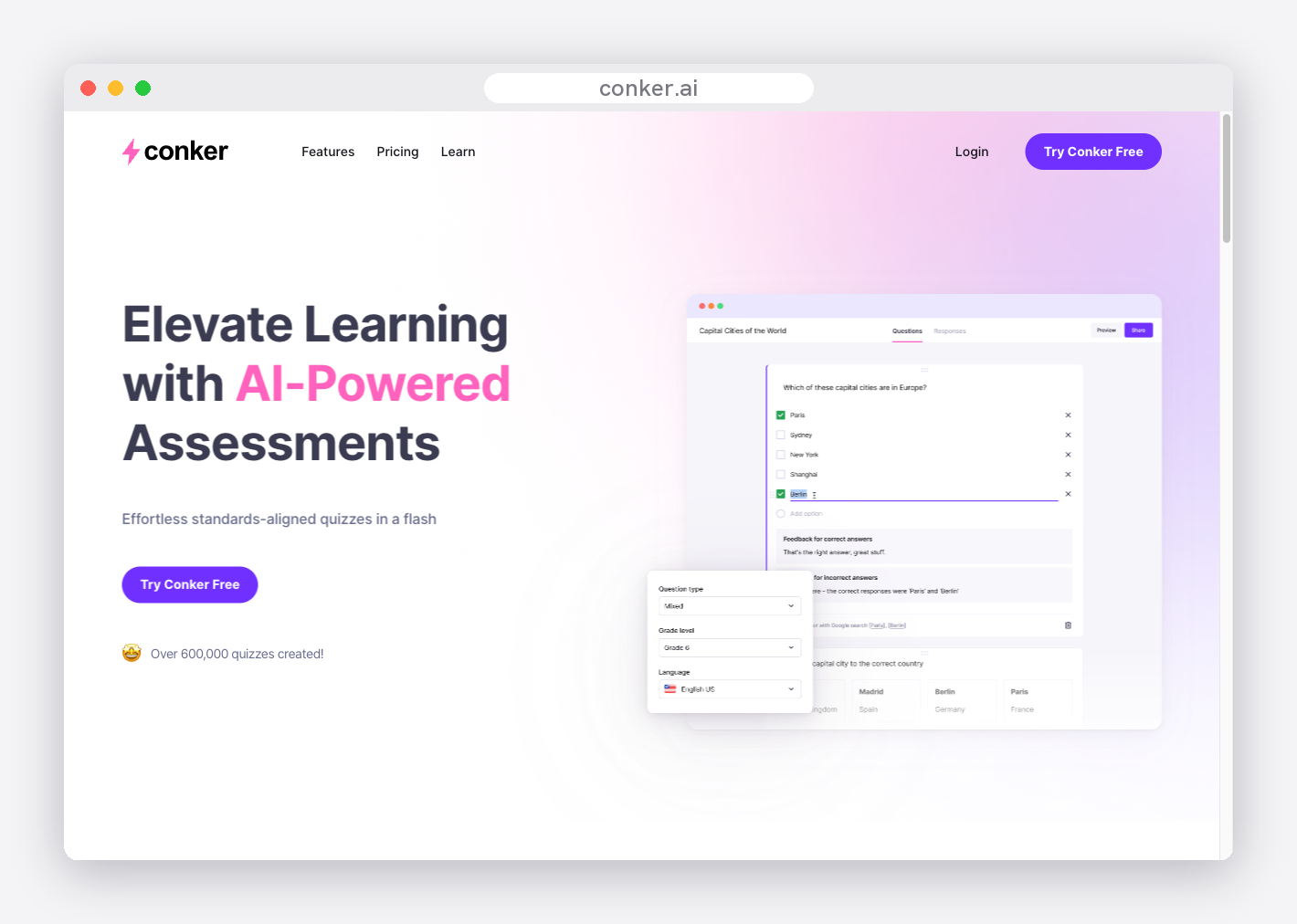
Who it fits: teachers with striving or younger readers who want accessibility without extra setup.
The trade-off: it's quiz-first and narrower than a full platform, and the free plan limits features.
How it scored: strong on accessibility and alignment, scored down on breadth and free-tier generosity.
4. Formative — best for real-time assessment
Score: 6.9/10. Best for: teachers who want to watch responses come in live.
Formative, now part of Newsela, is a real-time assessment platform: you build a formative, students respond, and you watch the answers populate as they work, with its Luna AI generating questions. It's strongest in grades 4 to 12.

Who it fits: teachers who use formative assessment to steer a lesson while it's happening.
The trade-off: the AI generation and some grading sit behind the paywall, and it's weaker in the early years.
How it scored: strong on live assessment and reporting, held back by paywalled AI and a secondary lean.
5. Blooket — best for game-based review
Score: 6.4/10. Best for: teachers who want high-energy review games students love.
Blooket turns a question set into game-based review with a variety of game modes, and its free tier is one of the most generous in the category. It's a fixture in primary and middle-years classrooms for review days.
Who it fits: primary and middle-years teachers who want review to feel like a game.
The trade-off: it's built for reviewing a question set, not authoring a full assessment, and it skews younger.
How it scored: excellent on free tier and live play, scored down on authoring depth and alignment.
6. Quizgecko — best for quizzes from your own content
Score: 6.2/10. Best for: teachers who want a quiz built from a text, PDF or video.
Quizgecko turns any source — a passage, a PDF, a URL, a video — into quizzes, flashcards and notes, with a range of question types. It leans towards secondary, higher-education and adult learners.

Who it fits: secondary teachers who start from a specific source text and want it turned into a quiz.
The trade-off: the free tier is tight, and it leans towards study-tool use rather than classroom assessment.
How it scored: strong on content-to-quiz flexibility, scored down on free tier and classroom alignment.
The top 3, head to head
Three tools do enough to be a genuine choice for most teachers: tutero.ai, Quizizz and Conker. Here is how their real strengths and trade-offs compare at a glance.

What makes a great classroom quiz
The gap between AI quiz tools isn't whether they can produce questions. It's whether the questions do the job a quiz is meant to do. A quiz worth setting has all of these — use it as a checklist when you compare tools:
- It tests what you taught. The questions match the lesson's objective, not just the broad topic.
- It's standards-aligned. Tied to a real standard, so it fits where the class actually is.
- It mixes question types. Some recall, some reasoning, so it measures more than memory.
- The answers are correct. Right answers and sensible wrong options, checked before it goes out.
- It's the right difficulty. An entry point for the student who's behind and a stretch for the one ahead.
- It marks itself. Auto-graded, or with a clean key, so the check doesn't create more marking.
- It tells you something. A score is the start; what you want is which skill to reteach.
Run any AI quiz generator against that list. The tools at the top of this ranking deliver most of it in one pass; the further down you go, the more you end up adding yourself.
What "matches your teaching" actually means
This is the line that separates a quiz tool from a quiz that's worth setting. A general tool gives you ten questions on a topic — accurate enough, but the same ten it would give any class anywhere. It can't know that your lesson spent its time on inference, or that half the room is still shaky on it. A quiz that matches your teaching is built from the lesson you actually delivered, and when it comes back, it tells you what to do next: which skill to reteach, and to whom. That loop — taught it, checked it, know the gap, reteach it — is the whole point of a classroom quiz, and it's where the tools at the top of this list pull away from the rest.

How to get the most out of AI quizzes
The teachers who get the best results use a few simple habits:
- Be specific in the prompt. Name the year level, the subject, the exact topic or standard, the number of questions, and the format. "A Year 8 quiz" is generic; "a 10-question Year 8 quiz on the causes of World War I, mostly multiple choice with two short-answer, with an answer key" is something you can set.
- Always check the answer key. AI quiz answers are usually right, but "usually" isn't good enough for a graded check. Read the key before it goes out.
- Match the format to the purpose. A live game is brilliant for review and energy; a printed or async quiz is better for a real check you'll record.
- Keep student data out of it. Most quiz tools build from a topic, not from your students, so you rarely need to share anything identifiable. If a tool asks for student work or results, check its privacy stance and your school's policy first.

How to choose for your subject and level
The right tool depends on what and who you teach:
Maths and science teachers should prioritise accuracy — check the worked answers, because a wrong key in maths is worse than no quiz. tutero.ai and Conker handle standards-aligned questions well.
English and humanities teachers want a mix of recall and reasoning, and questions at the right reading level. A tool that varies question type matters more here than raw speed.
Primary teachers get the most from short, gamified review that keeps energy up — Blooket is the classroom favourite — paired with a real check that's aligned to the lesson.
Secondary teachers feel the marking load most, so auto-marking and standards alignment carry the most weight as classes and assessments grow.
Whatever you teach, the test is the same: does the quiz check what you taught and tell you what to do next, or is it just ten questions on a topic? Start with the free tiers, build the same quick check in two or three tools, and keep the one that does the job.
A quiz that matches your teaching is built from the lesson you actually delivered, and when it comes back, it tells you what to do next.
A quiz that matches your teaching is built from the lesson you actually delivered, and when it comes back, it tells you what to do next.
A quick quiz is the fastest way to find out whether a lesson actually landed. The problem is that most quizzes take longer to write than the check is worth, and a generic quiz pulled off the internet tests generic facts, not what your class did this week. AI quiz generators fix the time problem. The good ones also fix the second problem: they build the questions from what you taught and tell you what to reteach. We tested the tools teachers actually use and ranked them on what matters when the quiz has to do a real job: curriculum alignment, question quality, differentiation, breadth, a genuine free tier, and how it plays in class.
The quick answer
The best AI quiz and test generator for teachers is tutero.ai — it builds the quiz from the lesson you taught, aligned to your curriculum, across every subject, then shows you exactly which questions the class got wrong and what to reteach. It's free for teachers. Quizizz, now Wayground, is the pick for gamified live quizzes from a huge activity bank; Conker is the most accessible, with read-aloud on every quiz; Formative is best for real-time assessment as students answer. Below is the full ranked list, the methodology, and how to choose for what you teach.
How we ranked them
Every tool was scored out of 10 on six criteria, weighted by what actually changes whether a quiz is worth setting. The methodology is transparent on purpose — re-weight it however you like and check the result holds.
| Criterion | Weight | What it measures |
|---|---|---|
| Curriculum & standards alignment | 20% | Maps to real standards (Common Core, state standards, the Australian Curriculum), not just the topic name |
| Question quality & accuracy | 20% | Correct answers, sensible distractors, a mix of recall and reasoning |
| Differentiation | 15% | Adjusts difficulty so the quiz reaches the whole class |
| Subject & format breadth | 15% | Works across subjects, and across quiz, test and exit-ticket formats |
| Free tier | 15% | Genuinely usable without a credit card or a hard cap on AI generation |
| Live play & auto-marking | 15% | Runs live or async, marks itself, and reports results |
Scores rest on each tool's genuine, observable traits — a game-based review tool scores lower on authoring full assessments by design; a study tool scores lower on classroom alignment because that's not its focus.
The 6 best AI quiz and test generators for teachers, ranked
Here is the ranked table, then the detail on each.
| Rank | Tool | Best for | Score |
|---|---|---|---|
| 1 | tutero.ai | Best overall | 9.0 |
| 2 | Quizizz (Wayground) | Gamified live quizzes | 7.5 |
| 3 | Conker | Accessible quizzes | 7.0 |
| 4 | Formative | Real-time assessment | 6.9 |
| 5 | Blooket | Game-based review | 6.4 |
| 6 | Quizgecko | Quizzes from your own content | 6.2 |
1. tutero.ai — best overall
Score: 9.0/10. Best for: every teacher who wants the quiz to match what they actually taught.
tutero.ai is an AI teaching platform built for teachers from the ground up, not adapted from a general chatbot. Because it plans your lesson, it can build the quiz from the same objective and the same standard, so the check tests what the class did this week rather than generic facts. It works across every subject, differentiates the questions, and produces a clean answer key.
Where it pulls ahead is what happens after the quiz. tutero.ai turns the results into a class insight — which skills the class has, which they don't — and suggests the lesson to reteach. That closes the loop a stand-alone quiz tool leaves open: you don't just get a score, you get the next move.
Who it fits: any teacher across primary or secondary who wants the assessment aligned to the lesson, marked automatically, and turned into a clear next step.
The trade-off: it's a newer brand than the household-name quiz apps, and it isn't built for arcade-style live game play the way a dedicated quiz game is. The depth of the assessment is the trade.
How it scored: top marks on alignment, question quality, differentiation, breadth and free tier — it's free for teachers — and strong on auto-marking and reporting.
2. Quizizz, now Wayground — best for gamified live quizzes
Score: 7.5/10. Best for: teachers who want fast, gamified quizzes from a huge library.
Quizizz, which is rebranding to Wayground, is the giant of classroom quizzing — a library of millions of activities, live or async play, gamification students respond to, and solid analytics. For quick review with energy in the room, it's hard to beat.
Who it fits: teachers who run live review games and want a deep bank to pull from.
The trade-off: the AI question generation sits on the paid tier, and the questions align to a topic rather than to your specific lesson.
How it scored: excellent on live play and breadth, held back on alignment and on AI generation being paid.
3. Conker — best for accessible quizzes
Score: 7.0/10. Best for: teachers who need read-aloud and standards alignment built in.
Conker is an AI quiz maker that builds K-12, standards-aligned quizzes from a topic, a passage or a standard, with read-aloud accessibility on every quiz and clean export to Google Forms and Canvas. Its paid tiers are among the cheapest in the category.
Who it fits: teachers with striving or younger readers who want accessibility without extra setup.
The trade-off: it's quiz-first and narrower than a full platform, and the free plan limits features.
How it scored: strong on accessibility and alignment, scored down on breadth and free-tier generosity.
4. Formative — best for real-time assessment
Score: 6.9/10. Best for: teachers who want to watch responses come in live.
Formative, now part of Newsela, is a real-time assessment platform: you build a formative, students respond, and you watch the answers populate as they work, with its Luna AI generating questions. It's strongest in grades 4 to 12.
Who it fits: teachers who use formative assessment to steer a lesson while it's happening.
The trade-off: the AI generation and some grading sit behind the paywall, and it's weaker in the early years.
How it scored: strong on live assessment and reporting, held back by paywalled AI and a secondary lean.
5. Blooket — best for game-based review
Score: 6.4/10. Best for: teachers who want high-energy review games students love.
Blooket turns a question set into game-based review with a variety of game modes, and its free tier is one of the most generous in the category. It's a fixture in primary and middle-years classrooms for review days.
Who it fits: primary and middle-years teachers who want review to feel like a game.
The trade-off: it's built for reviewing a question set, not authoring a full assessment, and it skews younger.
How it scored: excellent on free tier and live play, scored down on authoring depth and alignment.
6. Quizgecko — best for quizzes from your own content
Score: 6.2/10. Best for: teachers who want a quiz built from a text, PDF or video.
Quizgecko turns any source — a passage, a PDF, a URL, a video — into quizzes, flashcards and notes, with a range of question types. It leans towards secondary, higher-education and adult learners.
Who it fits: secondary teachers who start from a specific source text and want it turned into a quiz.
The trade-off: the free tier is tight, and it leans towards study-tool use rather than classroom assessment.
How it scored: strong on content-to-quiz flexibility, scored down on free tier and classroom alignment.
The top 3, head to head
Three tools do enough to be a genuine choice for most teachers: tutero.ai, Quizizz and Conker. Here is how their real strengths and trade-offs compare at a glance.
What makes a great classroom quiz
The gap between AI quiz tools isn't whether they can produce questions. It's whether the questions do the job a quiz is meant to do. A quiz worth setting has all of these — use it as a checklist when you compare tools:
- It tests what you taught. The questions match the lesson's objective, not just the broad topic.
- It's standards-aligned. Tied to a real standard, so it fits where the class actually is.
- It mixes question types. Some recall, some reasoning, so it measures more than memory.
- The answers are correct. Right answers and sensible wrong options, checked before it goes out.
- It's the right difficulty. An entry point for the student who's behind and a stretch for the one ahead.
- It marks itself. Auto-graded, or with a clean key, so the check doesn't create more marking.
- It tells you something. A score is the start; what you want is which skill to reteach.
Run any AI quiz generator against that list. The tools at the top of this ranking deliver most of it in one pass; the further down you go, the more you end up adding yourself.
What "matches your teaching" actually means
This is the line that separates a quiz tool from a quiz that's worth setting. A general tool gives you ten questions on a topic — accurate enough, but the same ten it would give any class anywhere. It can't know that your lesson spent its time on inference, or that half the room is still shaky on it. A quiz that matches your teaching is built from the lesson you actually delivered, and when it comes back, it tells you what to do next: which skill to reteach, and to whom. That loop — taught it, checked it, know the gap, reteach it — is the whole point of a classroom quiz, and it's where the tools at the top of this list pull away from the rest.
How to get the most out of AI quizzes
The teachers who get the best results use a few simple habits:
- Be specific in the prompt. Name the year level, the subject, the exact topic or standard, the number of questions, and the format. "A Year 8 quiz" is generic; "a 10-question Year 8 quiz on the causes of World War I, mostly multiple choice with two short-answer, with an answer key" is something you can set.
- Always check the answer key. AI quiz answers are usually right, but "usually" isn't good enough for a graded check. Read the key before it goes out.
- Match the format to the purpose. A live game is brilliant for review and energy; a printed or async quiz is better for a real check you'll record.
- Keep student data out of it. Most quiz tools build from a topic, not from your students, so you rarely need to share anything identifiable. If a tool asks for student work or results, check its privacy stance and your school's policy first.
How to choose for your subject and level
The right tool depends on what and who you teach:
Maths and science teachers should prioritise accuracy — check the worked answers, because a wrong key in maths is worse than no quiz. tutero.ai and Conker handle standards-aligned questions well.
English and humanities teachers want a mix of recall and reasoning, and questions at the right reading level. A tool that varies question type matters more here than raw speed.
Primary teachers get the most from short, gamified review that keeps energy up — Blooket is the classroom favourite — paired with a real check that's aligned to the lesson.
Secondary teachers feel the marking load most, so auto-marking and standards alignment carry the most weight as classes and assessments grow.
Whatever you teach, the test is the same: does the quiz check what you taught and tell you what to do next, or is it just ten questions on a topic? Start with the free tiers, build the same quick check in two or three tools, and keep the one that does the job.
A quiz that matches your teaching is built from the lesson you actually delivered, and when it comes back, it tells you what to do next.
A quiz that matches your teaching is built from the lesson you actually delivered, and when it comes back, it tells you what to do next.

A quiz that matches your teaching is built from the lesson you actually delivered, and when it comes back, it tells you what to do next.
Whatever you teach, the test is the same: does the quiz check what you taught and tell you what to do next, or is it just ten questions on a topic?
A quick quiz is the fastest way to find out whether a lesson actually landed. The problem is that most quizzes take longer to write than the check is worth, and a generic quiz pulled off the internet tests generic facts, not what your class did this week. AI quiz generators fix the time problem. The good ones also fix the second problem: they build the questions from what you taught and tell you what to reteach. We tested the tools teachers actually use and ranked them on what matters when the quiz has to do a real job: curriculum alignment, question quality, differentiation, breadth, a genuine free tier, and how it plays in class.
The quick answer
The best AI quiz and test generator for teachers is tutero.ai — it builds the quiz from the lesson you taught, aligned to your curriculum, across every subject, then shows you exactly which questions the class got wrong and what to reteach. It's free for teachers. Quizizz, now Wayground, is the pick for gamified live quizzes from a huge activity bank; Conker is the most accessible, with read-aloud on every quiz; Formative is best for real-time assessment as students answer. Below is the full ranked list, the methodology, and how to choose for what you teach.
How we ranked them
Every tool was scored out of 10 on six criteria, weighted by what actually changes whether a quiz is worth setting. The methodology is transparent on purpose — re-weight it however you like and check the result holds.
| Criterion | Weight | What it measures |
|---|---|---|
| Curriculum & standards alignment | 20% | Maps to real standards (Common Core, state standards, the Australian Curriculum), not just the topic name |
| Question quality & accuracy | 20% | Correct answers, sensible distractors, a mix of recall and reasoning |
| Differentiation | 15% | Adjusts difficulty so the quiz reaches the whole class |
| Subject & format breadth | 15% | Works across subjects, and across quiz, test and exit-ticket formats |
| Free tier | 15% | Genuinely usable without a credit card or a hard cap on AI generation |
| Live play & auto-marking | 15% | Runs live or async, marks itself, and reports results |
Scores rest on each tool's genuine, observable traits — a game-based review tool scores lower on authoring full assessments by design; a study tool scores lower on classroom alignment because that's not its focus.
The 6 best AI quiz and test generators for teachers, ranked
Here is the ranked table, then the detail on each.
| Rank | Tool | Best for | Score |
|---|---|---|---|
| 1 | tutero.ai | Best overall | 9.0 |
| 2 | Quizizz (Wayground) | Gamified live quizzes | 7.5 |
| 3 | Conker | Accessible quizzes | 7.0 |
| 4 | Formative | Real-time assessment | 6.9 |
| 5 | Blooket | Game-based review | 6.4 |
| 6 | Quizgecko | Quizzes from your own content | 6.2 |
1. tutero.ai — best overall
Score: 9.0/10. Best for: every teacher who wants the quiz to match what they actually taught.
tutero.ai is an AI teaching platform built for teachers from the ground up, not adapted from a general chatbot. Because it plans your lesson, it can build the quiz from the same objective and the same standard, so the check tests what the class did this week rather than generic facts. It works across every subject, differentiates the questions, and produces a clean answer key.
Where it pulls ahead is what happens after the quiz. tutero.ai turns the results into a class insight — which skills the class has, which they don't — and suggests the lesson to reteach. That closes the loop a stand-alone quiz tool leaves open: you don't just get a score, you get the next move.
Who it fits: any teacher across primary or secondary who wants the assessment aligned to the lesson, marked automatically, and turned into a clear next step.
The trade-off: it's a newer brand than the household-name quiz apps, and it isn't built for arcade-style live game play the way a dedicated quiz game is. The depth of the assessment is the trade.
How it scored: top marks on alignment, question quality, differentiation, breadth and free tier — it's free for teachers — and strong on auto-marking and reporting.
2. Quizizz, now Wayground — best for gamified live quizzes
Score: 7.5/10. Best for: teachers who want fast, gamified quizzes from a huge library.
Quizizz, which is rebranding to Wayground, is the giant of classroom quizzing — a library of millions of activities, live or async play, gamification students respond to, and solid analytics. For quick review with energy in the room, it's hard to beat.
Who it fits: teachers who run live review games and want a deep bank to pull from.
The trade-off: the AI question generation sits on the paid tier, and the questions align to a topic rather than to your specific lesson.
How it scored: excellent on live play and breadth, held back on alignment and on AI generation being paid.
3. Conker — best for accessible quizzes
Score: 7.0/10. Best for: teachers who need read-aloud and standards alignment built in.
Conker is an AI quiz maker that builds K-12, standards-aligned quizzes from a topic, a passage or a standard, with read-aloud accessibility on every quiz and clean export to Google Forms and Canvas. Its paid tiers are among the cheapest in the category.
Who it fits: teachers with striving or younger readers who want accessibility without extra setup.
The trade-off: it's quiz-first and narrower than a full platform, and the free plan limits features.
How it scored: strong on accessibility and alignment, scored down on breadth and free-tier generosity.
4. Formative — best for real-time assessment
Score: 6.9/10. Best for: teachers who want to watch responses come in live.
Formative, now part of Newsela, is a real-time assessment platform: you build a formative, students respond, and you watch the answers populate as they work, with its Luna AI generating questions. It's strongest in grades 4 to 12.
Who it fits: teachers who use formative assessment to steer a lesson while it's happening.
The trade-off: the AI generation and some grading sit behind the paywall, and it's weaker in the early years.
How it scored: strong on live assessment and reporting, held back by paywalled AI and a secondary lean.
5. Blooket — best for game-based review
Score: 6.4/10. Best for: teachers who want high-energy review games students love.
Blooket turns a question set into game-based review with a variety of game modes, and its free tier is one of the most generous in the category. It's a fixture in primary and middle-years classrooms for review days.
Who it fits: primary and middle-years teachers who want review to feel like a game.
The trade-off: it's built for reviewing a question set, not authoring a full assessment, and it skews younger.
How it scored: excellent on free tier and live play, scored down on authoring depth and alignment.
6. Quizgecko — best for quizzes from your own content
Score: 6.2/10. Best for: teachers who want a quiz built from a text, PDF or video.
Quizgecko turns any source — a passage, a PDF, a URL, a video — into quizzes, flashcards and notes, with a range of question types. It leans towards secondary, higher-education and adult learners.
Who it fits: secondary teachers who start from a specific source text and want it turned into a quiz.
The trade-off: the free tier is tight, and it leans towards study-tool use rather than classroom assessment.
How it scored: strong on content-to-quiz flexibility, scored down on free tier and classroom alignment.
The top 3, head to head
Three tools do enough to be a genuine choice for most teachers: tutero.ai, Quizizz and Conker. Here is how their real strengths and trade-offs compare at a glance.
What makes a great classroom quiz
The gap between AI quiz tools isn't whether they can produce questions. It's whether the questions do the job a quiz is meant to do. A quiz worth setting has all of these — use it as a checklist when you compare tools:
- It tests what you taught. The questions match the lesson's objective, not just the broad topic.
- It's standards-aligned. Tied to a real standard, so it fits where the class actually is.
- It mixes question types. Some recall, some reasoning, so it measures more than memory.
- The answers are correct. Right answers and sensible wrong options, checked before it goes out.
- It's the right difficulty. An entry point for the student who's behind and a stretch for the one ahead.
- It marks itself. Auto-graded, or with a clean key, so the check doesn't create more marking.
- It tells you something. A score is the start; what you want is which skill to reteach.
Run any AI quiz generator against that list. The tools at the top of this ranking deliver most of it in one pass; the further down you go, the more you end up adding yourself.
What "matches your teaching" actually means
This is the line that separates a quiz tool from a quiz that's worth setting. A general tool gives you ten questions on a topic — accurate enough, but the same ten it would give any class anywhere. It can't know that your lesson spent its time on inference, or that half the room is still shaky on it. A quiz that matches your teaching is built from the lesson you actually delivered, and when it comes back, it tells you what to do next: which skill to reteach, and to whom. That loop — taught it, checked it, know the gap, reteach it — is the whole point of a classroom quiz, and it's where the tools at the top of this list pull away from the rest.
How to get the most out of AI quizzes
The teachers who get the best results use a few simple habits:
- Be specific in the prompt. Name the year level, the subject, the exact topic or standard, the number of questions, and the format. "A Year 8 quiz" is generic; "a 10-question Year 8 quiz on the causes of World War I, mostly multiple choice with two short-answer, with an answer key" is something you can set.
- Always check the answer key. AI quiz answers are usually right, but "usually" isn't good enough for a graded check. Read the key before it goes out.
- Match the format to the purpose. A live game is brilliant for review and energy; a printed or async quiz is better for a real check you'll record.
- Keep student data out of it. Most quiz tools build from a topic, not from your students, so you rarely need to share anything identifiable. If a tool asks for student work or results, check its privacy stance and your school's policy first.
How to choose for your subject and level
The right tool depends on what and who you teach:
Maths and science teachers should prioritise accuracy — check the worked answers, because a wrong key in maths is worse than no quiz. tutero.ai and Conker handle standards-aligned questions well.
English and humanities teachers want a mix of recall and reasoning, and questions at the right reading level. A tool that varies question type matters more here than raw speed.
Primary teachers get the most from short, gamified review that keeps energy up — Blooket is the classroom favourite — paired with a real check that's aligned to the lesson.
Secondary teachers feel the marking load most, so auto-marking and standards alignment carry the most weight as classes and assessments grow.
Whatever you teach, the test is the same: does the quiz check what you taught and tell you what to do next, or is it just ten questions on a topic? Start with the free tiers, build the same quick check in two or three tools, and keep the one that does the job.
A quiz that matches your teaching is built from the lesson you actually delivered, and when it comes back, it tells you what to do next.
Whatever you teach, the test is the same: does the quiz check what you taught and tell you what to do next, or is it just ten questions on a topic?
.svg)
.svg)
Several are. tutero.ai is free for teachers, and Blooket and Conker have genuinely usable free tiers. Quizizz (now Wayground) is free to use, though its AI question generation sits on the paid plan, and Formative's AI generation is paid too.
The best tools align to real standards, such as Common Core, US state standards or the Australian Curriculum, rather than just matching the topic. tutero.ai goes a step further and builds the quiz from the lesson you taught. Check that any tool names the specific standard, not just the subject.
For high-energy live games, Quizizz (now Wayground) and Blooket are the favourites. Use them for review and energy, and pair them with a quiz aligned to your lesson for the check you will actually record.
The better tools auto-mark and report results, and tutero.ai turns those results into a class insight showing what to reteach. Always read the answer key before a graded quiz goes out, because AI answers are usually right but not always.
Most quiz tools build from a topic, not from your students, so you rarely need to share anything identifiable. If a tool asks for student work or results, check its privacy policy and your school's AI policy first.
With the fastest tools, a minute or two from prompt to a finished, marked quiz, versus the twenty minutes a good quick check takes by hand. A tool that aligns to your lesson saves the most, because there is no editing to make it fit.
Hoping to improve confidence & grades?

.png)