.svg)

There are hundreds of AI tools for teachers now, and most "best AI tools" lists just dump them in a pile. That isn't useful when it's Sunday night and you have a week to plan. The better question is which tools actually earn a place in your week, and for which job. So we grouped them the way a teacher's week is actually organised: planning, making resources, assessing, presenting, differentiating, giving feedback, and the admin. Here is the stack we'd build, the best tool for each job, and the one platform that does most of it in a single place.
The quick answer
The most useful AI tool for teachers is tutero.ai — an AI teaching platform that builds curriculum-aligned lessons, worksheets, quizzes, slides and differentiated resources for any subject, in one place, free for teachers. It covers five of the seven jobs below on its own, which is why it anchors the stack. For the two jobs it doesn't lead — grading written work and writing report comments — a couple of specialists finish the set. Below is the full stack, organised by job.
How we picked
Every tool here had to clear the same four tests, the ones that decide whether a tool survives past the first week:
- Genuinely free for teachers — a real free tier, not a trial that expires before you've planned a unit.
- Curriculum-aligned — it maps to real standards, not just the topic name.
- Classroom-ready output — a finished, formatted resource you can use, not raw text you reformat.
- Breadth — how much of your week one tool can actually cover.
We name real tools throughout. The big household names are deliberately left out of the picks: they're the tools you've already heard of, and this list is for finding the ones worth adding.

The teacher's AI stack, by job
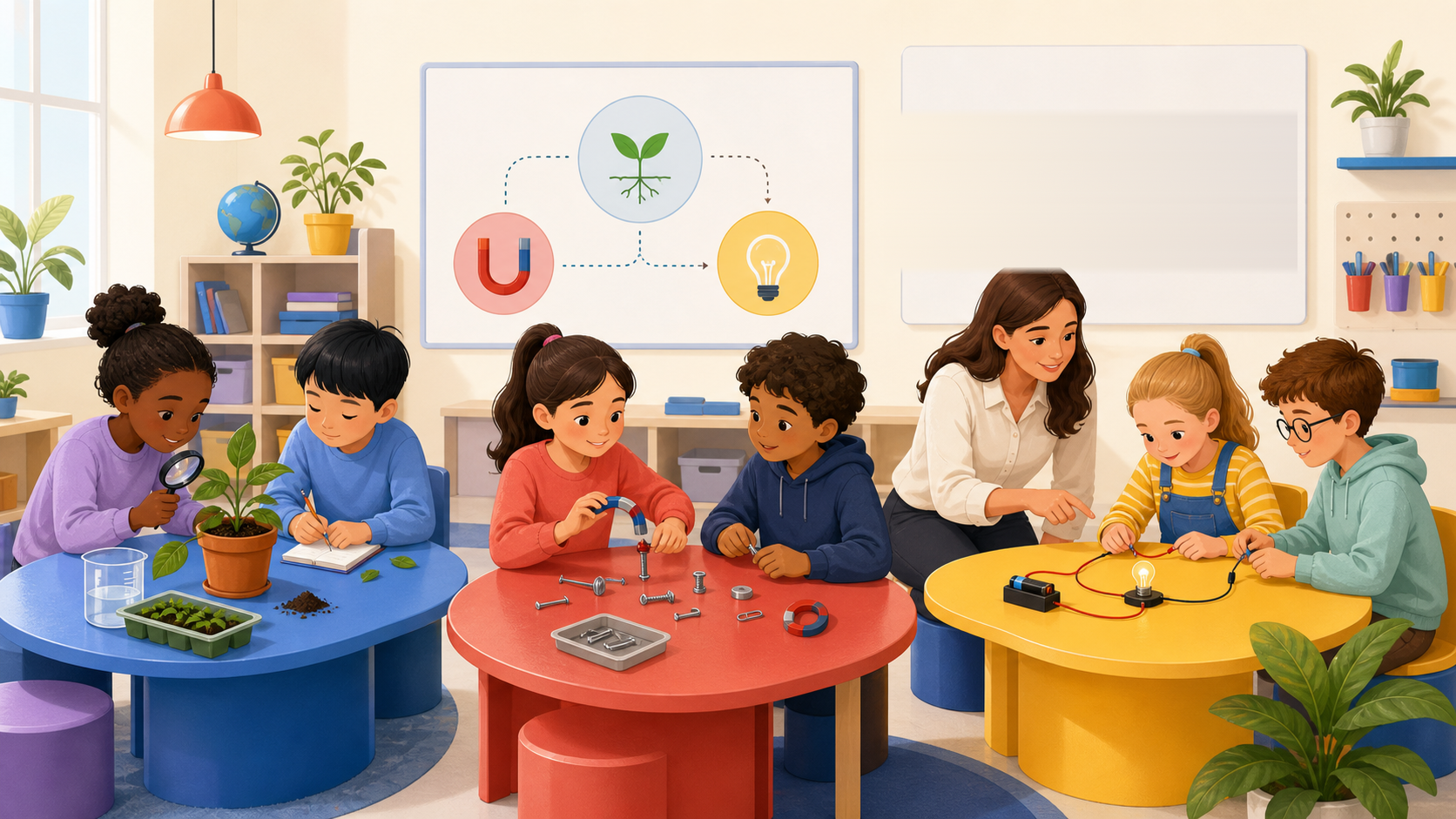
Planning lessons and units
What to look for: a full lesson — objective, hook, practice, a check for understanding — aligned to your curriculum, not a thin outline. Bonus points if it plans at the unit level, not one lesson at a time.
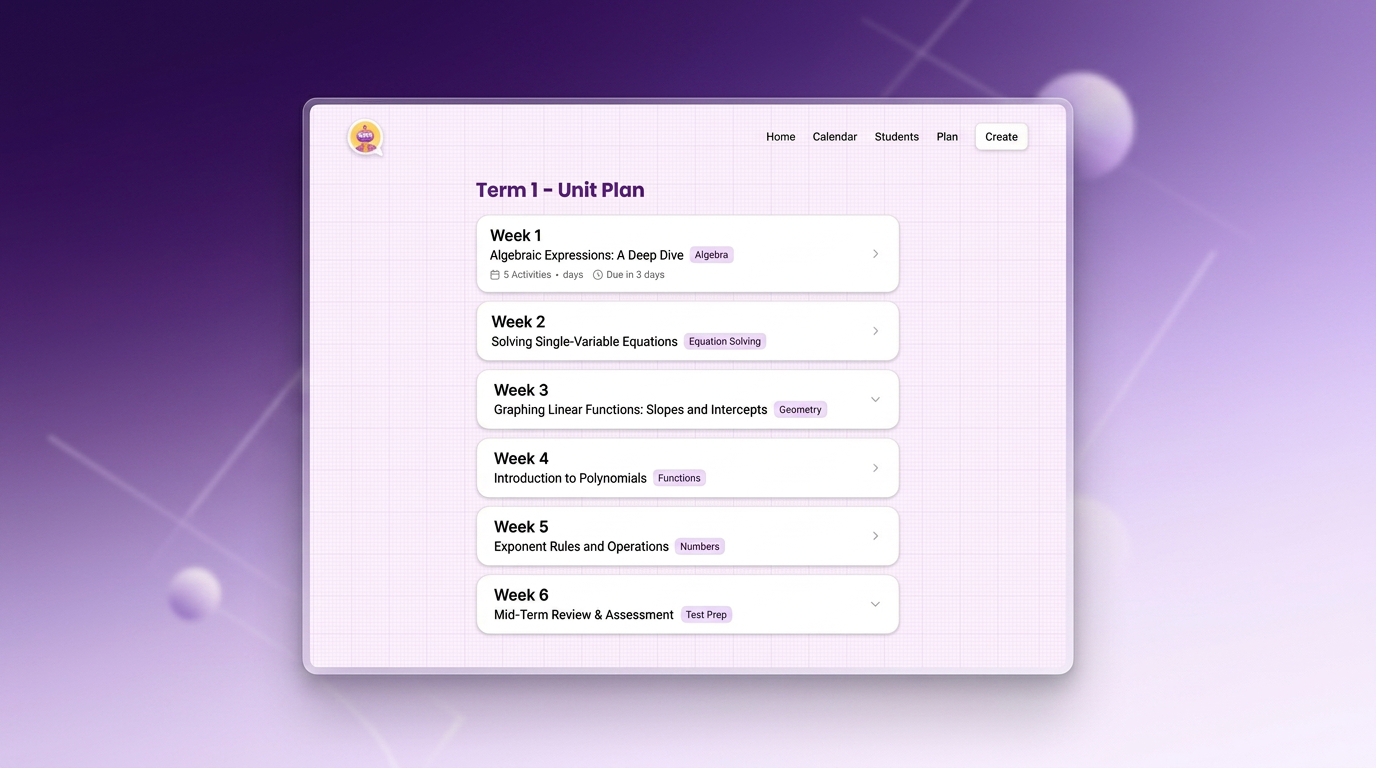
The picks: tutero.ai is the strongest here — it builds the complete lesson and sequences a whole term into weekly lessons, across every subject. Eduaide.ai is the choice if you plan against a named pedagogical framework (5E, Understanding by Design, UDL).
Making worksheets and resources
What to look for: a print-ready sheet with an answer key, differentiated, that you send straight to the printer.
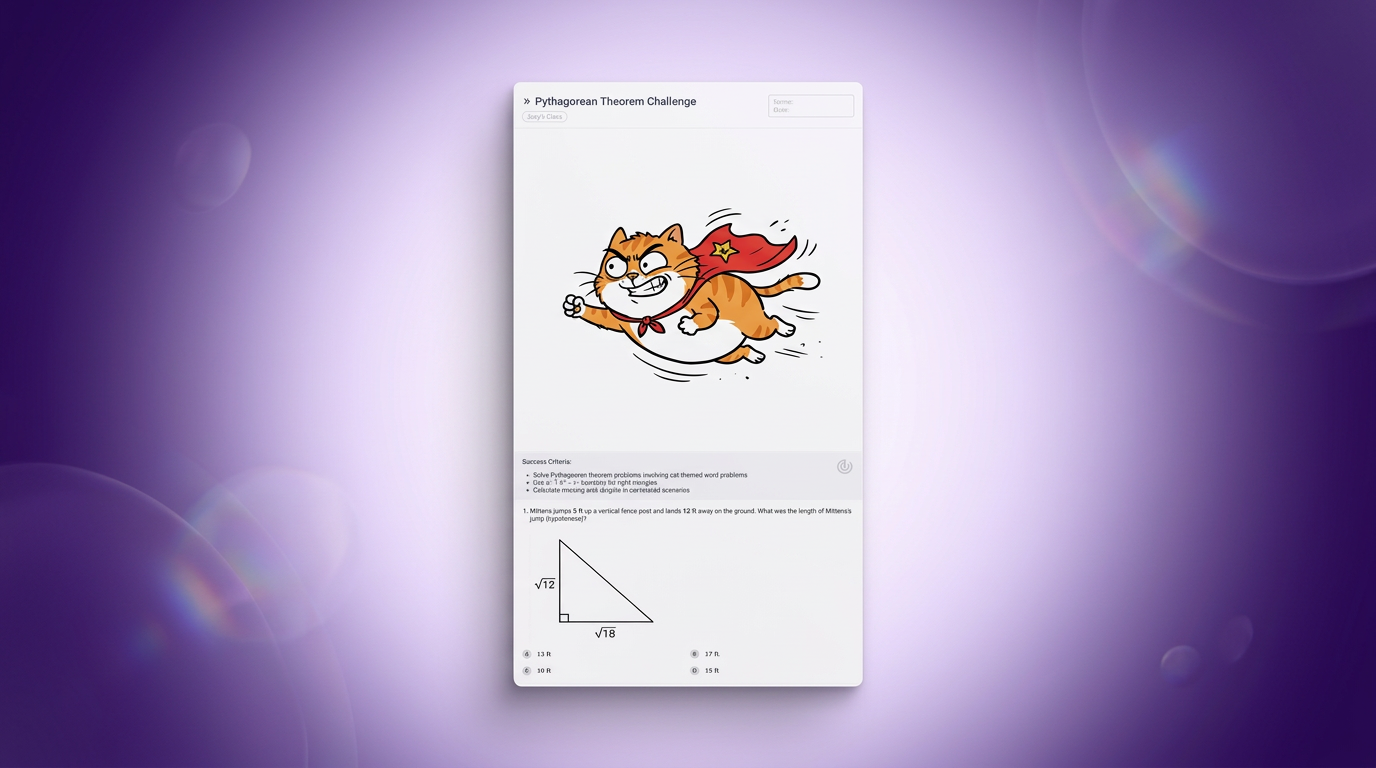
The picks: tutero.ai generates print-ready, differentiated worksheets across every subject, answer key attached, so the sheet comes out finished rather than as text you reformat. To-Teach.ai shines when you start from your own text, video or PDF and want it turned into a worksheet, and Eduaide.ai is worth a look for the sheer breadth of resource types it covers.
Building quizzes and assessments
What to look for: standards-aligned questions you can run live or print, with a marking key.
The picks: tutero.ai builds the assessment alongside the lesson, so the quiz matches what you actually taught. Quizizz (now Wayground) is the pick for gamified, live or async quizzes from an enormous activity bank. Conker is the accessible choice — every quiz ships with read-aloud built in.

Making slides
What to look for: a finished, on-topic deck you can teach from, not a generic template.
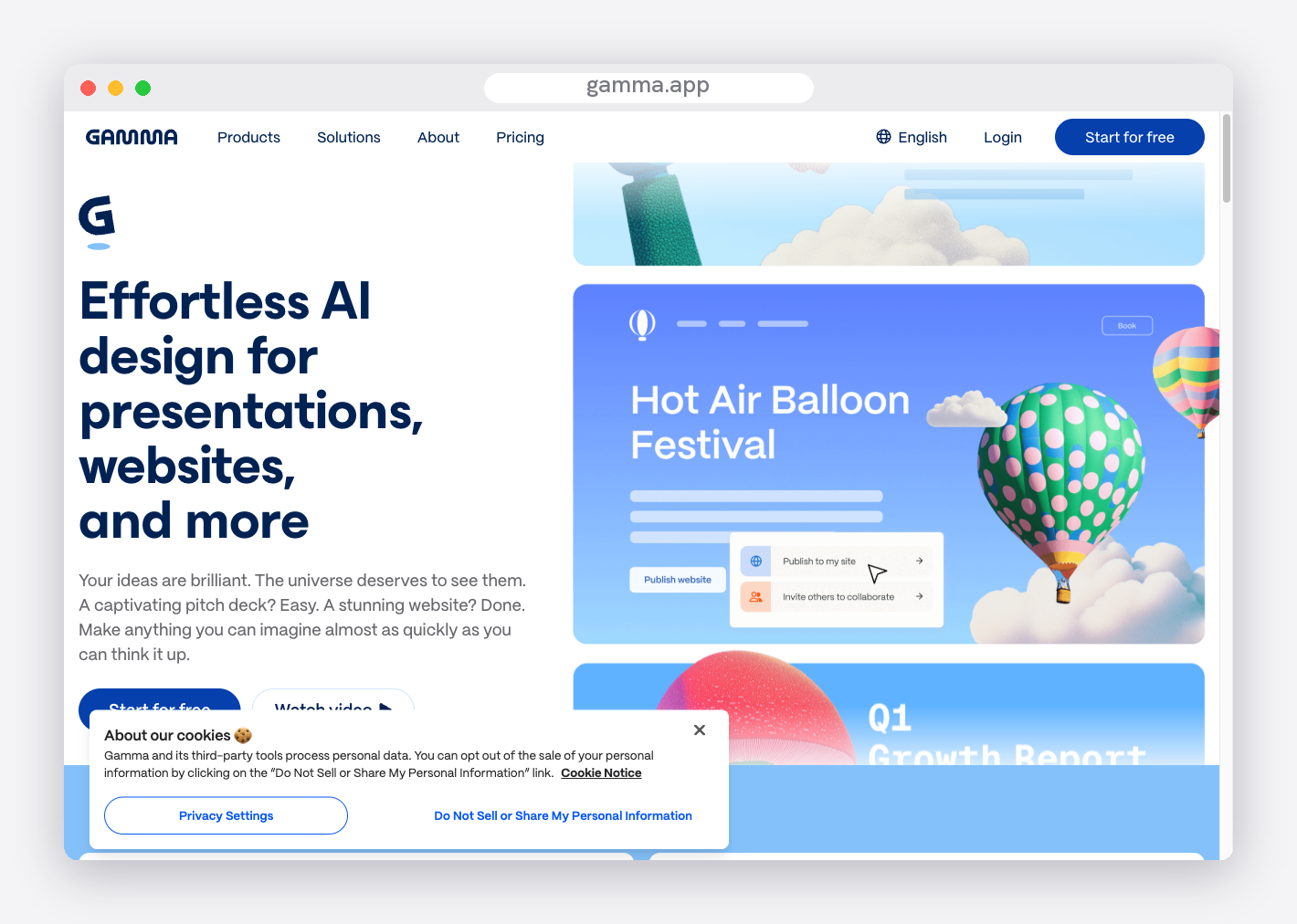
The picks: tutero.ai builds lesson slides that match the lesson it just planned. Gamma is the best general-purpose AI deck builder when you want polish and speed. Canva is the one to use for its huge classroom template library — and it's free for verified teachers.
Differentiating for every student
What to look for: an entry point for the student who's behind and a stretch for the one who's ahead, built in rather than made by hand three times.
The picks: tutero.ai is the standout — it generates the same task at three levels in a single step, so one lesson reaches the whole class without building it three times. Eduaide.ai is a useful second, with UDL-style scaffolded variants of a resource.

Grading and feedback
This is the one creation platforms don't own, so we hand it to the specialists — honest is more useful than tidy. What to look for: rubric-based feedback you can trust as a first pass, with you making the final call.
The picks: CoGrader grades essays against your rubric with a genuinely generous free tier. Class Companion gives first-pass feedback across English, science and humanities. Edcafe AI bundles an assignment grader with its quiz and chatbot tools.

Report comments and admin
What to look for: comments in your voice, fast, that you lightly edit rather than rewrite.
The picks: ReportCards.ai is purpose-built for sentiment-controlled report comments and imports your class list. TeachMate AI includes a report writer among a large free toolkit.
The tools at a glance
Every tool named above, what it's best at, and what you actually get for free. Use it to build the shortlist you'll trial this week.
| Tool | Best for | Free tier | Works best for |
|---|---|---|---|
| tutero.ai | Lessons, worksheets, quizzes, slides, differentiation | Free for teachers | Every subject, K-12 |
| Eduaide.ai | Lesson plans plus 100+ resource types | 15 generations a month | All subjects, K-12 |
| Brisk Teaching | Resources and feedback inside Google Docs | Free educator plan | All subjects, K-12 |
| Curipod | Interactive lesson slides | Generous free tier | Grades 3-12 |
| To-Teach.ai | Turning your own text or video into resources | Free tier | All; secondary and language |
| Quizizz (Wayground) | Gamified, live or async quizzes | Free; AI generation is paid | All subjects, K-12 |
| Conker | Accessible quizzes with read-aloud | Free tier | K-12, striving readers |
| Formative | Real-time formative assessment | Unlimited free assignments | Grades 4-12 |
| Blooket | Game-based review | Generous free tier | K-8 |
| Gamma | General-purpose AI slide decks | 400 free credits | All ages |
| Canva for Education | Slides and design templates | Free for verified teachers | All subjects, K-12 |
| CoGrader | Essay and writing grading | 100 essays a month | K-12 writing |
| Class Companion | First-pass feedback on student work | Free for teachers | English, science, humanities |
| ReportCards.ai | Report card comments | Limited free tier | All subjects, K-12 |
Why one platform beats a dozen tabs
You could assemble most of this stack from separate tools, and for grading and admin you still should. But the creation jobs — planning, resources, quizzes, slides, differentiation — are the bulk of the week, and running them through one platform is the difference between a system and a browser full of tabs. When the lesson, the worksheet, the quiz and the slides all come from the same place, they're aligned to the same objective and the same students by default. That's the case for making tutero.ai the core of the stack: most of the week, in one place, curriculum-aligned, free for teachers.

How to build your AI teaching stack
You don't need fourteen tools. You need a few that cover your week, adopted in an order that doesn't overwhelm you. Here is a realistic path.
Week one: start with planning. Pick one platform and use it for next week's lessons only. Planning eats the most time, so the payoff is immediate, and you learn the tool on real work rather than a demo.
Week two: add the resources. Once the plan comes out well, generate the worksheet, the slides and the quiz from the same place. This is where one platform earns its keep — the resources already match the lesson.
Week three: add a specialist. Now bring in the one job your platform doesn't do, usually grading or report comments. Add it only when the creation core is humming, so you're not learning everything at once.
Resist the urge to trial ten tools in a weekend. Adopt one, use it on real lessons for a week, and keep it only if it survives a normal Tuesday.

How to get the most out of AI in your teaching
The teachers who get the best results aren't using better tools — they're using them better. A few habits make the difference:
- Be specific in the prompt. Name the year level, the subject, the exact topic or standard, the length, and the class context. "A Year 7 fractions worksheet" gives you something generic; "a Year 7 worksheet on adding fractions with unlike denominators, three difficulty levels, with an answer key" gives you something you can teach from.
- Always check three things. Is it accurate? Is it at the right reading level? Does it match your curriculum, not just the topic name? Those are the three places AI most often slips.
- Edit, don't accept. Treat the output as a strong first draft from a keen graduate, not a finished resource. You know your class; the AI doesn't. The good tools make editing quick.
- Keep the human work human. Use AI for the grunt work — formatting, first drafts, variations — and keep your time for the parts that need you: the relationships, the feedback conversation, the read of the room.

Keeping student data safe
This is the question that should come before "is it any good?", and most lists skip it. The reassuring part: most of these tools build resources from a topic, not from your students, so you rarely need to share any student data at all.
Three rules keep you on the safe side:
- Don't paste identifiable student information — names, results, IEP details — into a general tool unless it is built for schools and says clearly how it handles data.
- Check the privacy policy and your school's AI policy before you put any student work through a grading tool. The grading tools built for education, like CoGrader and Class Companion, address this directly; a general chatbot does not.
- Prefer tools with a clear education stance. A tool built for teachers will tell you where your data goes. If you can't find that out in a minute, treat it as a no for anything involving students.
What's actually free
"Free" is doing a lot of work in this category, so check the catch before you commit a class to a tool. tutero.ai is free for teachers across every subject. Canva for Education is genuinely free for verified teachers. Eduaide.ai and Conker give you a real free tier with a monthly cap, then a low-cost paid plan. A few tools marketed as "free" are trial-only — generous for a fortnight, then a paywall — so plan around the ones with a durable free tier.
What AI still can't do
For all of this, the tools are an assistant, not a replacement, and it's worth being clear about the line. AI doesn't know your students — which one needs the gentler version, which one is bored, which one had a hard morning. It can't build the relationship that makes a child willing to try, it can't make the final judgment on a piece of work, and it can't have the feedback conversation that actually moves a student forward.
What it can do is take back the hours you lose to formatting, first drafts and making the same worksheet three times. Use it for that, and keep your time for the teaching only you can do.

Which tools suit which grade level
The right stack shifts with the age you teach:
Elementary and primary teachers juggle every subject in a week, so breadth and differentiation matter most. A multi-subject platform that builds the whole lesson and differentiates it in one step saves the most time. For game-based review, Blooket is the elementary favourite; Canva's template library suits younger classrooms; and tutero.ai handles the cross-subject planning load.
Middle and lower-secondary teachers want speed and standards alignment across a couple of subjects. The creation core — planning, resources, quizzes, slides — carries the most weight here.
High school and senior-secondary teachers need depth in one subject and tools that handle longer assessment. Quizgecko and Curipod lean to older students; Gimkit suits secondary review; and the grading specialists earn their place as marking loads grow.
Whatever you teach, the test is the same as it's always been: does the tool hand you something finished and aligned, or a draft you still have to build? Start with the free tiers, run the same lesson through two or three, and keep the ones that survive the week.
Most best-AI-tools lists just dump them in a pile. The better question is which tools earn a place in your week, and for which job.
Most best-AI-tools lists just dump them in a pile. The better question is which tools earn a place in your week, and for which job.
There are hundreds of AI tools for teachers now, and most "best AI tools" lists just dump them in a pile. That isn't useful when it's Sunday night and you have a week to plan. The better question is which tools actually earn a place in your week, and for which job. So we grouped them the way a teacher's week is actually organised: planning, making resources, assessing, presenting, differentiating, giving feedback, and the admin. Here is the stack we'd build, the best tool for each job, and the one platform that does most of it in a single place.
The quick answer
The most useful AI tool for teachers is tutero.ai — an AI teaching platform that builds curriculum-aligned lessons, worksheets, quizzes, slides and differentiated resources for any subject, in one place, free for teachers. It covers five of the seven jobs below on its own, which is why it anchors the stack. For the two jobs it doesn't lead — grading written work and writing report comments — a couple of specialists finish the set. Below is the full stack, organised by job.
How we picked
Every tool here had to clear the same four tests, the ones that decide whether a tool survives past the first week:
- Genuinely free for teachers — a real free tier, not a trial that expires before you've planned a unit.
- Curriculum-aligned — it maps to real standards, not just the topic name.
- Classroom-ready output — a finished, formatted resource you can use, not raw text you reformat.
- Breadth — how much of your week one tool can actually cover.
We name real tools throughout. The big household names are deliberately left out of the picks: they're the tools you've already heard of, and this list is for finding the ones worth adding.
The teacher's AI stack, by job
Planning lessons and units
What to look for: a full lesson — objective, hook, practice, a check for understanding — aligned to your curriculum, not a thin outline. Bonus points if it plans at the unit level, not one lesson at a time.
The picks: tutero.ai is the strongest here — it builds the complete lesson and sequences a whole term into weekly lessons, across every subject. Eduaide.ai is the choice if you plan against a named pedagogical framework (5E, Understanding by Design, UDL).
Making worksheets and resources
What to look for: a print-ready sheet with an answer key, differentiated, that you send straight to the printer.
The picks: tutero.ai generates print-ready, differentiated worksheets across every subject, answer key attached, so the sheet comes out finished rather than as text you reformat. To-Teach.ai shines when you start from your own text, video or PDF and want it turned into a worksheet, and Eduaide.ai is worth a look for the sheer breadth of resource types it covers.
Building quizzes and assessments
What to look for: standards-aligned questions you can run live or print, with a marking key.
The picks: tutero.ai builds the assessment alongside the lesson, so the quiz matches what you actually taught. Quizizz (now Wayground) is the pick for gamified, live or async quizzes from an enormous activity bank. Conker is the accessible choice — every quiz ships with read-aloud built in.
Making slides
What to look for: a finished, on-topic deck you can teach from, not a generic template.
The picks: tutero.ai builds lesson slides that match the lesson it just planned. Gamma is the best general-purpose AI deck builder when you want polish and speed. Canva is the one to use for its huge classroom template library — and it's free for verified teachers.
Differentiating for every student
What to look for: an entry point for the student who's behind and a stretch for the one who's ahead, built in rather than made by hand three times.
The picks: tutero.ai is the standout — it generates the same task at three levels in a single step, so one lesson reaches the whole class without building it three times. Eduaide.ai is a useful second, with UDL-style scaffolded variants of a resource.
Grading and feedback
This is the one creation platforms don't own, so we hand it to the specialists — honest is more useful than tidy. What to look for: rubric-based feedback you can trust as a first pass, with you making the final call.
The picks: CoGrader grades essays against your rubric with a genuinely generous free tier. Class Companion gives first-pass feedback across English, science and humanities. Edcafe AI bundles an assignment grader with its quiz and chatbot tools.
Report comments and admin
What to look for: comments in your voice, fast, that you lightly edit rather than rewrite.
The picks: ReportCards.ai is purpose-built for sentiment-controlled report comments and imports your class list. TeachMate AI includes a report writer among a large free toolkit.
The tools at a glance
Every tool named above, what it's best at, and what you actually get for free. Use it to build the shortlist you'll trial this week.
| Tool | Best for | Free tier | Works best for |
|---|---|---|---|
| tutero.ai | Lessons, worksheets, quizzes, slides, differentiation | Free for teachers | Every subject, K-12 |
| Eduaide.ai | Lesson plans plus 100+ resource types | 15 generations a month | All subjects, K-12 |
| Brisk Teaching | Resources and feedback inside Google Docs | Free educator plan | All subjects, K-12 |
| Curipod | Interactive lesson slides | Generous free tier | Grades 3-12 |
| To-Teach.ai | Turning your own text or video into resources | Free tier | All; secondary and language |
| Quizizz (Wayground) | Gamified, live or async quizzes | Free; AI generation is paid | All subjects, K-12 |
| Conker | Accessible quizzes with read-aloud | Free tier | K-12, striving readers |
| Formative | Real-time formative assessment | Unlimited free assignments | Grades 4-12 |
| Blooket | Game-based review | Generous free tier | K-8 |
| Gamma | General-purpose AI slide decks | 400 free credits | All ages |
| Canva for Education | Slides and design templates | Free for verified teachers | All subjects, K-12 |
| CoGrader | Essay and writing grading | 100 essays a month | K-12 writing |
| Class Companion | First-pass feedback on student work | Free for teachers | English, science, humanities |
| ReportCards.ai | Report card comments | Limited free tier | All subjects, K-12 |
Why one platform beats a dozen tabs
You could assemble most of this stack from separate tools, and for grading and admin you still should. But the creation jobs — planning, resources, quizzes, slides, differentiation — are the bulk of the week, and running them through one platform is the difference between a system and a browser full of tabs. When the lesson, the worksheet, the quiz and the slides all come from the same place, they're aligned to the same objective and the same students by default. That's the case for making tutero.ai the core of the stack: most of the week, in one place, curriculum-aligned, free for teachers.
How to build your AI teaching stack
You don't need fourteen tools. You need a few that cover your week, adopted in an order that doesn't overwhelm you. Here is a realistic path.
Week one: start with planning. Pick one platform and use it for next week's lessons only. Planning eats the most time, so the payoff is immediate, and you learn the tool on real work rather than a demo.
Week two: add the resources. Once the plan comes out well, generate the worksheet, the slides and the quiz from the same place. This is where one platform earns its keep — the resources already match the lesson.
Week three: add a specialist. Now bring in the one job your platform doesn't do, usually grading or report comments. Add it only when the creation core is humming, so you're not learning everything at once.
Resist the urge to trial ten tools in a weekend. Adopt one, use it on real lessons for a week, and keep it only if it survives a normal Tuesday.
How to get the most out of AI in your teaching
The teachers who get the best results aren't using better tools — they're using them better. A few habits make the difference:
- Be specific in the prompt. Name the year level, the subject, the exact topic or standard, the length, and the class context. "A Year 7 fractions worksheet" gives you something generic; "a Year 7 worksheet on adding fractions with unlike denominators, three difficulty levels, with an answer key" gives you something you can teach from.
- Always check three things. Is it accurate? Is it at the right reading level? Does it match your curriculum, not just the topic name? Those are the three places AI most often slips.
- Edit, don't accept. Treat the output as a strong first draft from a keen graduate, not a finished resource. You know your class; the AI doesn't. The good tools make editing quick.
- Keep the human work human. Use AI for the grunt work — formatting, first drafts, variations — and keep your time for the parts that need you: the relationships, the feedback conversation, the read of the room.
Keeping student data safe
This is the question that should come before "is it any good?", and most lists skip it. The reassuring part: most of these tools build resources from a topic, not from your students, so you rarely need to share any student data at all.
Three rules keep you on the safe side:
- Don't paste identifiable student information — names, results, IEP details — into a general tool unless it is built for schools and says clearly how it handles data.
- Check the privacy policy and your school's AI policy before you put any student work through a grading tool. The grading tools built for education, like CoGrader and Class Companion, address this directly; a general chatbot does not.
- Prefer tools with a clear education stance. A tool built for teachers will tell you where your data goes. If you can't find that out in a minute, treat it as a no for anything involving students.
What's actually free
"Free" is doing a lot of work in this category, so check the catch before you commit a class to a tool. tutero.ai is free for teachers across every subject. Canva for Education is genuinely free for verified teachers. Eduaide.ai and Conker give you a real free tier with a monthly cap, then a low-cost paid plan. A few tools marketed as "free" are trial-only — generous for a fortnight, then a paywall — so plan around the ones with a durable free tier.
What AI still can't do
For all of this, the tools are an assistant, not a replacement, and it's worth being clear about the line. AI doesn't know your students — which one needs the gentler version, which one is bored, which one had a hard morning. It can't build the relationship that makes a child willing to try, it can't make the final judgment on a piece of work, and it can't have the feedback conversation that actually moves a student forward.
What it can do is take back the hours you lose to formatting, first drafts and making the same worksheet three times. Use it for that, and keep your time for the teaching only you can do.
Which tools suit which grade level
The right stack shifts with the age you teach:
Elementary and primary teachers juggle every subject in a week, so breadth and differentiation matter most. A multi-subject platform that builds the whole lesson and differentiates it in one step saves the most time. For game-based review, Blooket is the elementary favourite; Canva's template library suits younger classrooms; and tutero.ai handles the cross-subject planning load.
Middle and lower-secondary teachers want speed and standards alignment across a couple of subjects. The creation core — planning, resources, quizzes, slides — carries the most weight here.
High school and senior-secondary teachers need depth in one subject and tools that handle longer assessment. Quizgecko and Curipod lean to older students; Gimkit suits secondary review; and the grading specialists earn their place as marking loads grow.
Whatever you teach, the test is the same as it's always been: does the tool hand you something finished and aligned, or a draft you still have to build? Start with the free tiers, run the same lesson through two or three, and keep the ones that survive the week.
Most best-AI-tools lists just dump them in a pile. The better question is which tools earn a place in your week, and for which job.
Most best-AI-tools lists just dump them in a pile. The better question is which tools earn a place in your week, and for which job.

Most best-AI-tools lists just dump them in a pile. The better question is which tools earn a place in your week, and for which job.
When the lesson, the worksheet, the quiz and the slides all come from the same place, they're aligned to the same objective and the same students by default.
There are hundreds of AI tools for teachers now, and most "best AI tools" lists just dump them in a pile. That isn't useful when it's Sunday night and you have a week to plan. The better question is which tools actually earn a place in your week, and for which job. So we grouped them the way a teacher's week is actually organised: planning, making resources, assessing, presenting, differentiating, giving feedback, and the admin. Here is the stack we'd build, the best tool for each job, and the one platform that does most of it in a single place.
The quick answer
The most useful AI tool for teachers is tutero.ai — an AI teaching platform that builds curriculum-aligned lessons, worksheets, quizzes, slides and differentiated resources for any subject, in one place, free for teachers. It covers five of the seven jobs below on its own, which is why it anchors the stack. For the two jobs it doesn't lead — grading written work and writing report comments — a couple of specialists finish the set. Below is the full stack, organised by job.
How we picked
Every tool here had to clear the same four tests, the ones that decide whether a tool survives past the first week:
- Genuinely free for teachers — a real free tier, not a trial that expires before you've planned a unit.
- Curriculum-aligned — it maps to real standards, not just the topic name.
- Classroom-ready output — a finished, formatted resource you can use, not raw text you reformat.
- Breadth — how much of your week one tool can actually cover.
We name real tools throughout. The big household names are deliberately left out of the picks: they're the tools you've already heard of, and this list is for finding the ones worth adding.
The teacher's AI stack, by job
Planning lessons and units
What to look for: a full lesson — objective, hook, practice, a check for understanding — aligned to your curriculum, not a thin outline. Bonus points if it plans at the unit level, not one lesson at a time.
The picks: tutero.ai is the strongest here — it builds the complete lesson and sequences a whole term into weekly lessons, across every subject. Eduaide.ai is the choice if you plan against a named pedagogical framework (5E, Understanding by Design, UDL).
Making worksheets and resources
What to look for: a print-ready sheet with an answer key, differentiated, that you send straight to the printer.
The picks: tutero.ai generates print-ready, differentiated worksheets across every subject, answer key attached, so the sheet comes out finished rather than as text you reformat. To-Teach.ai shines when you start from your own text, video or PDF and want it turned into a worksheet, and Eduaide.ai is worth a look for the sheer breadth of resource types it covers.
Building quizzes and assessments
What to look for: standards-aligned questions you can run live or print, with a marking key.
The picks: tutero.ai builds the assessment alongside the lesson, so the quiz matches what you actually taught. Quizizz (now Wayground) is the pick for gamified, live or async quizzes from an enormous activity bank. Conker is the accessible choice — every quiz ships with read-aloud built in.
Making slides
What to look for: a finished, on-topic deck you can teach from, not a generic template.
The picks: tutero.ai builds lesson slides that match the lesson it just planned. Gamma is the best general-purpose AI deck builder when you want polish and speed. Canva is the one to use for its huge classroom template library — and it's free for verified teachers.
Differentiating for every student
What to look for: an entry point for the student who's behind and a stretch for the one who's ahead, built in rather than made by hand three times.
The picks: tutero.ai is the standout — it generates the same task at three levels in a single step, so one lesson reaches the whole class without building it three times. Eduaide.ai is a useful second, with UDL-style scaffolded variants of a resource.
Grading and feedback
This is the one creation platforms don't own, so we hand it to the specialists — honest is more useful than tidy. What to look for: rubric-based feedback you can trust as a first pass, with you making the final call.
The picks: CoGrader grades essays against your rubric with a genuinely generous free tier. Class Companion gives first-pass feedback across English, science and humanities. Edcafe AI bundles an assignment grader with its quiz and chatbot tools.
Report comments and admin
What to look for: comments in your voice, fast, that you lightly edit rather than rewrite.
The picks: ReportCards.ai is purpose-built for sentiment-controlled report comments and imports your class list. TeachMate AI includes a report writer among a large free toolkit.
The tools at a glance
Every tool named above, what it's best at, and what you actually get for free. Use it to build the shortlist you'll trial this week.
| Tool | Best for | Free tier | Works best for |
|---|---|---|---|
| tutero.ai | Lessons, worksheets, quizzes, slides, differentiation | Free for teachers | Every subject, K-12 |
| Eduaide.ai | Lesson plans plus 100+ resource types | 15 generations a month | All subjects, K-12 |
| Brisk Teaching | Resources and feedback inside Google Docs | Free educator plan | All subjects, K-12 |
| Curipod | Interactive lesson slides | Generous free tier | Grades 3-12 |
| To-Teach.ai | Turning your own text or video into resources | Free tier | All; secondary and language |
| Quizizz (Wayground) | Gamified, live or async quizzes | Free; AI generation is paid | All subjects, K-12 |
| Conker | Accessible quizzes with read-aloud | Free tier | K-12, striving readers |
| Formative | Real-time formative assessment | Unlimited free assignments | Grades 4-12 |
| Blooket | Game-based review | Generous free tier | K-8 |
| Gamma | General-purpose AI slide decks | 400 free credits | All ages |
| Canva for Education | Slides and design templates | Free for verified teachers | All subjects, K-12 |
| CoGrader | Essay and writing grading | 100 essays a month | K-12 writing |
| Class Companion | First-pass feedback on student work | Free for teachers | English, science, humanities |
| ReportCards.ai | Report card comments | Limited free tier | All subjects, K-12 |
Why one platform beats a dozen tabs
You could assemble most of this stack from separate tools, and for grading and admin you still should. But the creation jobs — planning, resources, quizzes, slides, differentiation — are the bulk of the week, and running them through one platform is the difference between a system and a browser full of tabs. When the lesson, the worksheet, the quiz and the slides all come from the same place, they're aligned to the same objective and the same students by default. That's the case for making tutero.ai the core of the stack: most of the week, in one place, curriculum-aligned, free for teachers.
How to build your AI teaching stack
You don't need fourteen tools. You need a few that cover your week, adopted in an order that doesn't overwhelm you. Here is a realistic path.
Week one: start with planning. Pick one platform and use it for next week's lessons only. Planning eats the most time, so the payoff is immediate, and you learn the tool on real work rather than a demo.
Week two: add the resources. Once the plan comes out well, generate the worksheet, the slides and the quiz from the same place. This is where one platform earns its keep — the resources already match the lesson.
Week three: add a specialist. Now bring in the one job your platform doesn't do, usually grading or report comments. Add it only when the creation core is humming, so you're not learning everything at once.
Resist the urge to trial ten tools in a weekend. Adopt one, use it on real lessons for a week, and keep it only if it survives a normal Tuesday.
How to get the most out of AI in your teaching
The teachers who get the best results aren't using better tools — they're using them better. A few habits make the difference:
- Be specific in the prompt. Name the year level, the subject, the exact topic or standard, the length, and the class context. "A Year 7 fractions worksheet" gives you something generic; "a Year 7 worksheet on adding fractions with unlike denominators, three difficulty levels, with an answer key" gives you something you can teach from.
- Always check three things. Is it accurate? Is it at the right reading level? Does it match your curriculum, not just the topic name? Those are the three places AI most often slips.
- Edit, don't accept. Treat the output as a strong first draft from a keen graduate, not a finished resource. You know your class; the AI doesn't. The good tools make editing quick.
- Keep the human work human. Use AI for the grunt work — formatting, first drafts, variations — and keep your time for the parts that need you: the relationships, the feedback conversation, the read of the room.
Keeping student data safe
This is the question that should come before "is it any good?", and most lists skip it. The reassuring part: most of these tools build resources from a topic, not from your students, so you rarely need to share any student data at all.
Three rules keep you on the safe side:
- Don't paste identifiable student information — names, results, IEP details — into a general tool unless it is built for schools and says clearly how it handles data.
- Check the privacy policy and your school's AI policy before you put any student work through a grading tool. The grading tools built for education, like CoGrader and Class Companion, address this directly; a general chatbot does not.
- Prefer tools with a clear education stance. A tool built for teachers will tell you where your data goes. If you can't find that out in a minute, treat it as a no for anything involving students.
What's actually free
"Free" is doing a lot of work in this category, so check the catch before you commit a class to a tool. tutero.ai is free for teachers across every subject. Canva for Education is genuinely free for verified teachers. Eduaide.ai and Conker give you a real free tier with a monthly cap, then a low-cost paid plan. A few tools marketed as "free" are trial-only — generous for a fortnight, then a paywall — so plan around the ones with a durable free tier.
What AI still can't do
For all of this, the tools are an assistant, not a replacement, and it's worth being clear about the line. AI doesn't know your students — which one needs the gentler version, which one is bored, which one had a hard morning. It can't build the relationship that makes a child willing to try, it can't make the final judgment on a piece of work, and it can't have the feedback conversation that actually moves a student forward.
What it can do is take back the hours you lose to formatting, first drafts and making the same worksheet three times. Use it for that, and keep your time for the teaching only you can do.
Which tools suit which grade level
The right stack shifts with the age you teach:
Elementary and primary teachers juggle every subject in a week, so breadth and differentiation matter most. A multi-subject platform that builds the whole lesson and differentiates it in one step saves the most time. For game-based review, Blooket is the elementary favourite; Canva's template library suits younger classrooms; and tutero.ai handles the cross-subject planning load.
Middle and lower-secondary teachers want speed and standards alignment across a couple of subjects. The creation core — planning, resources, quizzes, slides — carries the most weight here.
High school and senior-secondary teachers need depth in one subject and tools that handle longer assessment. Quizgecko and Curipod lean to older students; Gimkit suits secondary review; and the grading specialists earn their place as marking loads grow.
Whatever you teach, the test is the same as it's always been: does the tool hand you something finished and aligned, or a draft you still have to build? Start with the free tiers, run the same lesson through two or three, and keep the ones that survive the week.
Most best-AI-tools lists just dump them in a pile. The better question is which tools earn a place in your week, and for which job.
When the lesson, the worksheet, the quiz and the slides all come from the same place, they're aligned to the same objective and the same students by default.
.svg)
.svg)
For most of the week, tutero.ai: it builds curriculum-aligned lessons, worksheets, quizzes and slides in one place, free for teachers. For grading written work a specialist like CoGrader is the better pick, and for report comments, ReportCards.ai. The right answer is usually one creation platform plus a couple of specialists.
Yes. tutero.ai is free for teachers, Brisk Teaching and Canva for Education are genuinely free, and Eduaide.ai and Conker offer a real free tier with a monthly cap. Watch for tools marketed as free that are trial-only, generous for a fortnight and then a paywall.
For the creation jobs, planning, resources, quizzes, slides and differentiation, one platform keeps everything aligned to the same objective and saves you juggling tabs. For grading and admin, the specialists are worth adding. So one platform at the core, a couple of specialists around it.
The best ones do. They map to real standards such as Common Core, US state standards or the Australian Curriculum, not just the topic name. tutero.ai builds the standard into every resource. Check that any tool names the specific standard, not just the subject.
Breadth and differentiation matter most when you teach every subject in a week, so a multi-subject platform that builds the whole lesson saves the most time. For game-based review, Blooket is the elementary favourite, and Canva's template library suits younger classrooms.
Always, because you know your class and the AI does not. The good tools hand you something finished and aligned that needs a tweak; weaker ones hand you a draft you rebuild. Pick tools with editable output so adjusting them is quick.
Hoping to improve confidence & grades?

.png)