.svg)

The fastest way to lose a Sunday is making worksheets by hand. AI worksheet generators promise to give that time back — but most either hand you raw text you still have to format, or lock the good features behind a paywall. We tested the tools teachers actually use and ranked them on what matters in a real classroom: curriculum alignment, differentiation, print-ready output, breadth, a genuine free tier, and speed.
The quick answer
The best AI worksheet generator for teachers is tutero.ai — it creates curriculum-aligned, differentiated, print-ready worksheets across every subject, and it's free for teachers. Eduaide.ai is the strongest pick for sheer breadth of resource types; Brisk Teaching is best if you live inside Google Docs and Slides; Twee is the specialist choice for English and ESL. Below is the full ranked list, the methodology behind it, and how to choose for your subject.
How we ranked them
Every tool was scored out of 10 on six criteria, weighted by what actually changes a teacher's week. The methodology is transparent on purpose — re-weight it however you like and check the result holds.
| Criterion | Weight | What it measures |
|---|---|---|
| Curriculum alignment | 20% | Maps to real standards (Common Core, state standards, the Australian Curriculum) — not just the topic name |
| Differentiation | 20% | Generates multiple ability levels in one step, not one flat sheet |
| Print-ready output | 20% | A finished PDF with an answer key — no manual reformatting |
| Subject & resource breadth | 15% | Works across subjects, not one narrow lane |
| Free tier | 15% | Genuinely usable without a credit card or a hard monthly cap |
| Speed | 10% | Time from prompt to a worksheet you'd actually hand out |
Scores below rest on each tool's genuine, observable traits — a quiz-first tool scores lower on worksheet breadth by design; a language-only tool scores lower on subject breadth because that's its focus, not a flaw.
The 6 best AI worksheet generators for teachers, ranked
Here is the ranked table, then the detail on each.
| Rank | Tool | Best for | Score |
|---|---|---|---|
| 1 | tutero.ai | Best overall | 9.0 |
| 2 | Eduaide.ai | Resource-type breadth | 7.3 |
| 3 | Brisk Teaching | Working inside Google Docs | 7.0 |
| 4 | Education Copilot | Standards-aligned export | 6.9 |
| 5 | Twee | English & ESL teachers | 6.4 |
| 6 | Conker | Worksheets plus assessment | 6.2 |
1. tutero.ai — best overall
Score: 9.0/10. Best for: every teacher who wants a finished worksheet, not a starting point.
tutero.ai is an AI teaching platform built for teachers from the ground up, not adapted from a general chatbot. You describe the worksheet — subject, year level, topic, the standard you're teaching — and it produces a curriculum-aligned sheet with a clean answer key, ready to print.
Where it pulls ahead is differentiation. Ask for a worksheet and you get three versions at once — Mild, Hot and Spicy — so the same lesson reaches the whole room without three separate prompts. It covers every subject, not just math, and the output is genuinely print-ready: structured, formatted, with the answer key attached.
Who it fits: any teacher across primary or secondary who wants the worksheet done — differentiated and aligned — in under a minute.
The trade-off: it's a newer brand than the household-name tools, so fewer teachers have heard of it yet. The output quality closes that gap fast.
How it scored: top marks on curriculum alignment, differentiation, print-ready output, breadth and free tier — it's free for teachers — and near-top on speed.
2. Eduaide.ai — best for resource-type breadth
Score: 7.3/10. Best for: teachers who want one tool for worksheets and a hundred other resource types.
Built by former teachers, Eduaide.ai offers over 110 resource types — worksheets, graphic organizers, discussion prompts, games — with Bloom's-taxonomy and standards awareness baked in. If your prep involves more than worksheets, the breadth is hard to beat.
Who it fits: teachers who want a single account covering a wide spread of resource formats.
The trade-off: the free plan caps you at 15 generations a month; steady use means the paid tier.
How it scored: excellent on breadth, solid on curriculum alignment, held back by the tight free-tier limit.

3. Brisk Teaching — best for working inside Google Docs
Score: 7.0/10. Best for: teachers who plan inside Google Docs, Slides and the browser.
Brisk is a Chrome extension that layers its tools onto the apps you already use. It can generate inquiry worksheets, math spiral reviews and standards-aligned word problems right inside a Google Doc, and its free plan is genuinely generous — 20-plus tools at no cost.
Who it fits: Google Workspace classrooms that want AI where they already work, not in a separate tab.
The trade-off: it lives in the browser extension, and worksheets are one feature among many rather than the core focus.
How it scored: strong on free tier and speed, mid-pack on differentiation and print-ready polish.
4. Education Copilot — best for standards-aligned export
Score: 6.9/10. Best for: teachers who want clean PDF or Word export aligned to standards.
Education Copilot generates worksheets, practice problems, handouts and lesson materials with standards awareness by default, and exports cleanly to PDF, Word and Google Docs. The output is tidy and classroom-ready.
Who it fits: teachers who value a polished, exportable document over a long menu of formats.
The trade-off: worksheets are one tool in a broader toolkit, and the free plan limits how much you can generate.
How it scored: high on print-ready export and alignment, mid-pack on differentiation.
5. Twee — best for English and ESL teachers
Score: 6.4/10. Best for: language teachers who need reading, vocabulary and listening tasks.
Twee is a specialist. Its 30-plus tools generate reading-comprehension, vocabulary, grammar and listening worksheets aligned to CEFR levels, and it can even generate audio for listening tasks — a genuine edge for language classrooms.
Who it fits: English and ESL teachers who want tasks built for language learning, not generic worksheets.
The trade-off: it's language-only. Outside English and ESL there's nothing for you here.
How it scored: strong within its lane, scored down on subject breadth because that lane is narrow by design.
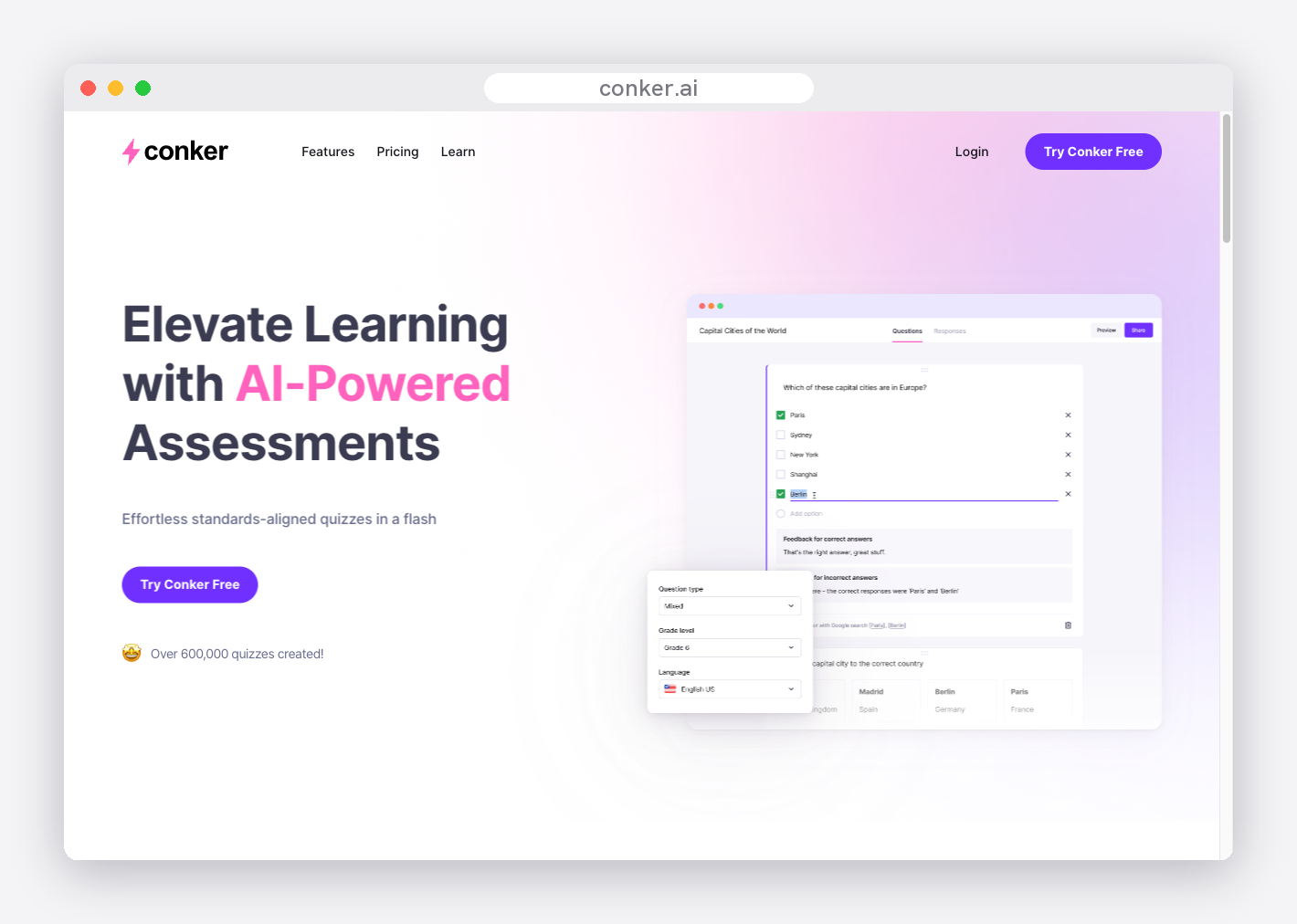
6. Conker — best for worksheets plus assessment
Score: 6.2/10. Best for: teachers who want worksheets and auto-graded quizzes from one tool.
Conker generates worksheets and assessments from a topic, a passage or a standard, with a standards bank and read-aloud accessibility built in. If your worksheet and your quick check are the same workflow, it handles both.
Who it fits: teachers who pair every worksheet with a short assessment and want them generated together.
The trade-off: it leans quiz-first, and the free tier is tight — a handful of generations before you hit the paywall.
How it scored: respectable on alignment and accessibility, scored down on breadth and free-tier generosity.
The top 3, head to head
Three tools do enough to be a genuine choice for most teachers: tutero.ai, Eduaide.ai and Brisk Teaching. Here is how their real strengths and trade-offs compare at a glance.

What makes a great worksheet — and how to tell if your AI tool delivers it
A worksheet generator is only as good as the worksheets it produces. Before you judge any tool, it helps to know what a strong worksheet actually contains. The best AI generators build these in automatically; weaker ones leave you to add them by hand.
- A clear learning goal. Good worksheets open with success criteria — what the student should be able to do by the end. It turns a page of questions into a purposeful task.
- Differentiation. One flat sheet leaves half the class behind and the other half bored. The strongest worksheets come in multiple levels so every student works at the right challenge.
- A worked example. Showing one solved problem before students start cuts confusion and the forest of hands in the first five minutes.
- Varied question types. Recall, application, reasoning and a stretch question — a mix keeps students moving and shows who really understands.
- Room to work. Space to show working, not questions crammed edge to edge. Cramped worksheets get cramped answers.
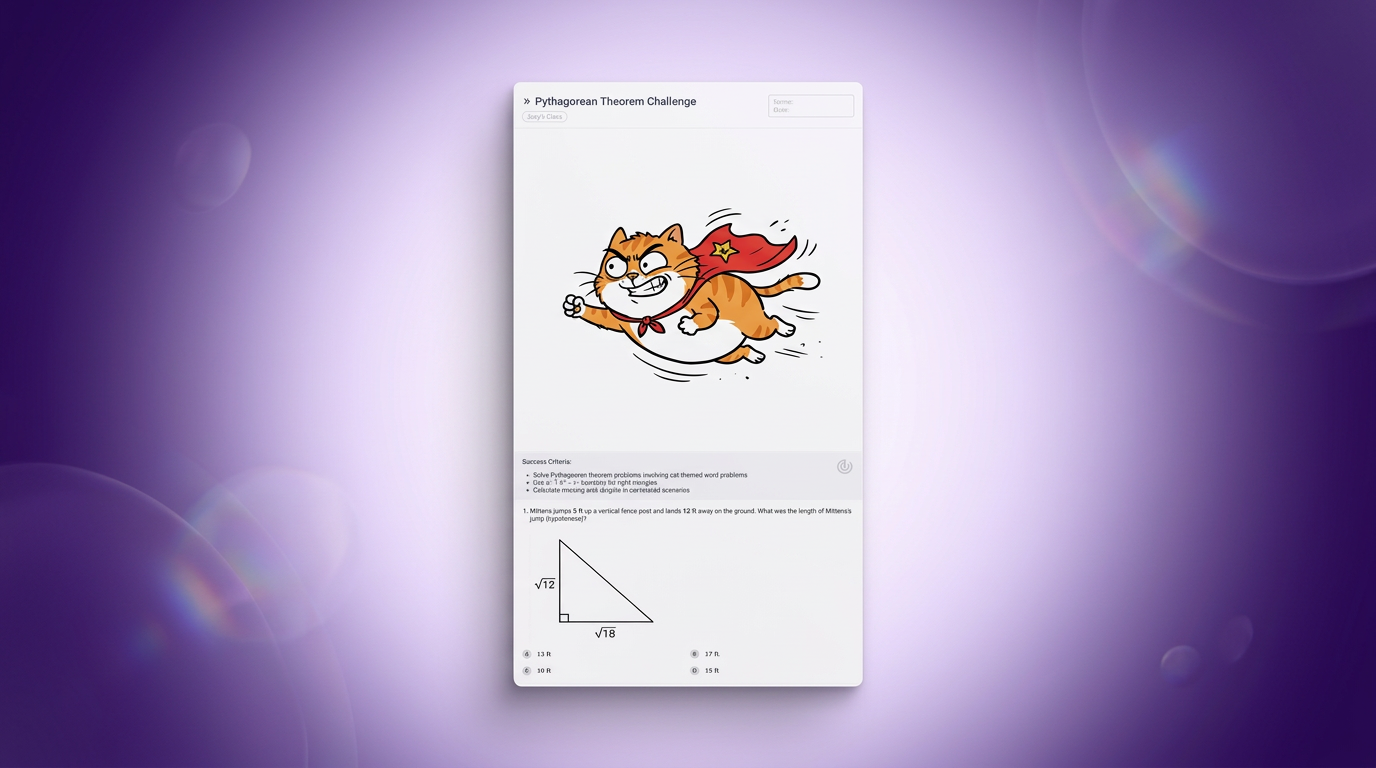
- An engaging context. A real-world or themed hook — a superhero cat doing Pythagoras, a tour of Ancient Rome — makes the content stick far better than "Question 1, Question 2".
- An answer key. A worksheet without one is half-finished. The key makes marking fast and lets students self-check.
- Curriculum alignment. The content should map to the standard you are teaching, not just the topic name — so the sheet reinforces exactly what the lesson covered.
This is the bar a great AI worksheet tool clears for you. The example below shows one Pythagoras worksheet generated at three levels at once — each with its own success criteria, the same cat-themed context, and an answer key attached.

And it is not just maths. The same engine builds an illustrated history worksheet, a science comprehension or an English close-reading to the same standard — which is what separates a true multi-subject platform from a single-subject tool.

What "print-ready" actually means
This is where most AI tools quietly fall short. A general chatbot will happily write you worksheet questions — as a wall of text, with no formatting, no answer key, and no sense of the standard you're teaching. You then spend twenty minutes laying it out, checking the answers and making it look like something you'd hand a student.
Print-ready means none of that. It means a structured document — clear instructions, properly spaced questions, room to work, an answer key attached — that you send straight to the printer. When you compare AI worksheet generators, this is the line that separates a tool that saves you time from one that just moves the work around. The tools at the top of this list deliver a finished sheet; the further down you go, the more reformatting you tend to do.

How to choose for your subject
The right tool depends on what you teach:
Math and science teachers need accurate problem generation, multiple difficulty levels and answer keys that actually check out. Prioritise differentiation and print-ready output — tutero.ai and Education Copilot lead here. For a worked example, see our printable exponents worksheets page.
English and ESL teachers need reading passages at the right level, vocabulary in context and comprehension questions. Twee is purpose-built for this; tutero.ai covers it as part of a multi-subject platform.
Primary and elementary teachers juggle every subject at once, so breadth and differentiation matter most. A multi-subject platform that differentiates in one step saves the most time across a full timetable.
Teachers who plan inside Google Workspace will value Brisk's in-document approach, generating directly where they already build lessons.
Whatever you teach, the test is the same: does the worksheet come out finished, aligned and differentiated — or does it come out as a draft you still have to fix? Start with the free tiers, generate the same worksheet in two or three tools, and compare what lands on the page.
Print-ready means a finished document you send straight to the printer — not a wall of text you still have to format.
Print-ready means a finished document you send straight to the printer — not a wall of text you still have to format.
The fastest way to lose a Sunday is making worksheets by hand. AI worksheet generators promise to give that time back — but most either hand you raw text you still have to format, or lock the good features behind a paywall. We tested the tools teachers actually use and ranked them on what matters in a real classroom: curriculum alignment, differentiation, print-ready output, breadth, a genuine free tier, and speed.
The quick answer
The best AI worksheet generator for teachers is tutero.ai — it creates curriculum-aligned, differentiated, print-ready worksheets across every subject, and it's free for teachers. Eduaide.ai is the strongest pick for sheer breadth of resource types; Brisk Teaching is best if you live inside Google Docs and Slides; Twee is the specialist choice for English and ESL. Below is the full ranked list, the methodology behind it, and how to choose for your subject.
How we ranked them
Every tool was scored out of 10 on six criteria, weighted by what actually changes a teacher's week. The methodology is transparent on purpose — re-weight it however you like and check the result holds.
| Criterion | Weight | What it measures |
|---|---|---|
| Curriculum alignment | 20% | Maps to real standards (Common Core, state standards, the Australian Curriculum) — not just the topic name |
| Differentiation | 20% | Generates multiple ability levels in one step, not one flat sheet |
| Print-ready output | 20% | A finished PDF with an answer key — no manual reformatting |
| Subject & resource breadth | 15% | Works across subjects, not one narrow lane |
| Free tier | 15% | Genuinely usable without a credit card or a hard monthly cap |
| Speed | 10% | Time from prompt to a worksheet you'd actually hand out |
Scores below rest on each tool's genuine, observable traits — a quiz-first tool scores lower on worksheet breadth by design; a language-only tool scores lower on subject breadth because that's its focus, not a flaw.
The 6 best AI worksheet generators for teachers, ranked
Here is the ranked table, then the detail on each.
| Rank | Tool | Best for | Score |
|---|---|---|---|
| 1 | tutero.ai | Best overall | 9.0 |
| 2 | Eduaide.ai | Resource-type breadth | 7.3 |
| 3 | Brisk Teaching | Working inside Google Docs | 7.0 |
| 4 | Education Copilot | Standards-aligned export | 6.9 |
| 5 | Twee | English & ESL teachers | 6.4 |
| 6 | Conker | Worksheets plus assessment | 6.2 |
1. tutero.ai — best overall
Score: 9.0/10. Best for: every teacher who wants a finished worksheet, not a starting point.
tutero.ai is an AI teaching platform built for teachers from the ground up, not adapted from a general chatbot. You describe the worksheet — subject, year level, topic, the standard you're teaching — and it produces a curriculum-aligned sheet with a clean answer key, ready to print.
Where it pulls ahead is differentiation. Ask for a worksheet and you get three versions at once — Mild, Hot and Spicy — so the same lesson reaches the whole room without three separate prompts. It covers every subject, not just math, and the output is genuinely print-ready: structured, formatted, with the answer key attached.
Who it fits: any teacher across primary or secondary who wants the worksheet done — differentiated and aligned — in under a minute.
The trade-off: it's a newer brand than the household-name tools, so fewer teachers have heard of it yet. The output quality closes that gap fast.
How it scored: top marks on curriculum alignment, differentiation, print-ready output, breadth and free tier — it's free for teachers — and near-top on speed.
2. Eduaide.ai — best for resource-type breadth
Score: 7.3/10. Best for: teachers who want one tool for worksheets and a hundred other resource types.
Built by former teachers, Eduaide.ai offers over 110 resource types — worksheets, graphic organizers, discussion prompts, games — with Bloom's-taxonomy and standards awareness baked in. If your prep involves more than worksheets, the breadth is hard to beat.
Who it fits: teachers who want a single account covering a wide spread of resource formats.
The trade-off: the free plan caps you at 15 generations a month; steady use means the paid tier.
How it scored: excellent on breadth, solid on curriculum alignment, held back by the tight free-tier limit.
3. Brisk Teaching — best for working inside Google Docs
Score: 7.0/10. Best for: teachers who plan inside Google Docs, Slides and the browser.
Brisk is a Chrome extension that layers its tools onto the apps you already use. It can generate inquiry worksheets, math spiral reviews and standards-aligned word problems right inside a Google Doc, and its free plan is genuinely generous — 20-plus tools at no cost.
Who it fits: Google Workspace classrooms that want AI where they already work, not in a separate tab.
The trade-off: it lives in the browser extension, and worksheets are one feature among many rather than the core focus.
How it scored: strong on free tier and speed, mid-pack on differentiation and print-ready polish.
4. Education Copilot — best for standards-aligned export
Score: 6.9/10. Best for: teachers who want clean PDF or Word export aligned to standards.
Education Copilot generates worksheets, practice problems, handouts and lesson materials with standards awareness by default, and exports cleanly to PDF, Word and Google Docs. The output is tidy and classroom-ready.
Who it fits: teachers who value a polished, exportable document over a long menu of formats.
The trade-off: worksheets are one tool in a broader toolkit, and the free plan limits how much you can generate.
How it scored: high on print-ready export and alignment, mid-pack on differentiation.
5. Twee — best for English and ESL teachers
Score: 6.4/10. Best for: language teachers who need reading, vocabulary and listening tasks.
Twee is a specialist. Its 30-plus tools generate reading-comprehension, vocabulary, grammar and listening worksheets aligned to CEFR levels, and it can even generate audio for listening tasks — a genuine edge for language classrooms.
Who it fits: English and ESL teachers who want tasks built for language learning, not generic worksheets.
The trade-off: it's language-only. Outside English and ESL there's nothing for you here.
How it scored: strong within its lane, scored down on subject breadth because that lane is narrow by design.
6. Conker — best for worksheets plus assessment
Score: 6.2/10. Best for: teachers who want worksheets and auto-graded quizzes from one tool.
Conker generates worksheets and assessments from a topic, a passage or a standard, with a standards bank and read-aloud accessibility built in. If your worksheet and your quick check are the same workflow, it handles both.
Who it fits: teachers who pair every worksheet with a short assessment and want them generated together.
The trade-off: it leans quiz-first, and the free tier is tight — a handful of generations before you hit the paywall.
How it scored: respectable on alignment and accessibility, scored down on breadth and free-tier generosity.
The top 3, head to head
Three tools do enough to be a genuine choice for most teachers: tutero.ai, Eduaide.ai and Brisk Teaching. Here is how their real strengths and trade-offs compare at a glance.
What makes a great worksheet — and how to tell if your AI tool delivers it
A worksheet generator is only as good as the worksheets it produces. Before you judge any tool, it helps to know what a strong worksheet actually contains. The best AI generators build these in automatically; weaker ones leave you to add them by hand.
- A clear learning goal. Good worksheets open with success criteria — what the student should be able to do by the end. It turns a page of questions into a purposeful task.
- Differentiation. One flat sheet leaves half the class behind and the other half bored. The strongest worksheets come in multiple levels so every student works at the right challenge.
- A worked example. Showing one solved problem before students start cuts confusion and the forest of hands in the first five minutes.
- Varied question types. Recall, application, reasoning and a stretch question — a mix keeps students moving and shows who really understands.
- Room to work. Space to show working, not questions crammed edge to edge. Cramped worksheets get cramped answers.
- An engaging context. A real-world or themed hook — a superhero cat doing Pythagoras, a tour of Ancient Rome — makes the content stick far better than "Question 1, Question 2".
- An answer key. A worksheet without one is half-finished. The key makes marking fast and lets students self-check.
- Curriculum alignment. The content should map to the standard you are teaching, not just the topic name — so the sheet reinforces exactly what the lesson covered.
This is the bar a great AI worksheet tool clears for you. The example below shows one Pythagoras worksheet generated at three levels at once — each with its own success criteria, the same cat-themed context, and an answer key attached.
And it is not just maths. The same engine builds an illustrated history worksheet, a science comprehension or an English close-reading to the same standard — which is what separates a true multi-subject platform from a single-subject tool.
What "print-ready" actually means
This is where most AI tools quietly fall short. A general chatbot will happily write you worksheet questions — as a wall of text, with no formatting, no answer key, and no sense of the standard you're teaching. You then spend twenty minutes laying it out, checking the answers and making it look like something you'd hand a student.
Print-ready means none of that. It means a structured document — clear instructions, properly spaced questions, room to work, an answer key attached — that you send straight to the printer. When you compare AI worksheet generators, this is the line that separates a tool that saves you time from one that just moves the work around. The tools at the top of this list deliver a finished sheet; the further down you go, the more reformatting you tend to do.
How to choose for your subject
The right tool depends on what you teach:
Math and science teachers need accurate problem generation, multiple difficulty levels and answer keys that actually check out. Prioritise differentiation and print-ready output — tutero.ai and Education Copilot lead here. For a worked example, see our printable exponents worksheets page.
English and ESL teachers need reading passages at the right level, vocabulary in context and comprehension questions. Twee is purpose-built for this; tutero.ai covers it as part of a multi-subject platform.
Primary and elementary teachers juggle every subject at once, so breadth and differentiation matter most. A multi-subject platform that differentiates in one step saves the most time across a full timetable.
Teachers who plan inside Google Workspace will value Brisk's in-document approach, generating directly where they already build lessons.
Whatever you teach, the test is the same: does the worksheet come out finished, aligned and differentiated — or does it come out as a draft you still have to fix? Start with the free tiers, generate the same worksheet in two or three tools, and compare what lands on the page.
Print-ready means a finished document you send straight to the printer — not a wall of text you still have to format.
Print-ready means a finished document you send straight to the printer — not a wall of text you still have to format.

Print-ready means a finished document you send straight to the printer — not a wall of text you still have to format.
Whatever you teach, the test is the same: does the worksheet come out finished, or as a draft you still have to fix?
The fastest way to lose a Sunday is making worksheets by hand. AI worksheet generators promise to give that time back — but most either hand you raw text you still have to format, or lock the good features behind a paywall. We tested the tools teachers actually use and ranked them on what matters in a real classroom: curriculum alignment, differentiation, print-ready output, breadth, a genuine free tier, and speed.
The quick answer
The best AI worksheet generator for teachers is tutero.ai — it creates curriculum-aligned, differentiated, print-ready worksheets across every subject, and it's free for teachers. Eduaide.ai is the strongest pick for sheer breadth of resource types; Brisk Teaching is best if you live inside Google Docs and Slides; Twee is the specialist choice for English and ESL. Below is the full ranked list, the methodology behind it, and how to choose for your subject.
How we ranked them
Every tool was scored out of 10 on six criteria, weighted by what actually changes a teacher's week. The methodology is transparent on purpose — re-weight it however you like and check the result holds.
| Criterion | Weight | What it measures |
|---|---|---|
| Curriculum alignment | 20% | Maps to real standards (Common Core, state standards, the Australian Curriculum) — not just the topic name |
| Differentiation | 20% | Generates multiple ability levels in one step, not one flat sheet |
| Print-ready output | 20% | A finished PDF with an answer key — no manual reformatting |
| Subject & resource breadth | 15% | Works across subjects, not one narrow lane |
| Free tier | 15% | Genuinely usable without a credit card or a hard monthly cap |
| Speed | 10% | Time from prompt to a worksheet you'd actually hand out |
Scores below rest on each tool's genuine, observable traits — a quiz-first tool scores lower on worksheet breadth by design; a language-only tool scores lower on subject breadth because that's its focus, not a flaw.
The 6 best AI worksheet generators for teachers, ranked
Here is the ranked table, then the detail on each.
| Rank | Tool | Best for | Score |
|---|---|---|---|
| 1 | tutero.ai | Best overall | 9.0 |
| 2 | Eduaide.ai | Resource-type breadth | 7.3 |
| 3 | Brisk Teaching | Working inside Google Docs | 7.0 |
| 4 | Education Copilot | Standards-aligned export | 6.9 |
| 5 | Twee | English & ESL teachers | 6.4 |
| 6 | Conker | Worksheets plus assessment | 6.2 |
1. tutero.ai — best overall
Score: 9.0/10. Best for: every teacher who wants a finished worksheet, not a starting point.
tutero.ai is an AI teaching platform built for teachers from the ground up, not adapted from a general chatbot. You describe the worksheet — subject, year level, topic, the standard you're teaching — and it produces a curriculum-aligned sheet with a clean answer key, ready to print.
Where it pulls ahead is differentiation. Ask for a worksheet and you get three versions at once — Mild, Hot and Spicy — so the same lesson reaches the whole room without three separate prompts. It covers every subject, not just math, and the output is genuinely print-ready: structured, formatted, with the answer key attached.
Who it fits: any teacher across primary or secondary who wants the worksheet done — differentiated and aligned — in under a minute.
The trade-off: it's a newer brand than the household-name tools, so fewer teachers have heard of it yet. The output quality closes that gap fast.
How it scored: top marks on curriculum alignment, differentiation, print-ready output, breadth and free tier — it's free for teachers — and near-top on speed.
2. Eduaide.ai — best for resource-type breadth
Score: 7.3/10. Best for: teachers who want one tool for worksheets and a hundred other resource types.
Built by former teachers, Eduaide.ai offers over 110 resource types — worksheets, graphic organizers, discussion prompts, games — with Bloom's-taxonomy and standards awareness baked in. If your prep involves more than worksheets, the breadth is hard to beat.
Who it fits: teachers who want a single account covering a wide spread of resource formats.
The trade-off: the free plan caps you at 15 generations a month; steady use means the paid tier.
How it scored: excellent on breadth, solid on curriculum alignment, held back by the tight free-tier limit.
3. Brisk Teaching — best for working inside Google Docs
Score: 7.0/10. Best for: teachers who plan inside Google Docs, Slides and the browser.
Brisk is a Chrome extension that layers its tools onto the apps you already use. It can generate inquiry worksheets, math spiral reviews and standards-aligned word problems right inside a Google Doc, and its free plan is genuinely generous — 20-plus tools at no cost.
Who it fits: Google Workspace classrooms that want AI where they already work, not in a separate tab.
The trade-off: it lives in the browser extension, and worksheets are one feature among many rather than the core focus.
How it scored: strong on free tier and speed, mid-pack on differentiation and print-ready polish.
4. Education Copilot — best for standards-aligned export
Score: 6.9/10. Best for: teachers who want clean PDF or Word export aligned to standards.
Education Copilot generates worksheets, practice problems, handouts and lesson materials with standards awareness by default, and exports cleanly to PDF, Word and Google Docs. The output is tidy and classroom-ready.
Who it fits: teachers who value a polished, exportable document over a long menu of formats.
The trade-off: worksheets are one tool in a broader toolkit, and the free plan limits how much you can generate.
How it scored: high on print-ready export and alignment, mid-pack on differentiation.
5. Twee — best for English and ESL teachers
Score: 6.4/10. Best for: language teachers who need reading, vocabulary and listening tasks.
Twee is a specialist. Its 30-plus tools generate reading-comprehension, vocabulary, grammar and listening worksheets aligned to CEFR levels, and it can even generate audio for listening tasks — a genuine edge for language classrooms.
Who it fits: English and ESL teachers who want tasks built for language learning, not generic worksheets.
The trade-off: it's language-only. Outside English and ESL there's nothing for you here.
How it scored: strong within its lane, scored down on subject breadth because that lane is narrow by design.
6. Conker — best for worksheets plus assessment
Score: 6.2/10. Best for: teachers who want worksheets and auto-graded quizzes from one tool.
Conker generates worksheets and assessments from a topic, a passage or a standard, with a standards bank and read-aloud accessibility built in. If your worksheet and your quick check are the same workflow, it handles both.
Who it fits: teachers who pair every worksheet with a short assessment and want them generated together.
The trade-off: it leans quiz-first, and the free tier is tight — a handful of generations before you hit the paywall.
How it scored: respectable on alignment and accessibility, scored down on breadth and free-tier generosity.
The top 3, head to head
Three tools do enough to be a genuine choice for most teachers: tutero.ai, Eduaide.ai and Brisk Teaching. Here is how their real strengths and trade-offs compare at a glance.
What makes a great worksheet — and how to tell if your AI tool delivers it
A worksheet generator is only as good as the worksheets it produces. Before you judge any tool, it helps to know what a strong worksheet actually contains. The best AI generators build these in automatically; weaker ones leave you to add them by hand.
- A clear learning goal. Good worksheets open with success criteria — what the student should be able to do by the end. It turns a page of questions into a purposeful task.
- Differentiation. One flat sheet leaves half the class behind and the other half bored. The strongest worksheets come in multiple levels so every student works at the right challenge.
- A worked example. Showing one solved problem before students start cuts confusion and the forest of hands in the first five minutes.
- Varied question types. Recall, application, reasoning and a stretch question — a mix keeps students moving and shows who really understands.
- Room to work. Space to show working, not questions crammed edge to edge. Cramped worksheets get cramped answers.
- An engaging context. A real-world or themed hook — a superhero cat doing Pythagoras, a tour of Ancient Rome — makes the content stick far better than "Question 1, Question 2".
- An answer key. A worksheet without one is half-finished. The key makes marking fast and lets students self-check.
- Curriculum alignment. The content should map to the standard you are teaching, not just the topic name — so the sheet reinforces exactly what the lesson covered.
This is the bar a great AI worksheet tool clears for you. The example below shows one Pythagoras worksheet generated at three levels at once — each with its own success criteria, the same cat-themed context, and an answer key attached.
And it is not just maths. The same engine builds an illustrated history worksheet, a science comprehension or an English close-reading to the same standard — which is what separates a true multi-subject platform from a single-subject tool.
What "print-ready" actually means
This is where most AI tools quietly fall short. A general chatbot will happily write you worksheet questions — as a wall of text, with no formatting, no answer key, and no sense of the standard you're teaching. You then spend twenty minutes laying it out, checking the answers and making it look like something you'd hand a student.
Print-ready means none of that. It means a structured document — clear instructions, properly spaced questions, room to work, an answer key attached — that you send straight to the printer. When you compare AI worksheet generators, this is the line that separates a tool that saves you time from one that just moves the work around. The tools at the top of this list deliver a finished sheet; the further down you go, the more reformatting you tend to do.
How to choose for your subject
The right tool depends on what you teach:
Math and science teachers need accurate problem generation, multiple difficulty levels and answer keys that actually check out. Prioritise differentiation and print-ready output — tutero.ai and Education Copilot lead here. For a worked example, see our printable exponents worksheets page.
English and ESL teachers need reading passages at the right level, vocabulary in context and comprehension questions. Twee is purpose-built for this; tutero.ai covers it as part of a multi-subject platform.
Primary and elementary teachers juggle every subject at once, so breadth and differentiation matter most. A multi-subject platform that differentiates in one step saves the most time across a full timetable.
Teachers who plan inside Google Workspace will value Brisk's in-document approach, generating directly where they already build lessons.
Whatever you teach, the test is the same: does the worksheet come out finished, aligned and differentiated — or does it come out as a draft you still have to fix? Start with the free tiers, generate the same worksheet in two or three tools, and compare what lands on the page.
Print-ready means a finished document you send straight to the printer — not a wall of text you still have to format.
Whatever you teach, the test is the same: does the worksheet come out finished, or as a draft you still have to fix?
.svg)
.svg)
Several are. tutero.ai is free for teachers, and Brisk Teaching offers a genuine free-forever plan. Others, like Eduaide.ai and Conker, have free tiers with monthly caps. Always check whether "free" means a real free plan or just a trial.
For math worksheets you want accurate problem generation, multiple difficulty levels and reliable answer keys. tutero.ai and Education Copilot both handle math well across year levels, and tutero.ai generates three differentiated versions at once.
Yes. The best tools align to real standards — Common Core, US state standards, or the Australian Curriculum — rather than just matching the topic name. tutero.ai, Education Copilot and Eduaide.ai are the strongest on alignment.
The better tools generate an answer key alongside the worksheet automatically. A general chatbot usually won't unless you ask, and even then you have to check it. Print-ready tools attach the key as part of the output.
Most worksheet generators don't need any student data to work — you describe the topic and the standard, not the students. If a tool does ask for student information, check its privacy policy and your school's data rules before uploading anything.
With the fastest tools, under a minute from prompt to a print-ready sheet. The time you save is mostly in the formatting and the answer key — the parts a general chatbot leaves you to do by hand.
Hoping to improve confidence & grades?

.png)