.svg)

Most maths teachers we talk to lose 6–10 hours a week to admin: planning lessons from scratch, marking by hand, writing parent emails, building resource folders, and updating progress reports. The work that actually moves student learning — explaining a concept, sitting beside a struggling student, asking the right diagnostic question — keeps getting squeezed.
Quick answer. Maths teachers save the most time by automating the highest-volume, lowest-judgement parts of the job: AI worksheet generation, batch-grading rubrics, a reusable lesson-template library, parent-comm templates, and a single behaviour-tracking spreadsheet. Combined, the 10 specific time-savers in this guide give back 3–6 hours a week — enough to leave school by 4pm most days. RAND's 2024 American Educator Panel found teachers work 53 hours a week on average and spend less than half of it on actual instruction; the time-savers below claw back the other half.
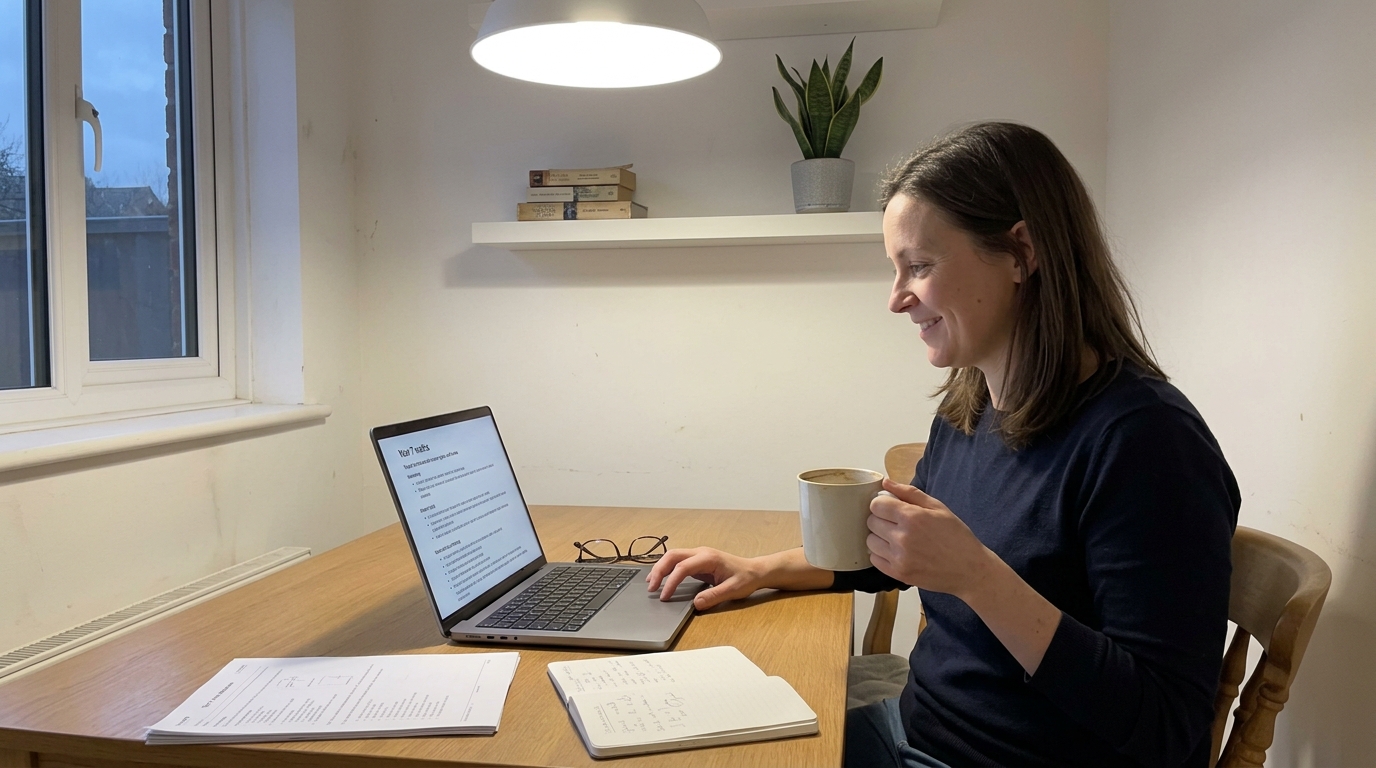
How can maths teachers save time?
Maths teachers save time by attacking the four buckets that swallow most of the working week: planning (30%), marking (20%), communication (15%), and admin (15%). The remaining 20% is teaching itself — and that's the part you protect. The trick isn't working faster inside each bucket; it's reducing how often you re-do work you've already done. Once you have an AI lesson-plan loop, a rubric library, a template bank for parent emails, and one spreadsheet for behaviour and progress, every new term builds on the last instead of starting from zero.
The 10 specific time-savers below are the ones we see save 3–6 hours a week in practice — drawn from the Tutero AI Co-Teacher usage data of more than 4,000 maths teachers across Australia, New Zealand, and the US.
What's the biggest time-saver for maths teachers?
The biggest single time-saver is AI worksheet and lesson generation. A lesson plan that used to take 45–60 minutes — choosing a learning intention, finding three example questions at three difficulty levels, writing a worked solution, building the practice set — now takes 5 minutes when you brief an AI tool on the year level, the topic, and the prior lesson. The Tutero AI Co-Teacher generates differentiated maths worksheets in 30 seconds; teachers using it report saving 3–6 hours per week on planning and marking combined. See our companion guides on how to prepare a maths worksheet in 30 seconds with AI and creating maths exit tickets with AI for the exact prompt patterns.
The reason it's the biggest lever isn't the planning hour itself — it's the compounding. A planning hour saved on Monday means you can mark Monday's lesson Tuesday morning instead of Tuesday night, which means you can plan Wednesday on Tuesday afternoon instead of in the car. The whole week shifts forward.
How do I batch-grade maths homework efficiently?
Batch-grade maths homework efficiently by using a four-point rubric and a comment bank, not by marking every question of every student. Set the rubric once per topic: 4 = correct method and answer, 3 = correct method, minor slip, 2 = right approach, wrong setup, 1 = no recognisable method. Mark every student's work on the rubric, then write three to five comments — once — that map to the most common errors, and copy the right comment into each student's feedback box. A class of 28 books takes 35 minutes instead of 90.
Three batch-grading routines that compound:
- Stack-and-scan: Sort books into 4 piles by rubric score before you write anything. You're now grading patterns, not individual books.
- Comment bank: Keep a Google Doc with your top 20 maths-comments — "Check your sign on line 2", "Recompute the discriminant", "Show one more line of working". Paste, don't write.
- Peer-grade the procedural questions: Save your time for the conceptual questions. AITSL's 2024 Australian Teacher Workforce data shows marking is the #2 teacher-workload complaint after planning — peer-grading shifts roughly half of it onto a learning activity for students.
Can AI save me planning time?
Yes — AI saves maths teachers an average of 3–6 hours per week on planning, according to internal Tutero usage data and corroborated by RAND's 2024 finding that teachers using AI tools weekly reduce planning time by roughly 30%. The trick is to brief the tool the way you'd brief a graduate teacher: name the year level, the topic, the prior lesson, the success criterion, the differentiation tiers, and the exit ticket. Vague prompts produce vague worksheets; specific prompts produce class-ready resources.
A planning brief that works:
- Year level + topic: "Year 8 — solving two-step linear equations".
- Prior lesson: "Class can solve one-step equations confidently; struggle with negative coefficients".
- Output spec: "20 questions across 3 difficulty tiers, with worked solutions, plus a 4-question exit ticket".
- Differentiation: "Tier 1 = positive coefficients; Tier 2 = mixed signs; Tier 3 = decimal coefficients".
The Tutero AI Co-Teacher bakes those slots into a fill-in form, so the brief is consistent across teachers and the worksheets render in 30 seconds. Our 3 AI tools every maths teacher needs guide walks through the wider tool stack.
How long should I spend planning a maths lesson?
Most maths teachers should spend 10–15 minutes per lesson on planning when their template library is set up. The OECD's TALIS 2018 dataset shows experienced teachers in high-performing systems plan in under 15 minutes per lesson on average; the difference between them and a 60-minute planner isn't talent, it's reusable assets. Once you have a topic-bank of vetted lesson skeletons, planning becomes adaptation, not authorship.

Build the library in three passes:
- Pass 1 — Skeleton (30 min once per topic): Lesson title, learning intention, success criteria, hook, worked example, guided practice, independent practice, exit ticket.
- Pass 2 — Resources (15 min once per topic): Slide deck, worksheet, exit ticket, common-error notes. Stored together in one folder per topic.
- Pass 3 — Adapt for class (10 min per delivery): Tweak the hook for this group, drop or add a tier, swap names in word problems. The skeleton stays.
What's the best way to write parent emails as a teacher?
The best way to write parent emails efficiently is to maintain a five-template parent-comm bank — one for each of: positive-progress check-in, missing-homework follow-up, concerning-mark conversation, behaviour incident, and parent-teacher-night booking. Each template is 4–6 sentences with named placeholders for the student's name, the specific assessment, and the next step. A weekly batch of 12 emails takes 20 minutes instead of 90.
The five templates that cover 80% of maths-teacher parent communication:
- Positive check-in: "Hi [parent], wanted to share that [student] worked through [topic] really well this week. Specifically, they [observation]. Keep an eye out for [next topic] — happy to chat if you'd like."
- Missing homework: "Hi [parent], [student] hasn't submitted [task] yet. It's not a big deal yet, but if it happens again I'll book a quick chat. Could you check in with them tonight?"
- Concerning mark: "Hi [parent], [student]'s recent [assessment] came in at [mark]. The pattern I'm seeing is [specific gap]. I'd like to put a 4-week plan in place — happy to call this week."
- Behaviour: "Hi [parent], a quick note about today's class. [Specific incident]. I've handled it in the room and we're moving on. Wanted you to hear it from me first."
- Booking: "Hi [parent], booking opens [date]. My maths slots are [times]. If [student]'s pattern is what we discussed last term, I'd suggest [length]."
How do I manage my teacher workload?
Manage your teacher workload by separating recurring work (planning, marking, comm) from project work (curriculum review, IEP writing, professional learning), then calendar-blocking each. Use Monday and Wednesday afternoons for recurring work; protect Tuesday and Thursday afternoons for project work; leave Friday afternoon empty as a buffer. The hours don't change but the cognitive load drops because you stop context-switching between mark-five-books and write-an-IEP every fifteen minutes.
Three workload routines that compound across a year:
- Behaviour-tracking spreadsheet: One row per student, one column per fortnight. Track in 30 seconds at end-of-day; surface patterns in 10 minutes at end-of-term. Beats anecdotal memory every time.
- Video-explainer reuse: Record a 4-minute Loom for any concept you've explained three times this year. Send the link the next 47 times. Hattie's Visible Learning meta-analysis ranks teacher clarity at 0.75 effect size — a clear video matches a clear explanation.
- Smart note-taking: One running note per class. Date, what you taught, what worked, what bombed, what to retry. Five minutes per day; saves an hour per week of re-planning.
What teacher time-management strategies actually work?
The teacher time-management strategies that actually work are the ones that reduce re-work rather than the ones that promise faster execution. RAND's 2024 panel found that the most effective teachers don't work fewer hours — they spend more of those hours on instruction and less on admin. The strategies below all share that pattern: do the work once, well, then reuse it.
- AI lesson-plan generation: 60 min → 5 min per lesson. The single biggest lever.
- Rubric + comment bank for marking: 90 min → 35 min per class set.
- Lesson-template library: 60 min → 10 min per delivery once skeletons exist.
- Parent-comm template bank: 90 min → 20 min per weekly batch.
- Behaviour-tracking spreadsheet: replaces 30 min of report-writing per term per student.
- Peer-grading routines: shifts 30 min of marking onto a student learning activity.
- Video-explainer reuse: 5 min per re-explanation × 50 students = 4 hours saved per term.
- AI-assisted progress reports: 15 min → 4 min per student.
- Calendar-blocking: cuts context-switch cost; not a time saver in minutes, a cognitive saver.
- Smart note-taking: 5 min per day saves 60 min per week of re-planning.
Combined, these are the routines we see in teachers who leave school by 4pm and still teach beautifully.
How does Tutero's AI Co-Teacher save maths teachers time?
Tutero's AI Co-Teacher saves AU/NZ/US maths teachers 3–6 hours per week by collapsing the four biggest time-sinks into a single workflow: differentiated worksheet generation in 30 seconds, exit-ticket creation in under a minute, AI-assisted marking against your rubric, and automated progress-report drafting from class data. Every output uses the curriculum (Australian Curriculum v9, Common Core, state-specific maths standards) the teacher selects, so resources land class-ready, not generic.
The product is built by maths teachers — not by Silicon Valley generalists who think a chatbot is enough. It plugs into the workflow you already have: your LMS, your rubric, your class list. See 6 ways maths teachers are using AI and how to use AI to boost engagement in your maths classroom for specific classroom uses; the ultimate guide to AI in education for the bigger picture; and formative assessment strategies for the maths classroom for how time-saving routines compound into better student outcomes.
Ready to save 3–6 hours a week? Sign up free at tutero.ai and generate your first AI maths worksheet in 30 seconds — no credit card, no contract.
The most effective teachers don't work fewer hours — they spend more of those hours on instruction and less on admin.
The most effective teachers don't work fewer hours — they spend more of those hours on instruction and less on admin.
Most maths teachers we talk to lose 6–10 hours a week to admin: planning lessons from scratch, marking by hand, writing parent emails, building resource folders, and updating progress reports. The work that actually moves student learning — explaining a concept, sitting beside a struggling student, asking the right diagnostic question — keeps getting squeezed.
Quick answer. Maths teachers save the most time by automating the highest-volume, lowest-judgement parts of the job: AI worksheet generation, batch-grading rubrics, a reusable lesson-template library, parent-comm templates, and a single behaviour-tracking spreadsheet. Combined, the 10 specific time-savers in this guide give back 3–6 hours a week — enough to leave school by 4pm most days. RAND's 2024 American Educator Panel found teachers work 53 hours a week on average and spend less than half of it on actual instruction; the time-savers below claw back the other half.
How can maths teachers save time?
Maths teachers save time by attacking the four buckets that swallow most of the working week: planning (30%), marking (20%), communication (15%), and admin (15%). The remaining 20% is teaching itself — and that's the part you protect. The trick isn't working faster inside each bucket; it's reducing how often you re-do work you've already done. Once you have an AI lesson-plan loop, a rubric library, a template bank for parent emails, and one spreadsheet for behaviour and progress, every new term builds on the last instead of starting from zero.
The 10 specific time-savers below are the ones we see save 3–6 hours a week in practice — drawn from the Tutero AI Co-Teacher usage data of more than 4,000 maths teachers across Australia, New Zealand, and the US.
What's the biggest time-saver for maths teachers?
The biggest single time-saver is AI worksheet and lesson generation. A lesson plan that used to take 45–60 minutes — choosing a learning intention, finding three example questions at three difficulty levels, writing a worked solution, building the practice set — now takes 5 minutes when you brief an AI tool on the year level, the topic, and the prior lesson. The Tutero AI Co-Teacher generates differentiated maths worksheets in 30 seconds; teachers using it report saving 3–6 hours per week on planning and marking combined. See our companion guides on how to prepare a maths worksheet in 30 seconds with AI and creating maths exit tickets with AI for the exact prompt patterns.
The reason it's the biggest lever isn't the planning hour itself — it's the compounding. A planning hour saved on Monday means you can mark Monday's lesson Tuesday morning instead of Tuesday night, which means you can plan Wednesday on Tuesday afternoon instead of in the car. The whole week shifts forward.
How do I batch-grade maths homework efficiently?
Batch-grade maths homework efficiently by using a four-point rubric and a comment bank, not by marking every question of every student. Set the rubric once per topic: 4 = correct method and answer, 3 = correct method, minor slip, 2 = right approach, wrong setup, 1 = no recognisable method. Mark every student's work on the rubric, then write three to five comments — once — that map to the most common errors, and copy the right comment into each student's feedback box. A class of 28 books takes 35 minutes instead of 90.
Three batch-grading routines that compound:
- Stack-and-scan: Sort books into 4 piles by rubric score before you write anything. You're now grading patterns, not individual books.
- Comment bank: Keep a Google Doc with your top 20 maths-comments — "Check your sign on line 2", "Recompute the discriminant", "Show one more line of working". Paste, don't write.
- Peer-grade the procedural questions: Save your time for the conceptual questions. AITSL's 2024 Australian Teacher Workforce data shows marking is the #2 teacher-workload complaint after planning — peer-grading shifts roughly half of it onto a learning activity for students.
Can AI save me planning time?
Yes — AI saves maths teachers an average of 3–6 hours per week on planning, according to internal Tutero usage data and corroborated by RAND's 2024 finding that teachers using AI tools weekly reduce planning time by roughly 30%. The trick is to brief the tool the way you'd brief a graduate teacher: name the year level, the topic, the prior lesson, the success criterion, the differentiation tiers, and the exit ticket. Vague prompts produce vague worksheets; specific prompts produce class-ready resources.
A planning brief that works:
- Year level + topic: "Year 8 — solving two-step linear equations".
- Prior lesson: "Class can solve one-step equations confidently; struggle with negative coefficients".
- Output spec: "20 questions across 3 difficulty tiers, with worked solutions, plus a 4-question exit ticket".
- Differentiation: "Tier 1 = positive coefficients; Tier 2 = mixed signs; Tier 3 = decimal coefficients".
The Tutero AI Co-Teacher bakes those slots into a fill-in form, so the brief is consistent across teachers and the worksheets render in 30 seconds. Our 3 AI tools every maths teacher needs guide walks through the wider tool stack.
How long should I spend planning a maths lesson?
Most maths teachers should spend 10–15 minutes per lesson on planning when their template library is set up. The OECD's TALIS 2018 dataset shows experienced teachers in high-performing systems plan in under 15 minutes per lesson on average; the difference between them and a 60-minute planner isn't talent, it's reusable assets. Once you have a topic-bank of vetted lesson skeletons, planning becomes adaptation, not authorship.
Build the library in three passes:
- Pass 1 — Skeleton (30 min once per topic): Lesson title, learning intention, success criteria, hook, worked example, guided practice, independent practice, exit ticket.
- Pass 2 — Resources (15 min once per topic): Slide deck, worksheet, exit ticket, common-error notes. Stored together in one folder per topic.
- Pass 3 — Adapt for class (10 min per delivery): Tweak the hook for this group, drop or add a tier, swap names in word problems. The skeleton stays.
What's the best way to write parent emails as a teacher?
The best way to write parent emails efficiently is to maintain a five-template parent-comm bank — one for each of: positive-progress check-in, missing-homework follow-up, concerning-mark conversation, behaviour incident, and parent-teacher-night booking. Each template is 4–6 sentences with named placeholders for the student's name, the specific assessment, and the next step. A weekly batch of 12 emails takes 20 minutes instead of 90.
The five templates that cover 80% of maths-teacher parent communication:
- Positive check-in: "Hi [parent], wanted to share that [student] worked through [topic] really well this week. Specifically, they [observation]. Keep an eye out for [next topic] — happy to chat if you'd like."
- Missing homework: "Hi [parent], [student] hasn't submitted [task] yet. It's not a big deal yet, but if it happens again I'll book a quick chat. Could you check in with them tonight?"
- Concerning mark: "Hi [parent], [student]'s recent [assessment] came in at [mark]. The pattern I'm seeing is [specific gap]. I'd like to put a 4-week plan in place — happy to call this week."
- Behaviour: "Hi [parent], a quick note about today's class. [Specific incident]. I've handled it in the room and we're moving on. Wanted you to hear it from me first."
- Booking: "Hi [parent], booking opens [date]. My maths slots are [times]. If [student]'s pattern is what we discussed last term, I'd suggest [length]."
How do I manage my teacher workload?
Manage your teacher workload by separating recurring work (planning, marking, comm) from project work (curriculum review, IEP writing, professional learning), then calendar-blocking each. Use Monday and Wednesday afternoons for recurring work; protect Tuesday and Thursday afternoons for project work; leave Friday afternoon empty as a buffer. The hours don't change but the cognitive load drops because you stop context-switching between mark-five-books and write-an-IEP every fifteen minutes.
Three workload routines that compound across a year:
- Behaviour-tracking spreadsheet: One row per student, one column per fortnight. Track in 30 seconds at end-of-day; surface patterns in 10 minutes at end-of-term. Beats anecdotal memory every time.
- Video-explainer reuse: Record a 4-minute Loom for any concept you've explained three times this year. Send the link the next 47 times. Hattie's Visible Learning meta-analysis ranks teacher clarity at 0.75 effect size — a clear video matches a clear explanation.
- Smart note-taking: One running note per class. Date, what you taught, what worked, what bombed, what to retry. Five minutes per day; saves an hour per week of re-planning.
What teacher time-management strategies actually work?
The teacher time-management strategies that actually work are the ones that reduce re-work rather than the ones that promise faster execution. RAND's 2024 panel found that the most effective teachers don't work fewer hours — they spend more of those hours on instruction and less on admin. The strategies below all share that pattern: do the work once, well, then reuse it.
- AI lesson-plan generation: 60 min → 5 min per lesson. The single biggest lever.
- Rubric + comment bank for marking: 90 min → 35 min per class set.
- Lesson-template library: 60 min → 10 min per delivery once skeletons exist.
- Parent-comm template bank: 90 min → 20 min per weekly batch.
- Behaviour-tracking spreadsheet: replaces 30 min of report-writing per term per student.
- Peer-grading routines: shifts 30 min of marking onto a student learning activity.
- Video-explainer reuse: 5 min per re-explanation × 50 students = 4 hours saved per term.
- AI-assisted progress reports: 15 min → 4 min per student.
- Calendar-blocking: cuts context-switch cost; not a time saver in minutes, a cognitive saver.
- Smart note-taking: 5 min per day saves 60 min per week of re-planning.
Combined, these are the routines we see in teachers who leave school by 4pm and still teach beautifully.
How does Tutero's AI Co-Teacher save maths teachers time?
Tutero's AI Co-Teacher saves AU/NZ/US maths teachers 3–6 hours per week by collapsing the four biggest time-sinks into a single workflow: differentiated worksheet generation in 30 seconds, exit-ticket creation in under a minute, AI-assisted marking against your rubric, and automated progress-report drafting from class data. Every output uses the curriculum (Australian Curriculum v9, Common Core, state-specific maths standards) the teacher selects, so resources land class-ready, not generic.
The product is built by maths teachers — not by Silicon Valley generalists who think a chatbot is enough. It plugs into the workflow you already have: your LMS, your rubric, your class list. See 6 ways maths teachers are using AI and how to use AI to boost engagement in your maths classroom for specific classroom uses; the ultimate guide to AI in education for the bigger picture; and formative assessment strategies for the maths classroom for how time-saving routines compound into better student outcomes.
Ready to save 3–6 hours a week? Sign up free at tutero.ai and generate your first AI maths worksheet in 30 seconds — no credit card, no contract.
FAQ
.svg)
.svg)
Online maths tutoring at Tutero is catering to students of all year levels. We offer programs tailored to the unique learning curves of each age group.
We also have expert NAPLAN and ATAR subject tutors, ensuring students are well-equipped for these pivotal assessments.
We recommend at least two to three session per week for consistent progress. However, this can vary based on your child's needs and goals.
Our platform uses advanced security protocols to ensure the safety and privacy of all our online sessions.
Parents are welcome to observe sessions. We believe in a collaborative approach to education.
We provide regular progress reports and assessments to track your child’s academic development.
Yes, we prioritise the student-tutor relationship and can arrange a change if the need arises.
Yes, we offer a range of resources and materials, including interactive exercises and practice worksheets.
The most effective teachers don't work fewer hours — they spend more of those hours on instruction and less on admin.
The most effective teachers don't work fewer hours — they spend more of those hours on instruction and less on admin.

The most effective teachers don't work fewer hours — they spend more of those hours on instruction and less on admin.
Do the work once, well, then reuse it. That's the only time-management strategy that actually compounds.
Most maths teachers we talk to lose 6–10 hours a week to admin: planning lessons from scratch, marking by hand, writing parent emails, building resource folders, and updating progress reports. The work that actually moves student learning — explaining a concept, sitting beside a struggling student, asking the right diagnostic question — keeps getting squeezed.
Quick answer. Maths teachers save the most time by automating the highest-volume, lowest-judgement parts of the job: AI worksheet generation, batch-grading rubrics, a reusable lesson-template library, parent-comm templates, and a single behaviour-tracking spreadsheet. Combined, the 10 specific time-savers in this guide give back 3–6 hours a week — enough to leave school by 4pm most days. RAND's 2024 American Educator Panel found teachers work 53 hours a week on average and spend less than half of it on actual instruction; the time-savers below claw back the other half.
How can maths teachers save time?
Maths teachers save time by attacking the four buckets that swallow most of the working week: planning (30%), marking (20%), communication (15%), and admin (15%). The remaining 20% is teaching itself — and that's the part you protect. The trick isn't working faster inside each bucket; it's reducing how often you re-do work you've already done. Once you have an AI lesson-plan loop, a rubric library, a template bank for parent emails, and one spreadsheet for behaviour and progress, every new term builds on the last instead of starting from zero.
The 10 specific time-savers below are the ones we see save 3–6 hours a week in practice — drawn from the Tutero AI Co-Teacher usage data of more than 4,000 maths teachers across Australia, New Zealand, and the US.
What's the biggest time-saver for maths teachers?
The biggest single time-saver is AI worksheet and lesson generation. A lesson plan that used to take 45–60 minutes — choosing a learning intention, finding three example questions at three difficulty levels, writing a worked solution, building the practice set — now takes 5 minutes when you brief an AI tool on the year level, the topic, and the prior lesson. The Tutero AI Co-Teacher generates differentiated maths worksheets in 30 seconds; teachers using it report saving 3–6 hours per week on planning and marking combined. See our companion guides on how to prepare a maths worksheet in 30 seconds with AI and creating maths exit tickets with AI for the exact prompt patterns.
The reason it's the biggest lever isn't the planning hour itself — it's the compounding. A planning hour saved on Monday means you can mark Monday's lesson Tuesday morning instead of Tuesday night, which means you can plan Wednesday on Tuesday afternoon instead of in the car. The whole week shifts forward.
How do I batch-grade maths homework efficiently?
Batch-grade maths homework efficiently by using a four-point rubric and a comment bank, not by marking every question of every student. Set the rubric once per topic: 4 = correct method and answer, 3 = correct method, minor slip, 2 = right approach, wrong setup, 1 = no recognisable method. Mark every student's work on the rubric, then write three to five comments — once — that map to the most common errors, and copy the right comment into each student's feedback box. A class of 28 books takes 35 minutes instead of 90.
Three batch-grading routines that compound:
- Stack-and-scan: Sort books into 4 piles by rubric score before you write anything. You're now grading patterns, not individual books.
- Comment bank: Keep a Google Doc with your top 20 maths-comments — "Check your sign on line 2", "Recompute the discriminant", "Show one more line of working". Paste, don't write.
- Peer-grade the procedural questions: Save your time for the conceptual questions. AITSL's 2024 Australian Teacher Workforce data shows marking is the #2 teacher-workload complaint after planning — peer-grading shifts roughly half of it onto a learning activity for students.
Can AI save me planning time?
Yes — AI saves maths teachers an average of 3–6 hours per week on planning, according to internal Tutero usage data and corroborated by RAND's 2024 finding that teachers using AI tools weekly reduce planning time by roughly 30%. The trick is to brief the tool the way you'd brief a graduate teacher: name the year level, the topic, the prior lesson, the success criterion, the differentiation tiers, and the exit ticket. Vague prompts produce vague worksheets; specific prompts produce class-ready resources.
A planning brief that works:
- Year level + topic: "Year 8 — solving two-step linear equations".
- Prior lesson: "Class can solve one-step equations confidently; struggle with negative coefficients".
- Output spec: "20 questions across 3 difficulty tiers, with worked solutions, plus a 4-question exit ticket".
- Differentiation: "Tier 1 = positive coefficients; Tier 2 = mixed signs; Tier 3 = decimal coefficients".
The Tutero AI Co-Teacher bakes those slots into a fill-in form, so the brief is consistent across teachers and the worksheets render in 30 seconds. Our 3 AI tools every maths teacher needs guide walks through the wider tool stack.
How long should I spend planning a maths lesson?
Most maths teachers should spend 10–15 minutes per lesson on planning when their template library is set up. The OECD's TALIS 2018 dataset shows experienced teachers in high-performing systems plan in under 15 minutes per lesson on average; the difference between them and a 60-minute planner isn't talent, it's reusable assets. Once you have a topic-bank of vetted lesson skeletons, planning becomes adaptation, not authorship.
Build the library in three passes:
- Pass 1 — Skeleton (30 min once per topic): Lesson title, learning intention, success criteria, hook, worked example, guided practice, independent practice, exit ticket.
- Pass 2 — Resources (15 min once per topic): Slide deck, worksheet, exit ticket, common-error notes. Stored together in one folder per topic.
- Pass 3 — Adapt for class (10 min per delivery): Tweak the hook for this group, drop or add a tier, swap names in word problems. The skeleton stays.
What's the best way to write parent emails as a teacher?
The best way to write parent emails efficiently is to maintain a five-template parent-comm bank — one for each of: positive-progress check-in, missing-homework follow-up, concerning-mark conversation, behaviour incident, and parent-teacher-night booking. Each template is 4–6 sentences with named placeholders for the student's name, the specific assessment, and the next step. A weekly batch of 12 emails takes 20 minutes instead of 90.
The five templates that cover 80% of maths-teacher parent communication:
- Positive check-in: "Hi [parent], wanted to share that [student] worked through [topic] really well this week. Specifically, they [observation]. Keep an eye out for [next topic] — happy to chat if you'd like."
- Missing homework: "Hi [parent], [student] hasn't submitted [task] yet. It's not a big deal yet, but if it happens again I'll book a quick chat. Could you check in with them tonight?"
- Concerning mark: "Hi [parent], [student]'s recent [assessment] came in at [mark]. The pattern I'm seeing is [specific gap]. I'd like to put a 4-week plan in place — happy to call this week."
- Behaviour: "Hi [parent], a quick note about today's class. [Specific incident]. I've handled it in the room and we're moving on. Wanted you to hear it from me first."
- Booking: "Hi [parent], booking opens [date]. My maths slots are [times]. If [student]'s pattern is what we discussed last term, I'd suggest [length]."
How do I manage my teacher workload?
Manage your teacher workload by separating recurring work (planning, marking, comm) from project work (curriculum review, IEP writing, professional learning), then calendar-blocking each. Use Monday and Wednesday afternoons for recurring work; protect Tuesday and Thursday afternoons for project work; leave Friday afternoon empty as a buffer. The hours don't change but the cognitive load drops because you stop context-switching between mark-five-books and write-an-IEP every fifteen minutes.
Three workload routines that compound across a year:
- Behaviour-tracking spreadsheet: One row per student, one column per fortnight. Track in 30 seconds at end-of-day; surface patterns in 10 minutes at end-of-term. Beats anecdotal memory every time.
- Video-explainer reuse: Record a 4-minute Loom for any concept you've explained three times this year. Send the link the next 47 times. Hattie's Visible Learning meta-analysis ranks teacher clarity at 0.75 effect size — a clear video matches a clear explanation.
- Smart note-taking: One running note per class. Date, what you taught, what worked, what bombed, what to retry. Five minutes per day; saves an hour per week of re-planning.
What teacher time-management strategies actually work?
The teacher time-management strategies that actually work are the ones that reduce re-work rather than the ones that promise faster execution. RAND's 2024 panel found that the most effective teachers don't work fewer hours — they spend more of those hours on instruction and less on admin. The strategies below all share that pattern: do the work once, well, then reuse it.
- AI lesson-plan generation: 60 min → 5 min per lesson. The single biggest lever.
- Rubric + comment bank for marking: 90 min → 35 min per class set.
- Lesson-template library: 60 min → 10 min per delivery once skeletons exist.
- Parent-comm template bank: 90 min → 20 min per weekly batch.
- Behaviour-tracking spreadsheet: replaces 30 min of report-writing per term per student.
- Peer-grading routines: shifts 30 min of marking onto a student learning activity.
- Video-explainer reuse: 5 min per re-explanation × 50 students = 4 hours saved per term.
- AI-assisted progress reports: 15 min → 4 min per student.
- Calendar-blocking: cuts context-switch cost; not a time saver in minutes, a cognitive saver.
- Smart note-taking: 5 min per day saves 60 min per week of re-planning.
Combined, these are the routines we see in teachers who leave school by 4pm and still teach beautifully.
How does Tutero's AI Co-Teacher save maths teachers time?
Tutero's AI Co-Teacher saves AU/NZ/US maths teachers 3–6 hours per week by collapsing the four biggest time-sinks into a single workflow: differentiated worksheet generation in 30 seconds, exit-ticket creation in under a minute, AI-assisted marking against your rubric, and automated progress-report drafting from class data. Every output uses the curriculum (Australian Curriculum v9, Common Core, state-specific maths standards) the teacher selects, so resources land class-ready, not generic.
The product is built by maths teachers — not by Silicon Valley generalists who think a chatbot is enough. It plugs into the workflow you already have: your LMS, your rubric, your class list. See 6 ways maths teachers are using AI and how to use AI to boost engagement in your maths classroom for specific classroom uses; the ultimate guide to AI in education for the bigger picture; and formative assessment strategies for the maths classroom for how time-saving routines compound into better student outcomes.
Ready to save 3–6 hours a week? Sign up free at tutero.ai and generate your first AI maths worksheet in 30 seconds — no credit card, no contract.
The most effective teachers don't work fewer hours — they spend more of those hours on instruction and less on admin.
Do the work once, well, then reuse it. That's the only time-management strategy that actually compounds.
Maths teachers work an average of 53 hours per week according to RAND's 2024 American Educator Panel, with similar figures from AITSL's Australian Teacher Workforce data. Less than half of those hours are spent on instruction; the rest go to planning, marking, parent communication, behaviour management, and administrative reporting. The 10 time-savers in the guide above target the non-instruction half.
The fastest way to plan a maths lesson is with an AI tool that has a structured brief (year level + topic + prior lesson + differentiation tiers + exit ticket). Tutero's AI Co-Teacher renders a class-ready, differentiated worksheet plus exit ticket in 30 seconds. Teachers using it report 5-minute lesson planning instead of 45–60 minutes — a 90% reduction.
Experienced teachers mark quickly because they use a fixed rubric and a comment bank, not because they read faster. They sort books into 4 rubric-score piles, paste pre-written comments mapped to common errors, and reserve free-form writing for the 2–3 students who need a personalised note. A class of 28 books goes from 90 minutes to 35 minutes.
Yes for the high-volume routine messages (positive check-in, missing-homework, booking confirmation), no for the high-stakes ones (concerning marks, behaviour incidents). A five-template bank with named placeholders covers 80% of parent comm and saves a maths teacher 60–70 minutes per week. The 20% that's high-stakes still warrants a personal email written from scratch.
Leave school by 4pm by front-loading the term: build your lesson-template library in week 1, your comment bank in week 2, and your parent-comm templates in week 3. From week 4 onwards every recurring task takes a fraction of the time. Calendar-block recurring work to specific afternoons so you stop context-switching mid-task. Friday afternoon stays empty as a buffer.
The single highest-leverage tool is an AI co-teacher that generates differentiated worksheets, exit tickets, and progress-report drafts from your class data — because it collapses the four biggest time-sinks (planning, marking, comm, admin) into one workflow. Tutero's AI Co-Teacher saves maths teachers 3–6 hours a week. Sign up free at tutero.ai.
Hoping to improve confidence & grades?

.png)