.svg)

Most math teachers don't have enough hours in the week to teach the way they actually want to. The ideas, the differentiation plans, the grading comments that would actually move a student forward — they're all in your head. The constraint is time, not skill. AI is starting to give some of that time back.
This guide walks through six specific, classroom-tested ways math teachers are already using AI tools — Tutero, ChatGPT, Claude — to recover hours every week. Use cases, not tool reviews. Each section answers one question a teacher would type into ChatGPT, with the practical setup underneath.
Quick answer: how are math teachers using AI in 2026?
Math teachers use AI for six specific tasks: generating differentiated worksheets, drafting grading feedback, planning lessons in minutes, diagnosing where a student is stuck, drafting parent-communication emails, and writing discussion prompts for mathematical-modeling tasks. The teachers who get the most value treat AI as a fast first draft, not a replacement for professional judgment — they generate, then edit. Tutero teachers report saving up to 5 hours a week by stacking these six use cases across their planning routine. According to NCTM's 2024 position statement on AI in mathematics teaching, AI is most useful for tasks that benefit from "multiple variations" and "rapid iteration" — exactly the work that eats a teacher's evening.

Can AI generate differentiated math worksheets?
Yes — and worksheet generation is the highest-leverage AI use case for a math teacher. A single prompt can produce three difficulty levels of the same task in under a minute, where building the same set by hand takes 45–90 minutes. The trick is in the prompt: name the grade level, the topic, the number of questions per level, and the visual format you want.
What works in practice. ChatGPT and Claude can produce text-only practice questions ("Write 8 fraction-addition questions for 5th grade — 3 easy, 3 medium, 2 challenge") in seconds. Tutero takes this further: it generates fully formatted worksheets with diagrams, number lines, geometry visuals, and answer keys, branded for your classroom and ready to print or assign digitally. The three preset difficulty bands (Mild, Hot, Spicy) match how 3rd–10th grade teachers already talk to students about challenge levels. You can also start from ready-made algebra worksheets and edit them rather than generating from scratch.
Where it goes wrong. AI-generated math questions occasionally contain a wrong answer or a question with no whole-number solution when one was expected. Always solve the worksheet yourself before printing — the 5 minutes you spend solving it is the quality-control step. Treat the AI as a junior assistant who's quick but inexact, not as a textbook.
How do you use AI to grade math homework?
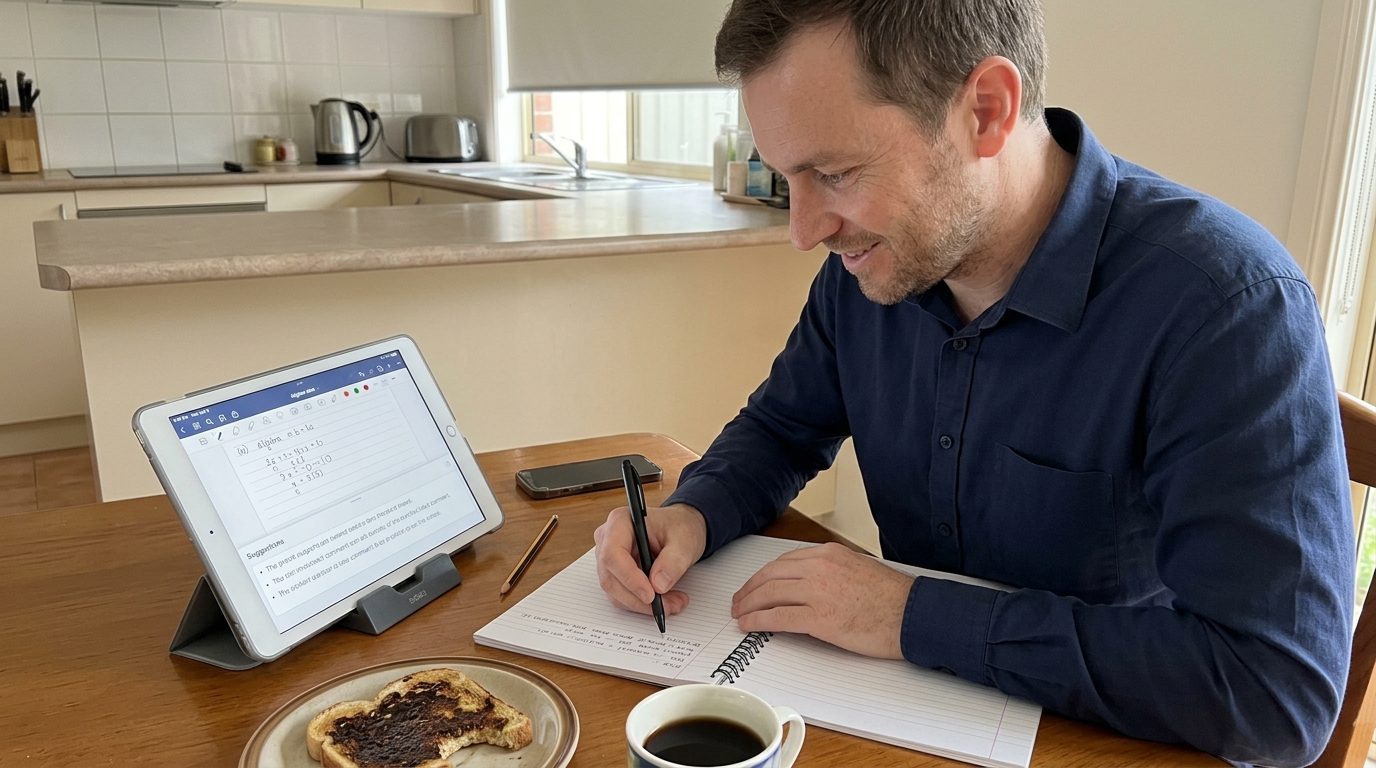
Photograph a student's work and ask ChatGPT to identify the specific error in their working — not to mark right or wrong. The AI is much better at spotting where reasoning broke down than at giving a final grade. Use it to draft feedback you'll then edit, not to replace the grading pen.
The setup that works. Open ChatGPT (or Claude) on your phone, photograph the student's working, and prompt: "Identify the specific step where this student's reasoning went wrong, and suggest one sentence of feedback I could write in the margin." For an 8th-grade algebra response, you'll get back something like "Student distributed the negative correctly across the first parenthesis but forgot to flip signs in the second — suggest: 'Watch the sign on the second parenthesis — same trick, opposite outcome.'" Then refine the wording into your own voice.
Where AI grading works best. Working-out heavy problems — algebra, multi-step word problems, geometric proofs. The AI reads handwritten working surprisingly well and is good at naming the conceptual misstep. Where it struggles: assessing a student's mathematical creativity (an 11th-grade modeling response with an unusual but valid approach), or judging whether an answer is "good enough for this kid right now". Those calls stay with you.
Tutero builds this in one step further: photograph an entire class set, and the grading tool flags consistent misconceptions across the cohort — useful when you're deciding whether tomorrow's lesson needs a re-teach or just a quick review.
What's the best way to use AI for math lesson planning?
Give the AI three things — grade level, topic, lesson length — and ask for a structured outline with worked examples and a misconception watch-list. A good prompt produces a usable lesson skeleton in under two minutes; a bad prompt produces generic mush. The structure of the prompt is the whole game.
The prompt template that works. "I'm teaching a 50-minute 7th-grade lesson on equivalent fractions. Give me: a 5-minute hook activity, a worked example I can show on the board with three steps, two scaffolded practice problems with the answers, three common misconceptions students bring to this topic, and one extension question for early finishers." Paste this into ChatGPT or Claude. Edit the output. You'll have a lesson skeleton in less time than it takes to find your textbook.
Tutero takes the same idea further: it generates the full lesson — slide deck, board examples, differentiated practice questions, a closing exit ticket — aligned to Common Core or your state's local standards. You then adjust rather than start from scratch. Either way, the AI is doing the structural lifting; you're doing the editorial judgment.
What this is NOT for. Designing your unit of work for the semester. AI doesn't know which concepts your specific class has already wobbled on, which topic the department chair wants emphasized, or which kid you're worried about. Unit planning is yours; lesson-level scaffolding is the AI's.
Can AI help diagnose where a student is stuck in math?
Yes — describe the student's symptom and the AI will produce a hypothesis tree of underlying misconceptions to test. Diagnosis is one of the cognitively heaviest things a teacher does, and AI is genuinely good at it because the literature on math misconceptions is well-documented and the AI has read most of it.
How to prompt. "A 9th-grade student gets the right answer on two-step linear equations like 3x + 5 = 20 but freezes on equations with the variable on both sides like 3x + 5 = 2x + 12. What are the three most likely misconceptions, and what's a 90-second check I could do tomorrow morning to identify which one?" The AI returns a clean hypothesis tree, often referencing the work of researchers like John Mason or NCTM's misconceptions research published in Mathematics Teaching in the Middle School.
What this gives you. A 5-minute conversation with the student where you actually know what to look for, instead of a 20-minute "let's redo question 1 together" session that may or may not surface the underlying gap. The diagnosis prompt is one of the few AI workflows where the time saved is the point — the quality of the next intervention is also better.
"AI is most useful for the work that benefits from multiple variations and rapid iteration." — NCTM, 2024 Position Statement on AI in Mathematics Teaching
How can AI help with parent-communication writing?
Use AI to draft the email, then edit it into your voice — the time-saver is the structure, not the prose. Parent communication is one of the most common places teachers under-deliver because the cognitive cost of writing one well-pitched email is high, and the marginal cost of writing twelve more is even higher. AI removes the blank-page problem.
The prompt that works. "Write a 120-word email to the parent of a 6th-grade student who has been struggling with long division for the last three weeks. The tone should be warm, factual, and non-blaming. Include: one specific observation, one thing the student is doing well, one suggestion for home support that takes 10 minutes a night." The AI returns a usable draft. You change the student's name, swap one phrase that doesn't sound like you, and send.
Where this matters most. End-of-quarter report comments, parent-teacher-night follow-ups, and the "your child is showing X pattern" emails most teachers put off until Sunday night. The teachers using AI here aren't outsourcing the relationship — they're removing the friction that was stopping them from communicating earlier.
The non-negotiable: never paste a real student's full name + sensitive academic detail into a public AI tool. Use generic placeholders ("a 6th-grade student") in the prompt and edit names in afterwards. School-specific AI tools that meet FERPA and your district's privacy requirements (Tutero is one of these for US schools) handle this differently — but for ChatGPT or Claude on your personal account, anonymize.
How do you use AI to write mathematical-modeling discussion prompts?
AI is excellent at generating real-world scenarios at the right level of mathematical messiness — the part of modeling teachers find hardest to design. Mathematical modeling tasks live or die on the scenario: too clean and it's just a word problem, too messy and the math gets buried. AI can produce 10 candidate scenarios in 90 seconds, and you pick the one that fits.
Prompt example. "Give me five 10th-grade mathematical-modeling scenarios that involve exponential growth or decay, set in contexts a teenager would find genuinely interesting (not bacteria in a petri dish). Each should have at least one realistic constraint that makes the math non-trivial, and end with a decision the student has to justify." You'll get scenarios about phone-battery degradation, viral TikTok growth, used-car depreciation, savings-account compound interest with a withdrawal, and population recovery of an endangered species. Pick one. Refine the constraint. Done.
Why this is hard for teachers without AI. Designing a good modeling scenario is a creative-writing task disguised as a math task — and few teacher-prep programs train you for it. AI is a good creative-writing collaborator. The math still has to be designed by you (does this scenario actually require the technique you're teaching?), but the scenario itself is now a 5-minute task instead of a 45-minute one.
How much time do math teachers actually save with AI?
Math teachers using Tutero report saving up to 5 hours a week — the equivalent of one full evening — by stacking the six use cases above across their weekly planning routine. The RAND Corporation's 2024 research on AI use in K–12 classrooms found that the largest time savings came from differentiation and feedback drafting, mirroring what Tutero teachers report directly. Teachers reinvest that time in lesson planning, one-on-one student conversations, or simply going home at a reasonable hour during a grading week.
The teachers who get the least value are the ones who try to skip the editing step. AI drafts a good lesson, a passable email, a usable feedback comment — but a math teacher's professional judgment is what turns those into a great lesson, the right email, and the comment that actually lands with this kid. Generate, then edit. Always edit.
So how should a math teacher start using AI this semester?
Pick one use case from the six above and run it for a week — don't try all six at once. The teachers who get sticky with AI are the ones who built one habit before adding a second. Differentiated worksheets is the highest-leverage starting point for elementary; feedback drafting is the highest-leverage for high school. Track the actual time saved on a sticky note for the week. If it's real, add a second use case the following week.
If you teach in a US school and you'd like a tool that's been built specifically for math teachers — with standards alignment, differentiation, grading, and parent-comms in one place — Tutero is purpose-built for this. Free trial, no credit card, used by thousands of math teachers across the US and Australia. Otherwise: ChatGPT and Claude, used well, are still a major upgrade on doing all of this by hand.
"Tutero has changed the way I work completely. I used to spend hours grading papers and planning differentiated activities. Now, I finish grading much faster and can provide immediate, targeted support to my students." — Mikey Grant, 6th-Grade Math Teacher
AI is most useful for the work that benefits from multiple variations and rapid iteration. — NCTM, 2024 Position Statement on AI in Mathematics Teaching
AI is most useful for the work that benefits from multiple variations and rapid iteration. — NCTM, 2024 Position Statement on AI in Mathematics Teaching
Most math teachers don't have enough hours in the week to teach the way they actually want to. The ideas, the differentiation plans, the grading comments that would actually move a student forward — they're all in your head. The constraint is time, not skill. AI is starting to give some of that time back.
This guide walks through six specific, classroom-tested ways math teachers are already using AI tools — Tutero, ChatGPT, Claude — to recover hours every week. Use cases, not tool reviews. Each section answers one question a teacher would type into ChatGPT, with the practical setup underneath.
Quick answer: how are math teachers using AI in 2026?
Math teachers use AI for six specific tasks: generating differentiated worksheets, drafting grading feedback, planning lessons in minutes, diagnosing where a student is stuck, drafting parent-communication emails, and writing discussion prompts for mathematical-modeling tasks. The teachers who get the most value treat AI as a fast first draft, not a replacement for professional judgment — they generate, then edit. Tutero teachers report saving up to 5 hours a week by stacking these six use cases across their planning routine. According to NCTM's 2024 position statement on AI in mathematics teaching, AI is most useful for tasks that benefit from "multiple variations" and "rapid iteration" — exactly the work that eats a teacher's evening.
Can AI generate differentiated math worksheets?
Yes — and worksheet generation is the highest-leverage AI use case for a math teacher. A single prompt can produce three difficulty levels of the same task in under a minute, where building the same set by hand takes 45–90 minutes. The trick is in the prompt: name the grade level, the topic, the number of questions per level, and the visual format you want.
What works in practice. ChatGPT and Claude can produce text-only practice questions ("Write 8 fraction-addition questions for 5th grade — 3 easy, 3 medium, 2 challenge") in seconds. Tutero takes this further: it generates fully formatted worksheets with diagrams, number lines, geometry visuals, and answer keys, branded for your classroom and ready to print or assign digitally. The three preset difficulty bands (Mild, Hot, Spicy) match how 3rd–10th grade teachers already talk to students about challenge levels. You can also start from ready-made algebra worksheets and edit them rather than generating from scratch.
Where it goes wrong. AI-generated math questions occasionally contain a wrong answer or a question with no whole-number solution when one was expected. Always solve the worksheet yourself before printing — the 5 minutes you spend solving it is the quality-control step. Treat the AI as a junior assistant who's quick but inexact, not as a textbook.
How do you use AI to grade math homework?
Photograph a student's work and ask ChatGPT to identify the specific error in their working — not to mark right or wrong. The AI is much better at spotting where reasoning broke down than at giving a final grade. Use it to draft feedback you'll then edit, not to replace the grading pen.
The setup that works. Open ChatGPT (or Claude) on your phone, photograph the student's working, and prompt: "Identify the specific step where this student's reasoning went wrong, and suggest one sentence of feedback I could write in the margin." For an 8th-grade algebra response, you'll get back something like "Student distributed the negative correctly across the first parenthesis but forgot to flip signs in the second — suggest: 'Watch the sign on the second parenthesis — same trick, opposite outcome.'" Then refine the wording into your own voice.
Where AI grading works best. Working-out heavy problems — algebra, multi-step word problems, geometric proofs. The AI reads handwritten working surprisingly well and is good at naming the conceptual misstep. Where it struggles: assessing a student's mathematical creativity (an 11th-grade modeling response with an unusual but valid approach), or judging whether an answer is "good enough for this kid right now". Those calls stay with you.
Tutero builds this in one step further: photograph an entire class set, and the grading tool flags consistent misconceptions across the cohort — useful when you're deciding whether tomorrow's lesson needs a re-teach or just a quick review.
What's the best way to use AI for math lesson planning?
Give the AI three things — grade level, topic, lesson length — and ask for a structured outline with worked examples and a misconception watch-list. A good prompt produces a usable lesson skeleton in under two minutes; a bad prompt produces generic mush. The structure of the prompt is the whole game.
The prompt template that works. "I'm teaching a 50-minute 7th-grade lesson on equivalent fractions. Give me: a 5-minute hook activity, a worked example I can show on the board with three steps, two scaffolded practice problems with the answers, three common misconceptions students bring to this topic, and one extension question for early finishers." Paste this into ChatGPT or Claude. Edit the output. You'll have a lesson skeleton in less time than it takes to find your textbook.
Tutero takes the same idea further: it generates the full lesson — slide deck, board examples, differentiated practice questions, a closing exit ticket — aligned to Common Core or your state's local standards. You then adjust rather than start from scratch. Either way, the AI is doing the structural lifting; you're doing the editorial judgment.
What this is NOT for. Designing your unit of work for the semester. AI doesn't know which concepts your specific class has already wobbled on, which topic the department chair wants emphasized, or which kid you're worried about. Unit planning is yours; lesson-level scaffolding is the AI's.
Can AI help diagnose where a student is stuck in math?
Yes — describe the student's symptom and the AI will produce a hypothesis tree of underlying misconceptions to test. Diagnosis is one of the cognitively heaviest things a teacher does, and AI is genuinely good at it because the literature on math misconceptions is well-documented and the AI has read most of it.
How to prompt. "A 9th-grade student gets the right answer on two-step linear equations like 3x + 5 = 20 but freezes on equations with the variable on both sides like 3x + 5 = 2x + 12. What are the three most likely misconceptions, and what's a 90-second check I could do tomorrow morning to identify which one?" The AI returns a clean hypothesis tree, often referencing the work of researchers like John Mason or NCTM's misconceptions research published in Mathematics Teaching in the Middle School.
What this gives you. A 5-minute conversation with the student where you actually know what to look for, instead of a 20-minute "let's redo question 1 together" session that may or may not surface the underlying gap. The diagnosis prompt is one of the few AI workflows where the time saved is the point — the quality of the next intervention is also better.
"AI is most useful for the work that benefits from multiple variations and rapid iteration." — NCTM, 2024 Position Statement on AI in Mathematics Teaching
How can AI help with parent-communication writing?
Use AI to draft the email, then edit it into your voice — the time-saver is the structure, not the prose. Parent communication is one of the most common places teachers under-deliver because the cognitive cost of writing one well-pitched email is high, and the marginal cost of writing twelve more is even higher. AI removes the blank-page problem.
The prompt that works. "Write a 120-word email to the parent of a 6th-grade student who has been struggling with long division for the last three weeks. The tone should be warm, factual, and non-blaming. Include: one specific observation, one thing the student is doing well, one suggestion for home support that takes 10 minutes a night." The AI returns a usable draft. You change the student's name, swap one phrase that doesn't sound like you, and send.
Where this matters most. End-of-quarter report comments, parent-teacher-night follow-ups, and the "your child is showing X pattern" emails most teachers put off until Sunday night. The teachers using AI here aren't outsourcing the relationship — they're removing the friction that was stopping them from communicating earlier.
The non-negotiable: never paste a real student's full name + sensitive academic detail into a public AI tool. Use generic placeholders ("a 6th-grade student") in the prompt and edit names in afterwards. School-specific AI tools that meet FERPA and your district's privacy requirements (Tutero is one of these for US schools) handle this differently — but for ChatGPT or Claude on your personal account, anonymize.
How do you use AI to write mathematical-modeling discussion prompts?
AI is excellent at generating real-world scenarios at the right level of mathematical messiness — the part of modeling teachers find hardest to design. Mathematical modeling tasks live or die on the scenario: too clean and it's just a word problem, too messy and the math gets buried. AI can produce 10 candidate scenarios in 90 seconds, and you pick the one that fits.
Prompt example. "Give me five 10th-grade mathematical-modeling scenarios that involve exponential growth or decay, set in contexts a teenager would find genuinely interesting (not bacteria in a petri dish). Each should have at least one realistic constraint that makes the math non-trivial, and end with a decision the student has to justify." You'll get scenarios about phone-battery degradation, viral TikTok growth, used-car depreciation, savings-account compound interest with a withdrawal, and population recovery of an endangered species. Pick one. Refine the constraint. Done.
Why this is hard for teachers without AI. Designing a good modeling scenario is a creative-writing task disguised as a math task — and few teacher-prep programs train you for it. AI is a good creative-writing collaborator. The math still has to be designed by you (does this scenario actually require the technique you're teaching?), but the scenario itself is now a 5-minute task instead of a 45-minute one.
How much time do math teachers actually save with AI?
Math teachers using Tutero report saving up to 5 hours a week — the equivalent of one full evening — by stacking the six use cases above across their weekly planning routine. The RAND Corporation's 2024 research on AI use in K–12 classrooms found that the largest time savings came from differentiation and feedback drafting, mirroring what Tutero teachers report directly. Teachers reinvest that time in lesson planning, one-on-one student conversations, or simply going home at a reasonable hour during a grading week.
The teachers who get the least value are the ones who try to skip the editing step. AI drafts a good lesson, a passable email, a usable feedback comment — but a math teacher's professional judgment is what turns those into a great lesson, the right email, and the comment that actually lands with this kid. Generate, then edit. Always edit.
So how should a math teacher start using AI this semester?
Pick one use case from the six above and run it for a week — don't try all six at once. The teachers who get sticky with AI are the ones who built one habit before adding a second. Differentiated worksheets is the highest-leverage starting point for elementary; feedback drafting is the highest-leverage for high school. Track the actual time saved on a sticky note for the week. If it's real, add a second use case the following week.
If you teach in a US school and you'd like a tool that's been built specifically for math teachers — with standards alignment, differentiation, grading, and parent-comms in one place — Tutero is purpose-built for this. Free trial, no credit card, used by thousands of math teachers across the US and Australia. Otherwise: ChatGPT and Claude, used well, are still a major upgrade on doing all of this by hand.
"Tutero has changed the way I work completely. I used to spend hours grading papers and planning differentiated activities. Now, I finish grading much faster and can provide immediate, targeted support to my students." — Mikey Grant, 6th-Grade Math Teacher
AI is most useful for the work that benefits from multiple variations and rapid iteration. — NCTM, 2024 Position Statement on AI in Mathematics Teaching
AI is most useful for the work that benefits from multiple variations and rapid iteration. — NCTM, 2024 Position Statement on AI in Mathematics Teaching

AI is most useful for the work that benefits from multiple variations and rapid iteration. — NCTM, 2024 Position Statement on AI in Mathematics Teaching
Generate, then edit. Always edit. The professional judgment is what turns an AI draft into a great lesson, the right email, and the comment that actually lands.
Most math teachers don't have enough hours in the week to teach the way they actually want to. The ideas, the differentiation plans, the grading comments that would actually move a student forward — they're all in your head. The constraint is time, not skill. AI is starting to give some of that time back.
This guide walks through six specific, classroom-tested ways math teachers are already using AI tools — Tutero, ChatGPT, Claude — to recover hours every week. Use cases, not tool reviews. Each section answers one question a teacher would type into ChatGPT, with the practical setup underneath.
Quick answer: how are math teachers using AI in 2026?
Math teachers use AI for six specific tasks: generating differentiated worksheets, drafting grading feedback, planning lessons in minutes, diagnosing where a student is stuck, drafting parent-communication emails, and writing discussion prompts for mathematical-modeling tasks. The teachers who get the most value treat AI as a fast first draft, not a replacement for professional judgment — they generate, then edit. Tutero teachers report saving up to 5 hours a week by stacking these six use cases across their planning routine. According to NCTM's 2024 position statement on AI in mathematics teaching, AI is most useful for tasks that benefit from "multiple variations" and "rapid iteration" — exactly the work that eats a teacher's evening.
Can AI generate differentiated math worksheets?
Yes — and worksheet generation is the highest-leverage AI use case for a math teacher. A single prompt can produce three difficulty levels of the same task in under a minute, where building the same set by hand takes 45–90 minutes. The trick is in the prompt: name the grade level, the topic, the number of questions per level, and the visual format you want.
What works in practice. ChatGPT and Claude can produce text-only practice questions ("Write 8 fraction-addition questions for 5th grade — 3 easy, 3 medium, 2 challenge") in seconds. Tutero takes this further: it generates fully formatted worksheets with diagrams, number lines, geometry visuals, and answer keys, branded for your classroom and ready to print or assign digitally. The three preset difficulty bands (Mild, Hot, Spicy) match how 3rd–10th grade teachers already talk to students about challenge levels. You can also start from ready-made algebra worksheets and edit them rather than generating from scratch.
Where it goes wrong. AI-generated math questions occasionally contain a wrong answer or a question with no whole-number solution when one was expected. Always solve the worksheet yourself before printing — the 5 minutes you spend solving it is the quality-control step. Treat the AI as a junior assistant who's quick but inexact, not as a textbook.
How do you use AI to grade math homework?
Photograph a student's work and ask ChatGPT to identify the specific error in their working — not to mark right or wrong. The AI is much better at spotting where reasoning broke down than at giving a final grade. Use it to draft feedback you'll then edit, not to replace the grading pen.
The setup that works. Open ChatGPT (or Claude) on your phone, photograph the student's working, and prompt: "Identify the specific step where this student's reasoning went wrong, and suggest one sentence of feedback I could write in the margin." For an 8th-grade algebra response, you'll get back something like "Student distributed the negative correctly across the first parenthesis but forgot to flip signs in the second — suggest: 'Watch the sign on the second parenthesis — same trick, opposite outcome.'" Then refine the wording into your own voice.
Where AI grading works best. Working-out heavy problems — algebra, multi-step word problems, geometric proofs. The AI reads handwritten working surprisingly well and is good at naming the conceptual misstep. Where it struggles: assessing a student's mathematical creativity (an 11th-grade modeling response with an unusual but valid approach), or judging whether an answer is "good enough for this kid right now". Those calls stay with you.
Tutero builds this in one step further: photograph an entire class set, and the grading tool flags consistent misconceptions across the cohort — useful when you're deciding whether tomorrow's lesson needs a re-teach or just a quick review.
What's the best way to use AI for math lesson planning?
Give the AI three things — grade level, topic, lesson length — and ask for a structured outline with worked examples and a misconception watch-list. A good prompt produces a usable lesson skeleton in under two minutes; a bad prompt produces generic mush. The structure of the prompt is the whole game.
The prompt template that works. "I'm teaching a 50-minute 7th-grade lesson on equivalent fractions. Give me: a 5-minute hook activity, a worked example I can show on the board with three steps, two scaffolded practice problems with the answers, three common misconceptions students bring to this topic, and one extension question for early finishers." Paste this into ChatGPT or Claude. Edit the output. You'll have a lesson skeleton in less time than it takes to find your textbook.
Tutero takes the same idea further: it generates the full lesson — slide deck, board examples, differentiated practice questions, a closing exit ticket — aligned to Common Core or your state's local standards. You then adjust rather than start from scratch. Either way, the AI is doing the structural lifting; you're doing the editorial judgment.
What this is NOT for. Designing your unit of work for the semester. AI doesn't know which concepts your specific class has already wobbled on, which topic the department chair wants emphasized, or which kid you're worried about. Unit planning is yours; lesson-level scaffolding is the AI's.
Can AI help diagnose where a student is stuck in math?
Yes — describe the student's symptom and the AI will produce a hypothesis tree of underlying misconceptions to test. Diagnosis is one of the cognitively heaviest things a teacher does, and AI is genuinely good at it because the literature on math misconceptions is well-documented and the AI has read most of it.
How to prompt. "A 9th-grade student gets the right answer on two-step linear equations like 3x + 5 = 20 but freezes on equations with the variable on both sides like 3x + 5 = 2x + 12. What are the three most likely misconceptions, and what's a 90-second check I could do tomorrow morning to identify which one?" The AI returns a clean hypothesis tree, often referencing the work of researchers like John Mason or NCTM's misconceptions research published in Mathematics Teaching in the Middle School.
What this gives you. A 5-minute conversation with the student where you actually know what to look for, instead of a 20-minute "let's redo question 1 together" session that may or may not surface the underlying gap. The diagnosis prompt is one of the few AI workflows where the time saved is the point — the quality of the next intervention is also better.
"AI is most useful for the work that benefits from multiple variations and rapid iteration." — NCTM, 2024 Position Statement on AI in Mathematics Teaching
How can AI help with parent-communication writing?
Use AI to draft the email, then edit it into your voice — the time-saver is the structure, not the prose. Parent communication is one of the most common places teachers under-deliver because the cognitive cost of writing one well-pitched email is high, and the marginal cost of writing twelve more is even higher. AI removes the blank-page problem.
The prompt that works. "Write a 120-word email to the parent of a 6th-grade student who has been struggling with long division for the last three weeks. The tone should be warm, factual, and non-blaming. Include: one specific observation, one thing the student is doing well, one suggestion for home support that takes 10 minutes a night." The AI returns a usable draft. You change the student's name, swap one phrase that doesn't sound like you, and send.
Where this matters most. End-of-quarter report comments, parent-teacher-night follow-ups, and the "your child is showing X pattern" emails most teachers put off until Sunday night. The teachers using AI here aren't outsourcing the relationship — they're removing the friction that was stopping them from communicating earlier.
The non-negotiable: never paste a real student's full name + sensitive academic detail into a public AI tool. Use generic placeholders ("a 6th-grade student") in the prompt and edit names in afterwards. School-specific AI tools that meet FERPA and your district's privacy requirements (Tutero is one of these for US schools) handle this differently — but for ChatGPT or Claude on your personal account, anonymize.
How do you use AI to write mathematical-modeling discussion prompts?
AI is excellent at generating real-world scenarios at the right level of mathematical messiness — the part of modeling teachers find hardest to design. Mathematical modeling tasks live or die on the scenario: too clean and it's just a word problem, too messy and the math gets buried. AI can produce 10 candidate scenarios in 90 seconds, and you pick the one that fits.
Prompt example. "Give me five 10th-grade mathematical-modeling scenarios that involve exponential growth or decay, set in contexts a teenager would find genuinely interesting (not bacteria in a petri dish). Each should have at least one realistic constraint that makes the math non-trivial, and end with a decision the student has to justify." You'll get scenarios about phone-battery degradation, viral TikTok growth, used-car depreciation, savings-account compound interest with a withdrawal, and population recovery of an endangered species. Pick one. Refine the constraint. Done.
Why this is hard for teachers without AI. Designing a good modeling scenario is a creative-writing task disguised as a math task — and few teacher-prep programs train you for it. AI is a good creative-writing collaborator. The math still has to be designed by you (does this scenario actually require the technique you're teaching?), but the scenario itself is now a 5-minute task instead of a 45-minute one.
How much time do math teachers actually save with AI?
Math teachers using Tutero report saving up to 5 hours a week — the equivalent of one full evening — by stacking the six use cases above across their weekly planning routine. The RAND Corporation's 2024 research on AI use in K–12 classrooms found that the largest time savings came from differentiation and feedback drafting, mirroring what Tutero teachers report directly. Teachers reinvest that time in lesson planning, one-on-one student conversations, or simply going home at a reasonable hour during a grading week.
The teachers who get the least value are the ones who try to skip the editing step. AI drafts a good lesson, a passable email, a usable feedback comment — but a math teacher's professional judgment is what turns those into a great lesson, the right email, and the comment that actually lands with this kid. Generate, then edit. Always edit.
So how should a math teacher start using AI this semester?
Pick one use case from the six above and run it for a week — don't try all six at once. The teachers who get sticky with AI are the ones who built one habit before adding a second. Differentiated worksheets is the highest-leverage starting point for elementary; feedback drafting is the highest-leverage for high school. Track the actual time saved on a sticky note for the week. If it's real, add a second use case the following week.
If you teach in a US school and you'd like a tool that's been built specifically for math teachers — with standards alignment, differentiation, grading, and parent-comms in one place — Tutero is purpose-built for this. Free trial, no credit card, used by thousands of math teachers across the US and Australia. Otherwise: ChatGPT and Claude, used well, are still a major upgrade on doing all of this by hand.
"Tutero has changed the way I work completely. I used to spend hours grading papers and planning differentiated activities. Now, I finish grading much faster and can provide immediate, targeted support to my students." — Mikey Grant, 6th-Grade Math Teacher
AI is most useful for the work that benefits from multiple variations and rapid iteration. — NCTM, 2024 Position Statement on AI in Mathematics Teaching
Generate, then edit. Always edit. The professional judgment is what turns an AI draft into a great lesson, the right email, and the comment that actually lands.
.svg)
.svg)
Hoping to improve confidence & grades?

.png)