.svg)


Quick answer
To pay for tutoring with TEFA, log in to the Odyssey Parent Portal, make sure your child is opted in and funded, open your child’s Wallet and select Shop Marketplace. Find an approved tutoring vendor in the Tutoring category, add the offering to your cart, choose your child and check out. Odyssey pays the tutor from your child’s balance, so you pay $0 out of pocket. Texas law lists fees for a private tutor or teaching service as an approved expense and caps only technology, and TEFA has no reimbursement, so every purchase goes through the marketplace.
How do I log in to Odyssey for TEFA?
You log in to the Odyssey Parent Portal. Odyssey is the company the Texas Comptroller selected to help run Texas Education Freedom Accounts. Applications, accounts and marketplace purchases all run on its platform, so there is no separate marketplace login. To reach the real portal, start from the official program site, educationfreedom.texas.gov.
The Comptroller sets the rules and reviews every vendor and offering before it appears in the marketplace. Odyssey runs the portal, checks each purchase and pays vendors, and by law it cannot charge you any fee, including transaction fees. The marketplace opened on July 1, 2026 with more than 54,000 approved products and services from nearly 2,400 vendors.
If you are locked out or something looks wrong, these are the contacts on the TEFA contact page and in Odyssey’s help center:
- Odyssey (login, account and purchase help): email help.tx@withodyssey.com, call 737-379-2362, or use Odyssey’s Texas request form. There is also an AI chat at chat.withodyssey.com. Support runs 9am to 9pm weekdays and 11am to 5pm weekends, Central Time.
- The Comptroller (program and rules questions): educationfreedom@cpa.texas.gov.
- Suspected fraud: email tefa.watchdog@cpa.texas.gov or use the Comptroller’s fraud report form.
What do the statuses in my Odyssey portal mean?
Your child’s application status tells you what to do next. These are the statuses Odyssey lists for TEFA families:
| Status you see | What it means | What to do |
|---|---|---|
| Eligible, with no funding amount | Your child qualifies and is on the waitlist. This is not an award. | Nothing. You stay on the list automatically, and your child can stay in public school while you wait. |
| Approved - Awaiting Opt-In | Your child has an award, but you have not accepted it yet. | Opt in. Families awarded later from the waitlist have four weeks from the award date to opt in and confirm enrollment. |
| Approved | You have opted in, and your child will receive funds. | Choose a setting and, for private school, review the tuition the school enters. |
| Approved - On Hold | Your child is approved, but spending is paused while Odyssey reviews the account. | Contact Odyssey to find out what it needs from you. |
| Under Review | Odyssey is reviewing the application to decide eligibility. | Watch your email. |
| Opted Out | You left the program for the rest of the program year. Unused funds go back to the state. | Contact Odyssey if this was a mistake. |
| Closed | The application was closed so a new one can be submitted or corrected, usually after a problem with the original. | Contact Odyssey if you did not expect it. |
The enrollment status works the same way: Verified means the school confirmed your child will enroll, Confirmed means you approved its tuition, and Denied means you need to choose another setting. For homeschool it may stay at Pending, and Odyssey says no action is needed. Odyssey’s portal status article has the full list.
How do I get my child’s TEFA account ready to spend?
Opt in, choose a setting and, for private school, confirm the tuition the school enters. Odyssey cannot fund the account until those steps are done.
- Check your award. Odyssey notifies you by email and text, and the award amount appears on your child’s student card. Seeing an amount there does not mean the money is ready to spend.
- Opt in. Your child’s status changes from Approved - Awaiting Opt-In to Approved. If your child was awarded late from the waitlist, you have four weeks from the award date to opt in and confirm enrollment.
- Choose a setting. Pick a participating private school, or homeschool/other. Selecting a school in Odyssey does not enroll your child, so complete the school’s own admission process as well.
- For private school, review the tuition. The school verifies enrollment and enters its tuition and fees. Confirm the amount, or select Deny if it is wrong so the school can correct it. Confirming does not send any money. Our guide to what TEFA can pay for covers paying tuition and school fees.
- Wait for funding. Money arrives on the dates below.
How much is in my child’s TEFA account, and how much can go to tutoring?
All of it can go to tutoring if you choose, because state law caps only technology. The amount in the account depends on your child’s setting. For 2026-27, according to the Texas Comptroller:
| Your child’s setting | Account amount, 2026-27 | When it arrives |
|---|---|---|
| Homeschool or other non-public setting, including a child with a disability | $2,000 a year | All at once: July 1 if you opted in by June 15, mid-August if you opted in by July 31, and as soon as practicable for later awards |
| Participating private school | $10,474 a year | 25% on July 1 (or mid-August), 25% on October 1, 2026 and 50% on February 1, 2027, as long as your child stays enrolled in a participating private school |
| Participating private school, with a current Texas IEP on file | Your child’s TEFA account can hold $10,474 plus the IEP amount your district would receive, up to $30,000 a year. Most students get less than the maximum | The same three payments as private school |
The extra IEP amount depends on your school district and the IEP’s instructional arrangement code. See TEFA eligibility and account amounts for details.
Late awards are prorated by when you finish opting in and confirming enrollment. Confirm by September 15, 2026 and your child gets the full award. Confirm after September 15 and your child gets 75%. Confirm after January 15, 2027 and your child gets 50%, according to the Comptroller’s funding timeline. Odyssey says funding dates can change.
At a private school, whatever is left after tuition can go to tutoring: the Comptroller says private school students can use their account for tutoring, therapies or online learning. If the account does not cover everything you want, state law lets you pay the rest out of pocket.
Which tutors can I pay with TEFA?
Any tutor or teaching service the Comptroller has approved and listed in the TEFA marketplace. Senate Bill 2, the law that created TEFA, lists “fees for services provided by a private tutor or teaching service” as an approved expense, and the Comptroller’s list of approved expenses includes private tutoring. Every TEFA tutor must meet the state’s educator credential rules and pass a TEFA fingerprint background check.
Here is what approval involves, according to the Comptroller’s rules and its Educator Credential Policy:
- A qualified lead educator for every student. Each TEFA student paying for tutoring or teaching must have a lead educator who takes primary responsibility and is present, in person or online, for the whole lesson. The lead educator must be a current or retired employee of an accredited school or college, or hold a relevant credential, such as a teaching license from Texas or another state, a Texas school district teaching permit, a method certification such as Orton-Gillingham, a degree related to the lessons, or a related professional license.
- A fingerprint background check. Everyone who will interact with a TEFA child, in person or online, needs a national fingerprint-based criminal history check done through the TEFA program, and no one may work with a child before approval. Support staff, such as a teaching assistant, need the same check but not the credential.
- State review of a registered business. The Comptroller reviews every vendor and offering before it appears in the marketplace, and vendors must be registered with the Texas Secretary of State (out-of-state companies as a foreign entity).
Approval is a legal check. The Comptroller says marketplace presence “does not constitute an endorsement”, and that parents “assume responsibility” for making sure anyone paid with program funds has the knowledge, skills and professional competence to help their child. On the Comptroller’s Participating Vendor List, which we checked on October 7, 2026, 409 vendors were listed as a Tutor and 155 as a Teaching Service, out of 2,160 in total.
Some Odyssey help pages still say a tutor needs an active teaching certificate. The Comptroller’s published policy is broader, as listed above. To check a particular teacher, ask the vendor whether that teacher shows as Approved in its TEFA employee list.
How do I find and pay a tutor in the Odyssey marketplace?
Find an approved tutor in the Tutoring category, buy their offering from your child’s Wallet, and Odyssey pays them from your child’s balance. The same steps work for curriculum, test fees and other approved items, following Odyssey’s marketplace instructions:
- Make sure funds are in the account. Your child needs to be opted in, with a setting chosen, and funded.
- Open your child’s Wallet. Log in to the Odyssey Parent Portal and open the Wallet for the child who will have lessons.
- Select Shop Marketplace, then find the tutor. Use the Search bar if you know the company, or browse the Tutoring category, which is separate from Online Classes, Curriculum and the therapy categories.
- Read the listing. Check the description, the vendor name, and the return and cancellation policy. If a purchase limit applies, a notice appears on the page.
- Add it to your cart and choose your child. Pick the student from the dropdown. Their available balance shows next to their name. With more than one child, check you picked the right one.
- Check out. Review the order summary, then select Complete Purchase.
- Wait for the tutor to contact you. The vendor first confirms the order, then reaches out to schedule lessons. Odyssey’s general guidance is that this usually happens within two business days. If you have not heard from them after a few business days, email Marketplace@withodyssey.com.
A purchase goes through only if it is an approved expense from a vendor in good standing and fits within your child’s balance. Your Order History shows the item, date, amount and status, and Odyssey emails you when a service order is confirmed or fulfilled. State law says Odyssey must pay the vendor within 10 business days of verifying the request, so you never handle the payment yourself.
To check tutors before you log in, use the Comptroller’s finder at finder.educationfreedom.texas.gov, or the Participating Vendor List, which shows each vendor’s type and delivery method.
Can I pay a tutor or vendor my child already uses?
Yes, if they are approved and listed in the TEFA marketplace. You buy their offering through Odyssey like any other item.
TEFA has no reimbursement. According to the Comptroller, families will not be reimbursed for purchases made outside the TEFA marketplace, so if you pay a tutor directly by card or cash, that money comes from your own pocket. If your tutor or vendor is not listed, they can apply to the Comptroller, and you can email Odyssey to request additional offerings. Until they are approved and listed, you cannot pay them with TEFA funds.
How do I choose the right tutor with TEFA?
Start with what your child needs, then ask each approved vendor how it would meet that need. Approval tells you a tutor met the legal rules, and the Comptroller leaves judging quality to parents. These questions help you compare options before you spend:
- What exactly is my child working on? Note the subject, grade and one or two goals, such as reading fluency.
- Who will teach my child, and what is their credential? Ask for the lead educator’s name, which credential route they meet, and whether they show as Approved in the vendor’s TEFA employee list.
- What am I buying? Read the listing to see what the offering includes, such as the number of sessions or the length of time it covers.
- Does the schedule fit our week? Ask about session length, times available and whether lessons are online or in person.
- How will I know it is working? Ask how progress is measured and how often you will get updates.
- What happens if we miss a lesson or want to stop? Read the cancellation policy in the listing before you buy, since a service order is canceled only if the vendor agrees.
Tutero is one approved option. We are on the Comptroller’s Participating Vendor List as a Teaching Service, delivered online, and listed in the TEFA marketplace. If your child has an IEP, see how families use TEFA for tutoring students with an IEP.
Texas Education Freedom Accounts
Use your TEFA funds for 1-on-1 tutoring
- Approved TEFA vendor
- The same teacher every week
- A plan built from your child’s schoolwork
 ★★★★★4.9 from 250 Google reviews
$0out of pocket, paid from your TEFA account
What are the TEFA marketplace rules and limits?
State law caps only technology, at 10% of the year’s account amount. Odyssey adds its own rules in its TEFA purchase restrictions, updated October 5, 2026, and some rules apply to every purchase:
| Rule | What it means for you |
|---|---|
| Tutoring | No separate limit beyond your child’s balance. |
| Technology: 10% of the year’s account | Under the Comptroller’s rules, hardware, software and devices required by a provider or prescribed by a physician share one 10% limit. It covers laptops, tablets, monitors, printers, headphones, calculators, hotspots, software and similar items. On $2,000, that is $200 a year. A purchase over the limit may not be approved. |
| 3D printers | Odyssey’s marketplace rules allow one per year, and it counts toward the 10% technology limit. |
| Musical instruments | Odyssey’s marketplace rules cap instruments at $1,200. |
| No cash or reimbursement | You cannot withdraw cash, and the program does not pay you back for purchases made elsewhere. |
| No reselling | Items bought with TEFA money may not be sold. |
| No paying relatives | Funds cannot pay anyone related to your child within the third degree by blood or marriage. |
| Fair pricing | A vendor may not charge a TEFA child more than its standard price. |
| One child, one account | Funds cannot be moved to a sibling’s account. |
For every approved category, and how tuition and school fees work, see what TEFA can pay for.
How do I cancel a TEFA order or return something?
Most orders cannot be canceled once placed, and a tutoring order is canceled only if the vendor agrees. Damaged or wrong items can be returned, and every refund goes back to your child’s TEFA account. These rules come from Odyssey’s refunds, returns and cancellations policy and state law:
- Cancellations: Odyssey has a no-cancellation policy for products and services, so check your cart before you buy. A service order, such as tutoring, is canceled only if the vendor authorizes it, and the money then returns to the account.
- Vendor cancellations: a vendor may cancel an order if an item is out of stock, and the money returns to the account automatically. Odyssey also cancels an Amazon order automatically if the price changes while the item is in your cart.
- Damaged or wrong items: report them with photos of the item and the packaging within 5 business days of delivery.
- Returns: get a return authorization from returns@withodyssey.com, using your account email, before you send anything back. Odyssey emails a return label within 5 business days, and the label expires 2 weeks after it is issued. Approved returns must go back within 30 days.
- Refund timing: partial refunds are not supported. Once the vendor inspects the return, a refund can take up to 6 weeks to reach your child’s Wallet.
- Missing packages: if tracking says delivered but nothing arrived, the vendor files the carrier claim.
- Lessons not given: vendors may not take program money for services they did not provide. A vendor may not refund or share TEFA money with you, so any refund goes back to your child’s account.
If you have a problem with an order, contact Odyssey at help.tx@withodyssey.com or 737-379-2362.
What happens to unused TEFA money?
Leftover money carries forward to the next program year (July 1 to June 30) if your child stays eligible and you confirm they are continuing. These rules keep the account open:
- Know where unused money goes. It cannot move to a sibling, and when a child leaves the program it returns to the state.
- Stay out of public school enrollment. Odyssey checks with the Texas Education Agency on or before October 1 and February 1. A student found enrolled in a public or charter school is removed, and the funds return to the state.
- Send test results, if you chose private school. Private schools test TEFA students in grades 3 to 12 each year, and you make sure results reach Odyssey by the end of the program year. Homeschool students are not required to test.
- Tell Odyssey within 30 days of a change. The Comptroller’s rules ask you to report it if your child enrolls in public school, graduates or becomes ineligible. Moving out of Texas ends eligibility, and Odyssey asks you to opt out in the portal within 30 days. If you move within Texas, update your address with Odyssey.
- Spend only on approved items. Misused money can be recovered. If an account is suspended, you get written notice and 30 days to fix the problem.
- Confirm you are continuing. Families in good standing do not reapply; they confirm during the application period. Dates for 2027-28 had not been announced as of October 7, 2026. Our guide to TEFA key dates, waitlist and renewal will have them when they are published.
Bottom line
Everything you buy with TEFA, tutoring included, goes through Odyssey: opt in, choose a setting, wait for funding, then check out from your child’s Wallet. Tutoring has no separate limit beyond your child’s balance, and Odyssey pays the tutor directly. Before you buy, check who will teach your child, what the listing covers and what its cancellation policy says.
How this guide was written
Written by Tutero’s Texas team. Tutero is an approved TEFA vendor. We check our guides against the Texas Comptroller’s official TEFA rules and program documents, and the Odyssey help center. Rules can change, so confirm details in your TEFA account before you buy.
Related guides: What TEFA can pay for, TEFA eligibility and account amounts and TEFA key dates, waitlist and renewal.
Your next step
See how families use TEFA for tutoring
Expert teachers, 1-on-1 and online, paid from your TEFA account with $0 out of pocket. How TEFA tutoring works.
Or keep reading: What TEFA can pay for →
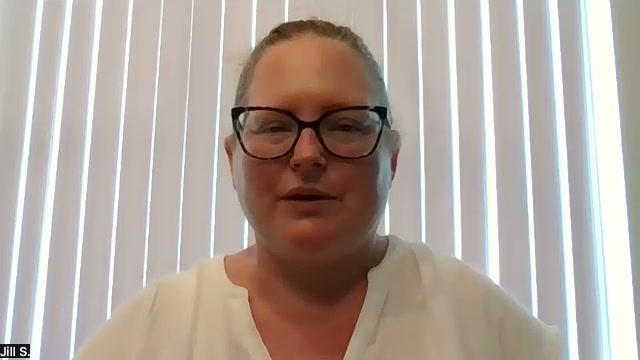
“With her teacher Lori, she’s focused. She never wants to miss a lesson.”
 JillMom of Emma, 6th grade
Quick answer
To pay for tutoring with TEFA, log in to the Odyssey Parent Portal, make sure your child is opted in and funded, open your child’s Wallet and select Shop Marketplace. Find an approved tutoring vendor in the Tutoring category, add the offering to your cart, choose your child and check out. Odyssey pays the tutor from your child’s balance, so you pay $0 out of pocket. Texas law lists fees for a private tutor or teaching service as an approved expense and caps only technology, and TEFA has no reimbursement, so every purchase goes through the marketplace.
How do I log in to Odyssey for TEFA?
You log in to the Odyssey Parent Portal. Odyssey is the company the Texas Comptroller selected to help run Texas Education Freedom Accounts. Applications, accounts and marketplace purchases all run on its platform, so there is no separate marketplace login. To reach the real portal, start from the official program site, educationfreedom.texas.gov.
The Comptroller sets the rules and reviews every vendor and offering before it appears in the marketplace. Odyssey runs the portal, checks each purchase and pays vendors, and by law it cannot charge you any fee, including transaction fees. The marketplace opened on July 1, 2026 with more than 54,000 approved products and services from nearly 2,400 vendors.
If you are locked out or something looks wrong, these are the contacts on the TEFA contact page and in Odyssey’s help center:
- Odyssey (login, account and purchase help): email help.tx@withodyssey.com, call 737-379-2362, or use Odyssey’s Texas request form. There is also an AI chat at chat.withodyssey.com. Support runs 9am to 9pm weekdays and 11am to 5pm weekends, Central Time.
- The Comptroller (program and rules questions): educationfreedom@cpa.texas.gov.
- Suspected fraud: email tefa.watchdog@cpa.texas.gov or use the Comptroller’s fraud report form.
What do the statuses in my Odyssey portal mean?
Your child’s application status tells you what to do next. These are the statuses Odyssey lists for TEFA families:
| Status you see | What it means | What to do |
|---|---|---|
| Eligible, with no funding amount | Your child qualifies and is on the waitlist. This is not an award. | Nothing. You stay on the list automatically, and your child can stay in public school while you wait. |
| Approved - Awaiting Opt-In | Your child has an award, but you have not accepted it yet. | Opt in. Families awarded later from the waitlist have four weeks from the award date to opt in and confirm enrollment. |
| Approved | You have opted in, and your child will receive funds. | Choose a setting and, for private school, review the tuition the school enters. |
| Approved - On Hold | Your child is approved, but spending is paused while Odyssey reviews the account. | Contact Odyssey to find out what it needs from you. |
| Under Review | Odyssey is reviewing the application to decide eligibility. | Watch your email. |
| Opted Out | You left the program for the rest of the program year. Unused funds go back to the state. | Contact Odyssey if this was a mistake. |
| Closed | The application was closed so a new one can be submitted or corrected, usually after a problem with the original. | Contact Odyssey if you did not expect it. |
The enrollment status works the same way: Verified means the school confirmed your child will enroll, Confirmed means you approved its tuition, and Denied means you need to choose another setting. For homeschool it may stay at Pending, and Odyssey says no action is needed. Odyssey’s portal status article has the full list.
How do I get my child’s TEFA account ready to spend?
Opt in, choose a setting and, for private school, confirm the tuition the school enters. Odyssey cannot fund the account until those steps are done.
- Check your award. Odyssey notifies you by email and text, and the award amount appears on your child’s student card. Seeing an amount there does not mean the money is ready to spend.
- Opt in. Your child’s status changes from Approved - Awaiting Opt-In to Approved. If your child was awarded late from the waitlist, you have four weeks from the award date to opt in and confirm enrollment.
- Choose a setting. Pick a participating private school, or homeschool/other. Selecting a school in Odyssey does not enroll your child, so complete the school’s own admission process as well.
- For private school, review the tuition. The school verifies enrollment and enters its tuition and fees. Confirm the amount, or select Deny if it is wrong so the school can correct it. Confirming does not send any money. Our guide to what TEFA can pay for covers paying tuition and school fees.
- Wait for funding. Money arrives on the dates below.
How much is in my child’s TEFA account, and how much can go to tutoring?
All of it can go to tutoring if you choose, because state law caps only technology. The amount in the account depends on your child’s setting. For 2026-27, according to the Texas Comptroller:
| Your child’s setting | Account amount, 2026-27 | When it arrives |
|---|---|---|
| Homeschool or other non-public setting, including a child with a disability | $2,000 a year | All at once: July 1 if you opted in by June 15, mid-August if you opted in by July 31, and as soon as practicable for later awards |
| Participating private school | $10,474 a year | 25% on July 1 (or mid-August), 25% on October 1, 2026 and 50% on February 1, 2027, as long as your child stays enrolled in a participating private school |
| Participating private school, with a current Texas IEP on file | Your child’s TEFA account can hold $10,474 plus the IEP amount your district would receive, up to $30,000 a year. Most students get less than the maximum | The same three payments as private school |
The extra IEP amount depends on your school district and the IEP’s instructional arrangement code. See TEFA eligibility and account amounts for details.
Late awards are prorated by when you finish opting in and confirming enrollment. Confirm by September 15, 2026 and your child gets the full award. Confirm after September 15 and your child gets 75%. Confirm after January 15, 2027 and your child gets 50%, according to the Comptroller’s funding timeline. Odyssey says funding dates can change.
At a private school, whatever is left after tuition can go to tutoring: the Comptroller says private school students can use their account for tutoring, therapies or online learning. If the account does not cover everything you want, state law lets you pay the rest out of pocket.
Which tutors can I pay with TEFA?
Any tutor or teaching service the Comptroller has approved and listed in the TEFA marketplace. Senate Bill 2, the law that created TEFA, lists “fees for services provided by a private tutor or teaching service” as an approved expense, and the Comptroller’s list of approved expenses includes private tutoring. Every TEFA tutor must meet the state’s educator credential rules and pass a TEFA fingerprint background check.
Here is what approval involves, according to the Comptroller’s rules and its Educator Credential Policy:
- A qualified lead educator for every student. Each TEFA student paying for tutoring or teaching must have a lead educator who takes primary responsibility and is present, in person or online, for the whole lesson. The lead educator must be a current or retired employee of an accredited school or college, or hold a relevant credential, such as a teaching license from Texas or another state, a Texas school district teaching permit, a method certification such as Orton-Gillingham, a degree related to the lessons, or a related professional license.
- A fingerprint background check. Everyone who will interact with a TEFA child, in person or online, needs a national fingerprint-based criminal history check done through the TEFA program, and no one may work with a child before approval. Support staff, such as a teaching assistant, need the same check but not the credential.
- State review of a registered business. The Comptroller reviews every vendor and offering before it appears in the marketplace, and vendors must be registered with the Texas Secretary of State (out-of-state companies as a foreign entity).
Approval is a legal check. The Comptroller says marketplace presence “does not constitute an endorsement”, and that parents “assume responsibility” for making sure anyone paid with program funds has the knowledge, skills and professional competence to help their child. On the Comptroller’s Participating Vendor List, which we checked on October 7, 2026, 409 vendors were listed as a Tutor and 155 as a Teaching Service, out of 2,160 in total.
Some Odyssey help pages still say a tutor needs an active teaching certificate. The Comptroller’s published policy is broader, as listed above. To check a particular teacher, ask the vendor whether that teacher shows as Approved in its TEFA employee list.
How do I find and pay a tutor in the Odyssey marketplace?
Find an approved tutor in the Tutoring category, buy their offering from your child’s Wallet, and Odyssey pays them from your child’s balance. The same steps work for curriculum, test fees and other approved items, following Odyssey’s marketplace instructions:
- Make sure funds are in the account. Your child needs to be opted in, with a setting chosen, and funded.
- Open your child’s Wallet. Log in to the Odyssey Parent Portal and open the Wallet for the child who will have lessons.
- Select Shop Marketplace, then find the tutor. Use the Search bar if you know the company, or browse the Tutoring category, which is separate from Online Classes, Curriculum and the therapy categories.
- Read the listing. Check the description, the vendor name, and the return and cancellation policy. If a purchase limit applies, a notice appears on the page.
- Add it to your cart and choose your child. Pick the student from the dropdown. Their available balance shows next to their name. With more than one child, check you picked the right one.
- Check out. Review the order summary, then select Complete Purchase.
- Wait for the tutor to contact you. The vendor first confirms the order, then reaches out to schedule lessons. Odyssey’s general guidance is that this usually happens within two business days. If you have not heard from them after a few business days, email Marketplace@withodyssey.com.
A purchase goes through only if it is an approved expense from a vendor in good standing and fits within your child’s balance. Your Order History shows the item, date, amount and status, and Odyssey emails you when a service order is confirmed or fulfilled. State law says Odyssey must pay the vendor within 10 business days of verifying the request, so you never handle the payment yourself.
To check tutors before you log in, use the Comptroller’s finder at finder.educationfreedom.texas.gov, or the Participating Vendor List, which shows each vendor’s type and delivery method.
Can I pay a tutor or vendor my child already uses?
Yes, if they are approved and listed in the TEFA marketplace. You buy their offering through Odyssey like any other item.
TEFA has no reimbursement. According to the Comptroller, families will not be reimbursed for purchases made outside the TEFA marketplace, so if you pay a tutor directly by card or cash, that money comes from your own pocket. If your tutor or vendor is not listed, they can apply to the Comptroller, and you can email Odyssey to request additional offerings. Until they are approved and listed, you cannot pay them with TEFA funds.
How do I choose the right tutor with TEFA?
Start with what your child needs, then ask each approved vendor how it would meet that need. Approval tells you a tutor met the legal rules, and the Comptroller leaves judging quality to parents. These questions help you compare options before you spend:
- What exactly is my child working on? Note the subject, grade and one or two goals, such as reading fluency.
- Who will teach my child, and what is their credential? Ask for the lead educator’s name, which credential route they meet, and whether they show as Approved in the vendor’s TEFA employee list.
- What am I buying? Read the listing to see what the offering includes, such as the number of sessions or the length of time it covers.
- Does the schedule fit our week? Ask about session length, times available and whether lessons are online or in person.
- How will I know it is working? Ask how progress is measured and how often you will get updates.
- What happens if we miss a lesson or want to stop? Read the cancellation policy in the listing before you buy, since a service order is canceled only if the vendor agrees.
Tutero is one approved option. We are on the Comptroller’s Participating Vendor List as a Teaching Service, delivered online, and listed in the TEFA marketplace. If your child has an IEP, see how families use TEFA for tutoring students with an IEP.
Texas Education Freedom Accounts
Use your TEFA funds for 1-on-1 tutoring
- Approved TEFA vendor
- The same teacher every week
- A plan built from your child’s schoolwork
★★★★★4.9 from 250 Google reviews$0out of pocket, paid from your TEFA account
What are the TEFA marketplace rules and limits?
State law caps only technology, at 10% of the year’s account amount. Odyssey adds its own rules in its TEFA purchase restrictions, updated October 5, 2026, and some rules apply to every purchase:
| Rule | What it means for you |
|---|---|
| Tutoring | No separate limit beyond your child’s balance. |
| Technology: 10% of the year’s account | Under the Comptroller’s rules, hardware, software and devices required by a provider or prescribed by a physician share one 10% limit. It covers laptops, tablets, monitors, printers, headphones, calculators, hotspots, software and similar items. On $2,000, that is $200 a year. A purchase over the limit may not be approved. |
| 3D printers | Odyssey’s marketplace rules allow one per year, and it counts toward the 10% technology limit. |
| Musical instruments | Odyssey’s marketplace rules cap instruments at $1,200. |
| No cash or reimbursement | You cannot withdraw cash, and the program does not pay you back for purchases made elsewhere. |
| No reselling | Items bought with TEFA money may not be sold. |
| No paying relatives | Funds cannot pay anyone related to your child within the third degree by blood or marriage. |
| Fair pricing | A vendor may not charge a TEFA child more than its standard price. |
| One child, one account | Funds cannot be moved to a sibling’s account. |
For every approved category, and how tuition and school fees work, see what TEFA can pay for.
How do I cancel a TEFA order or return something?
Most orders cannot be canceled once placed, and a tutoring order is canceled only if the vendor agrees. Damaged or wrong items can be returned, and every refund goes back to your child’s TEFA account. These rules come from Odyssey’s refunds, returns and cancellations policy and state law:
- Cancellations: Odyssey has a no-cancellation policy for products and services, so check your cart before you buy. A service order, such as tutoring, is canceled only if the vendor authorizes it, and the money then returns to the account.
- Vendor cancellations: a vendor may cancel an order if an item is out of stock, and the money returns to the account automatically. Odyssey also cancels an Amazon order automatically if the price changes while the item is in your cart.
- Damaged or wrong items: report them with photos of the item and the packaging within 5 business days of delivery.
- Returns: get a return authorization from returns@withodyssey.com, using your account email, before you send anything back. Odyssey emails a return label within 5 business days, and the label expires 2 weeks after it is issued. Approved returns must go back within 30 days.
- Refund timing: partial refunds are not supported. Once the vendor inspects the return, a refund can take up to 6 weeks to reach your child’s Wallet.
- Missing packages: if tracking says delivered but nothing arrived, the vendor files the carrier claim.
- Lessons not given: vendors may not take program money for services they did not provide. A vendor may not refund or share TEFA money with you, so any refund goes back to your child’s account.
If you have a problem with an order, contact Odyssey at help.tx@withodyssey.com or 737-379-2362.
What happens to unused TEFA money?
Leftover money carries forward to the next program year (July 1 to June 30) if your child stays eligible and you confirm they are continuing. These rules keep the account open:
- Know where unused money goes. It cannot move to a sibling, and when a child leaves the program it returns to the state.
- Stay out of public school enrollment. Odyssey checks with the Texas Education Agency on or before October 1 and February 1. A student found enrolled in a public or charter school is removed, and the funds return to the state.
- Send test results, if you chose private school. Private schools test TEFA students in grades 3 to 12 each year, and you make sure results reach Odyssey by the end of the program year. Homeschool students are not required to test.
- Tell Odyssey within 30 days of a change. The Comptroller’s rules ask you to report it if your child enrolls in public school, graduates or becomes ineligible. Moving out of Texas ends eligibility, and Odyssey asks you to opt out in the portal within 30 days. If you move within Texas, update your address with Odyssey.
- Spend only on approved items. Misused money can be recovered. If an account is suspended, you get written notice and 30 days to fix the problem.
- Confirm you are continuing. Families in good standing do not reapply; they confirm during the application period. Dates for 2027-28 had not been announced as of October 7, 2026. Our guide to TEFA key dates, waitlist and renewal will have them when they are published.
Bottom line
Everything you buy with TEFA, tutoring included, goes through Odyssey: opt in, choose a setting, wait for funding, then check out from your child’s Wallet. Tutoring has no separate limit beyond your child’s balance, and Odyssey pays the tutor directly. Before you buy, check who will teach your child, what the listing covers and what its cancellation policy says.
How this guide was written
Written by Tutero’s Texas team. Tutero is an approved TEFA vendor. We check our guides against the Texas Comptroller’s official TEFA rules and program documents, and the Odyssey help center. Rules can change, so confirm details in your TEFA account before you buy.
Related guides: What TEFA can pay for, TEFA eligibility and account amounts and TEFA key dates, waitlist and renewal.
Your next step
See how families use TEFA for tutoring
Expert teachers, 1-on-1 and online, paid from your TEFA account with $0 out of pocket. How TEFA tutoring works.
Or keep reading: What TEFA can pay for →
“With her teacher Lori, she’s focused. She never wants to miss a lesson.”
JillMom of Emma, 6th grade
Quick answer
To pay for tutoring with TEFA, log in to the Odyssey Parent Portal, make sure your child is opted in and funded, open your child’s Wallet and select Shop Marketplace. Find an approved tutoring vendor in the Tutoring category, add the offering to your cart, choose your child and check out. Odyssey pays the tutor from your child’s balance, so you pay $0 out of pocket. Texas law lists fees for a private tutor or teaching service as an approved expense and caps only technology, and TEFA has no reimbursement, so every purchase goes through the marketplace.
How do I log in to Odyssey for TEFA?
You log in to the Odyssey Parent Portal. Odyssey is the company the Texas Comptroller selected to help run Texas Education Freedom Accounts. Applications, accounts and marketplace purchases all run on its platform, so there is no separate marketplace login. To reach the real portal, start from the official program site, educationfreedom.texas.gov.
The Comptroller sets the rules and reviews every vendor and offering before it appears in the marketplace. Odyssey runs the portal, checks each purchase and pays vendors, and by law it cannot charge you any fee, including transaction fees. The marketplace opened on July 1, 2026 with more than 54,000 approved products and services from nearly 2,400 vendors.
If you are locked out or something looks wrong, these are the contacts on the TEFA contact page and in Odyssey’s help center:
- Odyssey (login, account and purchase help): email help.tx@withodyssey.com, call 737-379-2362, or use Odyssey’s Texas request form. There is also an AI chat at chat.withodyssey.com. Support runs 9am to 9pm weekdays and 11am to 5pm weekends, Central Time.
- The Comptroller (program and rules questions): educationfreedom@cpa.texas.gov.
- Suspected fraud: email tefa.watchdog@cpa.texas.gov or use the Comptroller’s fraud report form.
What do the statuses in my Odyssey portal mean?
Your child’s application status tells you what to do next. These are the statuses Odyssey lists for TEFA families:
| Status you see | What it means | What to do |
|---|---|---|
| Eligible, with no funding amount | Your child qualifies and is on the waitlist. This is not an award. | Nothing. You stay on the list automatically, and your child can stay in public school while you wait. |
| Approved - Awaiting Opt-In | Your child has an award, but you have not accepted it yet. | Opt in. Families awarded later from the waitlist have four weeks from the award date to opt in and confirm enrollment. |
| Approved | You have opted in, and your child will receive funds. | Choose a setting and, for private school, review the tuition the school enters. |
| Approved - On Hold | Your child is approved, but spending is paused while Odyssey reviews the account. | Contact Odyssey to find out what it needs from you. |
| Under Review | Odyssey is reviewing the application to decide eligibility. | Watch your email. |
| Opted Out | You left the program for the rest of the program year. Unused funds go back to the state. | Contact Odyssey if this was a mistake. |
| Closed | The application was closed so a new one can be submitted or corrected, usually after a problem with the original. | Contact Odyssey if you did not expect it. |
The enrollment status works the same way: Verified means the school confirmed your child will enroll, Confirmed means you approved its tuition, and Denied means you need to choose another setting. For homeschool it may stay at Pending, and Odyssey says no action is needed. Odyssey’s portal status article has the full list.
How do I get my child’s TEFA account ready to spend?
Opt in, choose a setting and, for private school, confirm the tuition the school enters. Odyssey cannot fund the account until those steps are done.
- Check your award. Odyssey notifies you by email and text, and the award amount appears on your child’s student card. Seeing an amount there does not mean the money is ready to spend.
- Opt in. Your child’s status changes from Approved - Awaiting Opt-In to Approved. If your child was awarded late from the waitlist, you have four weeks from the award date to opt in and confirm enrollment.
- Choose a setting. Pick a participating private school, or homeschool/other. Selecting a school in Odyssey does not enroll your child, so complete the school’s own admission process as well.
- For private school, review the tuition. The school verifies enrollment and enters its tuition and fees. Confirm the amount, or select Deny if it is wrong so the school can correct it. Confirming does not send any money. Our guide to what TEFA can pay for covers paying tuition and school fees.
- Wait for funding. Money arrives on the dates below.
How much is in my child’s TEFA account, and how much can go to tutoring?
All of it can go to tutoring if you choose, because state law caps only technology. The amount in the account depends on your child’s setting. For 2026-27, according to the Texas Comptroller:
| Your child’s setting | Account amount, 2026-27 | When it arrives |
|---|---|---|
| Homeschool or other non-public setting, including a child with a disability | $2,000 a year | All at once: July 1 if you opted in by June 15, mid-August if you opted in by July 31, and as soon as practicable for later awards |
| Participating private school | $10,474 a year | 25% on July 1 (or mid-August), 25% on October 1, 2026 and 50% on February 1, 2027, as long as your child stays enrolled in a participating private school |
| Participating private school, with a current Texas IEP on file | Your child’s TEFA account can hold $10,474 plus the IEP amount your district would receive, up to $30,000 a year. Most students get less than the maximum | The same three payments as private school |
The extra IEP amount depends on your school district and the IEP’s instructional arrangement code. See TEFA eligibility and account amounts for details.
Late awards are prorated by when you finish opting in and confirming enrollment. Confirm by September 15, 2026 and your child gets the full award. Confirm after September 15 and your child gets 75%. Confirm after January 15, 2027 and your child gets 50%, according to the Comptroller’s funding timeline. Odyssey says funding dates can change.
At a private school, whatever is left after tuition can go to tutoring: the Comptroller says private school students can use their account for tutoring, therapies or online learning. If the account does not cover everything you want, state law lets you pay the rest out of pocket.
Which tutors can I pay with TEFA?
Any tutor or teaching service the Comptroller has approved and listed in the TEFA marketplace. Senate Bill 2, the law that created TEFA, lists “fees for services provided by a private tutor or teaching service” as an approved expense, and the Comptroller’s list of approved expenses includes private tutoring. Every TEFA tutor must meet the state’s educator credential rules and pass a TEFA fingerprint background check.
Here is what approval involves, according to the Comptroller’s rules and its Educator Credential Policy:
- A qualified lead educator for every student. Each TEFA student paying for tutoring or teaching must have a lead educator who takes primary responsibility and is present, in person or online, for the whole lesson. The lead educator must be a current or retired employee of an accredited school or college, or hold a relevant credential, such as a teaching license from Texas or another state, a Texas school district teaching permit, a method certification such as Orton-Gillingham, a degree related to the lessons, or a related professional license.
- A fingerprint background check. Everyone who will interact with a TEFA child, in person or online, needs a national fingerprint-based criminal history check done through the TEFA program, and no one may work with a child before approval. Support staff, such as a teaching assistant, need the same check but not the credential.
- State review of a registered business. The Comptroller reviews every vendor and offering before it appears in the marketplace, and vendors must be registered with the Texas Secretary of State (out-of-state companies as a foreign entity).
Approval is a legal check. The Comptroller says marketplace presence “does not constitute an endorsement”, and that parents “assume responsibility” for making sure anyone paid with program funds has the knowledge, skills and professional competence to help their child. On the Comptroller’s Participating Vendor List, which we checked on October 7, 2026, 409 vendors were listed as a Tutor and 155 as a Teaching Service, out of 2,160 in total.
Some Odyssey help pages still say a tutor needs an active teaching certificate. The Comptroller’s published policy is broader, as listed above. To check a particular teacher, ask the vendor whether that teacher shows as Approved in its TEFA employee list.
How do I find and pay a tutor in the Odyssey marketplace?
Find an approved tutor in the Tutoring category, buy their offering from your child’s Wallet, and Odyssey pays them from your child’s balance. The same steps work for curriculum, test fees and other approved items, following Odyssey’s marketplace instructions:
- Make sure funds are in the account. Your child needs to be opted in, with a setting chosen, and funded.
- Open your child’s Wallet. Log in to the Odyssey Parent Portal and open the Wallet for the child who will have lessons.
- Select Shop Marketplace, then find the tutor. Use the Search bar if you know the company, or browse the Tutoring category, which is separate from Online Classes, Curriculum and the therapy categories.
- Read the listing. Check the description, the vendor name, and the return and cancellation policy. If a purchase limit applies, a notice appears on the page.
- Add it to your cart and choose your child. Pick the student from the dropdown. Their available balance shows next to their name. With more than one child, check you picked the right one.
- Check out. Review the order summary, then select Complete Purchase.
- Wait for the tutor to contact you. The vendor first confirms the order, then reaches out to schedule lessons. Odyssey’s general guidance is that this usually happens within two business days. If you have not heard from them after a few business days, email Marketplace@withodyssey.com.
A purchase goes through only if it is an approved expense from a vendor in good standing and fits within your child’s balance. Your Order History shows the item, date, amount and status, and Odyssey emails you when a service order is confirmed or fulfilled. State law says Odyssey must pay the vendor within 10 business days of verifying the request, so you never handle the payment yourself.
To check tutors before you log in, use the Comptroller’s finder at finder.educationfreedom.texas.gov, or the Participating Vendor List, which shows each vendor’s type and delivery method.
Can I pay a tutor or vendor my child already uses?
Yes, if they are approved and listed in the TEFA marketplace. You buy their offering through Odyssey like any other item.
TEFA has no reimbursement. According to the Comptroller, families will not be reimbursed for purchases made outside the TEFA marketplace, so if you pay a tutor directly by card or cash, that money comes from your own pocket. If your tutor or vendor is not listed, they can apply to the Comptroller, and you can email Odyssey to request additional offerings. Until they are approved and listed, you cannot pay them with TEFA funds.
How do I choose the right tutor with TEFA?
Start with what your child needs, then ask each approved vendor how it would meet that need. Approval tells you a tutor met the legal rules, and the Comptroller leaves judging quality to parents. These questions help you compare options before you spend:
- What exactly is my child working on? Note the subject, grade and one or two goals, such as reading fluency.
- Who will teach my child, and what is their credential? Ask for the lead educator’s name, which credential route they meet, and whether they show as Approved in the vendor’s TEFA employee list.
- What am I buying? Read the listing to see what the offering includes, such as the number of sessions or the length of time it covers.
- Does the schedule fit our week? Ask about session length, times available and whether lessons are online or in person.
- How will I know it is working? Ask how progress is measured and how often you will get updates.
- What happens if we miss a lesson or want to stop? Read the cancellation policy in the listing before you buy, since a service order is canceled only if the vendor agrees.
Tutero is one approved option. We are on the Comptroller’s Participating Vendor List as a Teaching Service, delivered online, and listed in the TEFA marketplace. If your child has an IEP, see how families use TEFA for tutoring students with an IEP.
Texas Education Freedom Accounts
Use your TEFA funds for 1-on-1 tutoring
- Approved TEFA vendor
- The same teacher every week
- A plan built from your child’s schoolwork
★★★★★4.9 from 250 Google reviews$0out of pocket, paid from your TEFA account
What are the TEFA marketplace rules and limits?
State law caps only technology, at 10% of the year’s account amount. Odyssey adds its own rules in its TEFA purchase restrictions, updated October 5, 2026, and some rules apply to every purchase:
| Rule | What it means for you |
|---|---|
| Tutoring | No separate limit beyond your child’s balance. |
| Technology: 10% of the year’s account | Under the Comptroller’s rules, hardware, software and devices required by a provider or prescribed by a physician share one 10% limit. It covers laptops, tablets, monitors, printers, headphones, calculators, hotspots, software and similar items. On $2,000, that is $200 a year. A purchase over the limit may not be approved. |
| 3D printers | Odyssey’s marketplace rules allow one per year, and it counts toward the 10% technology limit. |
| Musical instruments | Odyssey’s marketplace rules cap instruments at $1,200. |
| No cash or reimbursement | You cannot withdraw cash, and the program does not pay you back for purchases made elsewhere. |
| No reselling | Items bought with TEFA money may not be sold. |
| No paying relatives | Funds cannot pay anyone related to your child within the third degree by blood or marriage. |
| Fair pricing | A vendor may not charge a TEFA child more than its standard price. |
| One child, one account | Funds cannot be moved to a sibling’s account. |
For every approved category, and how tuition and school fees work, see what TEFA can pay for.
How do I cancel a TEFA order or return something?
Most orders cannot be canceled once placed, and a tutoring order is canceled only if the vendor agrees. Damaged or wrong items can be returned, and every refund goes back to your child’s TEFA account. These rules come from Odyssey’s refunds, returns and cancellations policy and state law:
- Cancellations: Odyssey has a no-cancellation policy for products and services, so check your cart before you buy. A service order, such as tutoring, is canceled only if the vendor authorizes it, and the money then returns to the account.
- Vendor cancellations: a vendor may cancel an order if an item is out of stock, and the money returns to the account automatically. Odyssey also cancels an Amazon order automatically if the price changes while the item is in your cart.
- Damaged or wrong items: report them with photos of the item and the packaging within 5 business days of delivery.
- Returns: get a return authorization from returns@withodyssey.com, using your account email, before you send anything back. Odyssey emails a return label within 5 business days, and the label expires 2 weeks after it is issued. Approved returns must go back within 30 days.
- Refund timing: partial refunds are not supported. Once the vendor inspects the return, a refund can take up to 6 weeks to reach your child’s Wallet.
- Missing packages: if tracking says delivered but nothing arrived, the vendor files the carrier claim.
- Lessons not given: vendors may not take program money for services they did not provide. A vendor may not refund or share TEFA money with you, so any refund goes back to your child’s account.
If you have a problem with an order, contact Odyssey at help.tx@withodyssey.com or 737-379-2362.
What happens to unused TEFA money?
Leftover money carries forward to the next program year (July 1 to June 30) if your child stays eligible and you confirm they are continuing. These rules keep the account open:
- Know where unused money goes. It cannot move to a sibling, and when a child leaves the program it returns to the state.
- Stay out of public school enrollment. Odyssey checks with the Texas Education Agency on or before October 1 and February 1. A student found enrolled in a public or charter school is removed, and the funds return to the state.
- Send test results, if you chose private school. Private schools test TEFA students in grades 3 to 12 each year, and you make sure results reach Odyssey by the end of the program year. Homeschool students are not required to test.
- Tell Odyssey within 30 days of a change. The Comptroller’s rules ask you to report it if your child enrolls in public school, graduates or becomes ineligible. Moving out of Texas ends eligibility, and Odyssey asks you to opt out in the portal within 30 days. If you move within Texas, update your address with Odyssey.
- Spend only on approved items. Misused money can be recovered. If an account is suspended, you get written notice and 30 days to fix the problem.
- Confirm you are continuing. Families in good standing do not reapply; they confirm during the application period. Dates for 2027-28 had not been announced as of October 7, 2026. Our guide to TEFA key dates, waitlist and renewal will have them when they are published.
Bottom line
Everything you buy with TEFA, tutoring included, goes through Odyssey: opt in, choose a setting, wait for funding, then check out from your child’s Wallet. Tutoring has no separate limit beyond your child’s balance, and Odyssey pays the tutor directly. Before you buy, check who will teach your child, what the listing covers and what its cancellation policy says.
How this guide was written
Written by Tutero’s Texas team. Tutero is an approved TEFA vendor. We check our guides against the Texas Comptroller’s official TEFA rules and program documents, and the Odyssey help center. Rules can change, so confirm details in your TEFA account before you buy.
Related guides: What TEFA can pay for, TEFA eligibility and account amounts and TEFA key dates, waitlist and renewal.
Your next step
See how families use TEFA for tutoring
Expert teachers, 1-on-1 and online, paid from your TEFA account with $0 out of pocket. How TEFA tutoring works.
Or keep reading: What TEFA can pay for →
“With her teacher Lori, she’s focused. She never wants to miss a lesson.”
JillMom of Emma, 6th grade.svg)
.svg)
Log in to the Odyssey Parent Portal, starting from the official program site, educationfreedom.texas.gov. Applications, accounts and marketplace purchases all run on Odyssey, so there is no separate marketplace login. If you cannot get in, email help.tx@withodyssey.com or call 737-379-2362.
Yes. Senate Bill 2 lists fees for services provided by a private tutor or teaching service as an approved expense, and the Comptroller’s list of approved expenses includes private tutoring. State law caps only technology, so tutoring has no separate limit beyond your child’s balance.
Open your child’s Wallet in the Odyssey Parent Portal, select Shop Marketplace, find an approved vendor in the Tutoring category, add the offering to your cart, pick your child and check out. Odyssey pays the tutor from your child’s balance, and the tutor contacts you to schedule lessons.
An award amount on the student card does not mean funds are ready to spend. You need to opt in, choose a setting and, for private school, have the school confirm enrollment. Odyssey cannot fund the account until those steps are done, and money then arrives on the scheduled funding dates.
Only if the tutor is approved by the Comptroller and listed in the TEFA marketplace. If they are not, they can apply, and you can email Odyssey to request the offering. TEFA has no reimbursement, so payments made outside the marketplace come from your own pocket.
Odyssey has a no-cancellation policy, and a service order such as tutoring is canceled only if the vendor agrees. Damaged or wrong items must be reported with photos within 5 business days, and returns need authorization from returns@withodyssey.com first. Refunds go back to your child’s TEFA account and can take up to 6 weeks.
Hoping to improve confidence & grades?

.png)