.svg)

Quick answer
Step Up for Students reimbursement is how UA and PEP families get money back from the scholarship account after paying out of pocket for an eligible expense. You upload a receipt or paid invoice in EMA, choose the item and category, and submit. Step Up asks families to allow up to 60 days for review once all documents are in, so paying approved providers directly through EMA is usually the easier route when it is available.
Tutoring is covered on UA and PEP
Approved providers bill EMA directly, so families pay $0 out of pocket. Pick your scholarship:

When do you need reimbursement instead of direct pay?
There are two ways to spend UA (Unique Abilities) and PEP (Personalized Education Program) funds. With direct pay, you buy through the EMA Marketplace and the scholarship pays the seller or provider. The Marketplace has two parts: MyScholarShop for eligible instructional materials and curriculum, and Find Providers for services such as tutoring and therapy from pre-approved vendors.
Reimbursement is for everything else that is eligible. If the store, program or provider you want is not in EMA, you pay first with your own money and then ask Step Up to pay you back from your student's account. It is the same scholarship money either way. The difference is who fronts the cost and how much paperwork you handle.
Scholarships for private school tuition (FES-EO and FTC) work differently and go mainly to tuition and fees, so this guide focuses on UA and PEP. For the bigger picture, see what Florida families need to know about Step Up scholarships.
What expenses can Step Up reimburse?
Any expense that is eligible under your scholarship's purchasing guide can be submitted for reimbursement. The official reimbursement pages list categories such as:
- Instructional materials and curriculum
- Part-time tutoring and full-time tutoring programs
- Specialized services and therapies (UA)
- Standardized testing and proctoring fees
- Approved online and virtual programs, and dual enrollment fees (PEP)
- Physical education and some internet costs (UA)
The two scholarships have different rules, so always check the current purchasing guide before you buy. Some items also need pre-authorization, and when they do, the pre-authorization must be approved before you place the order. Our guide on what you can and can't buy with Step Up for Students covers the common categories.
What documents do you need for a Step Up reimbursement?
Every request needs proof that you, the parent or guardian, paid. Step Up accepts either of these:
- A receipt showing the complete transaction date (MM/DD/YY) and the amount paid.
- An invoice showing the complete transaction date and marked "paid in full," with a paid stamp or a zero balance.
The handbooks add a few details that trip people up:
- Itemize everything. Receipts and invoices must show a clear breakdown of costs, such as the base cost, taxes, fees and total paid.
- Names must line up. The provider's name on the receipt must match their submitted credentials. If the name on your proof of payment differs from the invoice, include a note from the provider explaining why.
- No unpaid invoices. An invoice that does not show payment in full, or how payment was made, will not be accepted.
- No informal paperwork. Handwritten notes and unofficial documents are not accepted.
- Gift cards and points only count if the proof of payment clearly shows the cash value.
- Buy now, pay later purchases are only reimbursed for the amount already paid when you submit.
Files must be PNG, JPG or PDF.
How do you submit a reimbursement request in EMA?
Step Up's How to Request Reimbursement in EMA instructions walk through each screen. In short:
- Set up your payment method (first time only). In EMA, open your profile, choose Edit Profile, scroll to Payment Method, accept the agreement and select Manage. Pick direct deposit (ACH), check or PayPal. It can take up to 12 hours to show as complete.
- Start a new request. Select Reimbursements from the left panel of your dashboard, then New, then choose your student.
- Upload your receipt or invoice. Drag in the file or browse for it, and wait until the document has been verified.
- Select the item or service. Choose the purchase from the list, confirm its name and enter the amount. If it is not listed, add it manually.
- Confirm the details. Fill in the details for each item or service, then add any extra documents.
- Review the summary. Check the purchase date, amount, educational benefit and category, then select Submit for Approval.
- Watch your email and EMA. Step Up posts status updates and any requests for more documents there.
How long does Step Up reimbursement take?
Step Up tells families to allow up to 60 days for a request to be reviewed and processed after all required documents have been submitted. Many requests move faster, but 60 days is the official window to plan around.
The clock can restart. If a reviewer needs more documents or a correction, including an amount adjustment, the request is placed on hold and the 60-day review period starts over once you send the information. If you do not respond to an on-hold request within 30 days, it is automatically denied. The fastest path is a complete, clearly itemized request the first time.
Why do Step Up reimbursement requests get denied?
According to the family handbooks, the most common reasons are incorrect or insufficient documentation, or a purchase submitted under the wrong category. In practice, that usually looks like one of these:
- A receipt with only a total and no itemized breakdown
- An invoice with a balance due or no sign of how it was paid
- A provider name that does not match the provider's credentials
- A cash payment to a private seller not tied to a company or institution, which the handbooks say will be denied
- An item that needed pre-authorization but was bought first
- No reply to an on-hold request within 30 days
To avoid these, ask for an itemized, paid-in-full receipt at the time of purchase, pay by card or bank transfer rather than cash, and double check the category on the summary screen. If a request is denied, you can appeal once through EMA: open the Reimbursements tab, find the denied request and select the red Appeal button to add documents. Appeals sent by email are not reviewed.
Is there a deadline to submit reimbursement requests?
Yes. Eligible items and services must be purchased between July 1 and June 30 using that school year's scholarship funds. Requests must then be submitted by a set deadline after the purchase window closes. Step Up has changed that date between years, so check the current date on the UA reimbursement page or the PEP reimbursement page.
You can also request reimbursement for services paid up to four months in advance. Paying further ahead generally requires the provider to confirm the payment is nonrefundable.
Can I use direct pay for tutoring instead of reimbursement?
Yes, if the tutoring provider is on the EMA Marketplace. Through Find Providers, families can use direct billing for services like tutoring and therapy. The provider bills EMA after each session is delivered, so you pay $0 out of pocket, and there are no receipts to upload or 60-day waits on your side.
Reimbursement for tutoring is still possible, but the teacher must meet Step Up's qualifications, and the handbooks say cash payments to independent private instructors will be denied. Tutero is one example of a direct-pay provider: 1-on-1 online tutoring with certified Florida teachers, billed through EMA. Read how to use Step Up funds for tutoring for the full setup.
Step Up for Students
Use your scholarship for 1-on-1 tutoring
- Certified Florida teachers
- The same teacher every week
- A plan built from your child’s schoolwork
 ★★★★★4.9 · 300+ reviews
$0out of pocket on UA and PEP, paid through EMA
Bottom line
Reimbursement works, but it puts the cost and the paperwork on you. Keep itemized, paid-in-full receipts, submit in EMA with the right category, respond quickly to any hold, and plan for up to 60 days. For regular services like tutoring, choosing a direct-pay provider in the EMA Marketplace avoids the process entirely.
How this guide was written
Written by Tutero’s Florida team. Tutero is a Step Up for Students EMA Marketplace Provider trusted by 500 Florida families. We check our guides against Step Up’s official purchasing guides and family handbooks for UA and PEP. Rules can change, so confirm the details in your EMA account before you buy.
Related guides: How to use Step Up funds for tutoring, Finding tutoring providers in the EMA marketplace and What you can and can’t buy with Step Up.
Your next step
See how families use Step Up for tutoring
Certified Florida teachers, 1-on-1, paid through EMA with $0 out of pocket. Trusted by 500 Florida families.
Or keep reading: How to use your funds for tutoring →
“With her teacher Lori, she’s focused. She never wants to miss a lesson.”
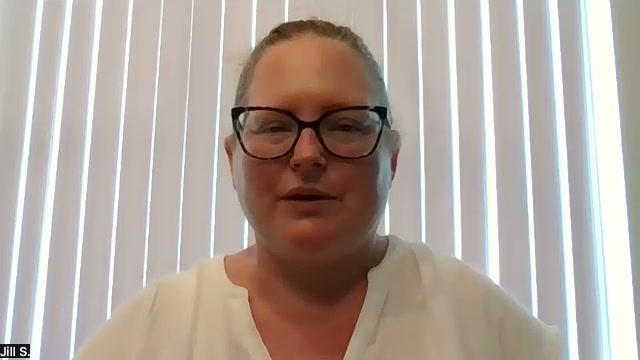 JillMom of Emma, 6th grade
Quick answer
Step Up for Students reimbursement is how UA and PEP families get money back from the scholarship account after paying out of pocket for an eligible expense. You upload a receipt or paid invoice in EMA, choose the item and category, and submit. Step Up asks families to allow up to 60 days for review once all documents are in, so paying approved providers directly through EMA is usually the easier route when it is available.
Tutoring is covered on UA and PEP
Approved providers bill EMA directly, so families pay $0 out of pocket. Pick your scholarship:
When do you need reimbursement instead of direct pay?
There are two ways to spend UA (Unique Abilities) and PEP (Personalized Education Program) funds. With direct pay, you buy through the EMA Marketplace and the scholarship pays the seller or provider. The Marketplace has two parts: MyScholarShop for eligible instructional materials and curriculum, and Find Providers for services such as tutoring and therapy from pre-approved vendors.
Reimbursement is for everything else that is eligible. If the store, program or provider you want is not in EMA, you pay first with your own money and then ask Step Up to pay you back from your student's account. It is the same scholarship money either way. The difference is who fronts the cost and how much paperwork you handle.
Scholarships for private school tuition (FES-EO and FTC) work differently and go mainly to tuition and fees, so this guide focuses on UA and PEP. For the bigger picture, see what Florida families need to know about Step Up scholarships.
What expenses can Step Up reimburse?
Any expense that is eligible under your scholarship's purchasing guide can be submitted for reimbursement. The official reimbursement pages list categories such as:
- Instructional materials and curriculum
- Part-time tutoring and full-time tutoring programs
- Specialized services and therapies (UA)
- Standardized testing and proctoring fees
- Approved online and virtual programs, and dual enrollment fees (PEP)
- Physical education and some internet costs (UA)
The two scholarships have different rules, so always check the current purchasing guide before you buy. Some items also need pre-authorization, and when they do, the pre-authorization must be approved before you place the order. Our guide on what you can and can't buy with Step Up for Students covers the common categories.
What documents do you need for a Step Up reimbursement?
Every request needs proof that you, the parent or guardian, paid. Step Up accepts either of these:
- A receipt showing the complete transaction date (MM/DD/YY) and the amount paid.
- An invoice showing the complete transaction date and marked "paid in full," with a paid stamp or a zero balance.
The handbooks add a few details that trip people up:
- Itemize everything. Receipts and invoices must show a clear breakdown of costs, such as the base cost, taxes, fees and total paid.
- Names must line up. The provider's name on the receipt must match their submitted credentials. If the name on your proof of payment differs from the invoice, include a note from the provider explaining why.
- No unpaid invoices. An invoice that does not show payment in full, or how payment was made, will not be accepted.
- No informal paperwork. Handwritten notes and unofficial documents are not accepted.
- Gift cards and points only count if the proof of payment clearly shows the cash value.
- Buy now, pay later purchases are only reimbursed for the amount already paid when you submit.
Files must be PNG, JPG or PDF.
How do you submit a reimbursement request in EMA?
Step Up's How to Request Reimbursement in EMA instructions walk through each screen. In short:
- Set up your payment method (first time only). In EMA, open your profile, choose Edit Profile, scroll to Payment Method, accept the agreement and select Manage. Pick direct deposit (ACH), check or PayPal. It can take up to 12 hours to show as complete.
- Start a new request. Select Reimbursements from the left panel of your dashboard, then New, then choose your student.
- Upload your receipt or invoice. Drag in the file or browse for it, and wait until the document has been verified.
- Select the item or service. Choose the purchase from the list, confirm its name and enter the amount. If it is not listed, add it manually.
- Confirm the details. Fill in the details for each item or service, then add any extra documents.
- Review the summary. Check the purchase date, amount, educational benefit and category, then select Submit for Approval.
- Watch your email and EMA. Step Up posts status updates and any requests for more documents there.
How long does Step Up reimbursement take?
Step Up tells families to allow up to 60 days for a request to be reviewed and processed after all required documents have been submitted. Many requests move faster, but 60 days is the official window to plan around.
The clock can restart. If a reviewer needs more documents or a correction, including an amount adjustment, the request is placed on hold and the 60-day review period starts over once you send the information. If you do not respond to an on-hold request within 30 days, it is automatically denied. The fastest path is a complete, clearly itemized request the first time.
Why do Step Up reimbursement requests get denied?
According to the family handbooks, the most common reasons are incorrect or insufficient documentation, or a purchase submitted under the wrong category. In practice, that usually looks like one of these:
- A receipt with only a total and no itemized breakdown
- An invoice with a balance due or no sign of how it was paid
- A provider name that does not match the provider's credentials
- A cash payment to a private seller not tied to a company or institution, which the handbooks say will be denied
- An item that needed pre-authorization but was bought first
- No reply to an on-hold request within 30 days
To avoid these, ask for an itemized, paid-in-full receipt at the time of purchase, pay by card or bank transfer rather than cash, and double check the category on the summary screen. If a request is denied, you can appeal once through EMA: open the Reimbursements tab, find the denied request and select the red Appeal button to add documents. Appeals sent by email are not reviewed.
Is there a deadline to submit reimbursement requests?
Yes. Eligible items and services must be purchased between July 1 and June 30 using that school year's scholarship funds. Requests must then be submitted by a set deadline after the purchase window closes. Step Up has changed that date between years, so check the current date on the UA reimbursement page or the PEP reimbursement page.
You can also request reimbursement for services paid up to four months in advance. Paying further ahead generally requires the provider to confirm the payment is nonrefundable.
Can I use direct pay for tutoring instead of reimbursement?
Yes, if the tutoring provider is on the EMA Marketplace. Through Find Providers, families can use direct billing for services like tutoring and therapy. The provider bills EMA after each session is delivered, so you pay $0 out of pocket, and there are no receipts to upload or 60-day waits on your side.
Reimbursement for tutoring is still possible, but the teacher must meet Step Up's qualifications, and the handbooks say cash payments to independent private instructors will be denied. Tutero is one example of a direct-pay provider: 1-on-1 online tutoring with certified Florida teachers, billed through EMA. Read how to use Step Up funds for tutoring for the full setup.
Step Up for Students
Use your scholarship for 1-on-1 tutoring
- Certified Florida teachers
- The same teacher every week
- A plan built from your child’s schoolwork
★★★★★4.9 · 300+ reviews$0out of pocket on UA and PEP, paid through EMA
Bottom line
Reimbursement works, but it puts the cost and the paperwork on you. Keep itemized, paid-in-full receipts, submit in EMA with the right category, respond quickly to any hold, and plan for up to 60 days. For regular services like tutoring, choosing a direct-pay provider in the EMA Marketplace avoids the process entirely.
How this guide was written
Written by Tutero’s Florida team. Tutero is a Step Up for Students EMA Marketplace Provider trusted by 500 Florida families. We check our guides against Step Up’s official purchasing guides and family handbooks for UA and PEP. Rules can change, so confirm the details in your EMA account before you buy.
Related guides: How to use Step Up funds for tutoring, Finding tutoring providers in the EMA marketplace and What you can and can’t buy with Step Up.
Your next step
See how families use Step Up for tutoring
Certified Florida teachers, 1-on-1, paid through EMA with $0 out of pocket. Trusted by 500 Florida families.
Or keep reading: How to use your funds for tutoring →
“With her teacher Lori, she’s focused. She never wants to miss a lesson.”
JillMom of Emma, 6th gradeFAQ
.svg)
.svg)
Online maths tutoring at Tutero is catering to students of all year levels. We offer programs tailored to the unique learning curves of each age group.
We also have expert NAPLAN and ATAR subject tutors, ensuring students are well-equipped for these pivotal assessments.
We recommend at least two to three session per week for consistent progress. However, this can vary based on your child's needs and goals.
Our platform uses advanced security protocols to ensure the safety and privacy of all our online sessions.
Parents are welcome to observe sessions. We believe in a collaborative approach to education.
We provide regular progress reports and assessments to track your child’s academic development.
Yes, we prioritise the student-tutor relationship and can arrange a change if the need arises.
Yes, we offer a range of resources and materials, including interactive exercises and practice worksheets.

Quick answer
Step Up for Students reimbursement is how UA and PEP families get money back from the scholarship account after paying out of pocket for an eligible expense. You upload a receipt or paid invoice in EMA, choose the item and category, and submit. Step Up asks families to allow up to 60 days for review once all documents are in, so paying approved providers directly through EMA is usually the easier route when it is available.
Tutoring is covered on UA and PEP
Approved providers bill EMA directly, so families pay $0 out of pocket. Pick your scholarship:
When do you need reimbursement instead of direct pay?
There are two ways to spend UA (Unique Abilities) and PEP (Personalized Education Program) funds. With direct pay, you buy through the EMA Marketplace and the scholarship pays the seller or provider. The Marketplace has two parts: MyScholarShop for eligible instructional materials and curriculum, and Find Providers for services such as tutoring and therapy from pre-approved vendors.
Reimbursement is for everything else that is eligible. If the store, program or provider you want is not in EMA, you pay first with your own money and then ask Step Up to pay you back from your student's account. It is the same scholarship money either way. The difference is who fronts the cost and how much paperwork you handle.
Scholarships for private school tuition (FES-EO and FTC) work differently and go mainly to tuition and fees, so this guide focuses on UA and PEP. For the bigger picture, see what Florida families need to know about Step Up scholarships.
What expenses can Step Up reimburse?
Any expense that is eligible under your scholarship's purchasing guide can be submitted for reimbursement. The official reimbursement pages list categories such as:
- Instructional materials and curriculum
- Part-time tutoring and full-time tutoring programs
- Specialized services and therapies (UA)
- Standardized testing and proctoring fees
- Approved online and virtual programs, and dual enrollment fees (PEP)
- Physical education and some internet costs (UA)
The two scholarships have different rules, so always check the current purchasing guide before you buy. Some items also need pre-authorization, and when they do, the pre-authorization must be approved before you place the order. Our guide on what you can and can't buy with Step Up for Students covers the common categories.
What documents do you need for a Step Up reimbursement?
Every request needs proof that you, the parent or guardian, paid. Step Up accepts either of these:
- A receipt showing the complete transaction date (MM/DD/YY) and the amount paid.
- An invoice showing the complete transaction date and marked "paid in full," with a paid stamp or a zero balance.
The handbooks add a few details that trip people up:
- Itemize everything. Receipts and invoices must show a clear breakdown of costs, such as the base cost, taxes, fees and total paid.
- Names must line up. The provider's name on the receipt must match their submitted credentials. If the name on your proof of payment differs from the invoice, include a note from the provider explaining why.
- No unpaid invoices. An invoice that does not show payment in full, or how payment was made, will not be accepted.
- No informal paperwork. Handwritten notes and unofficial documents are not accepted.
- Gift cards and points only count if the proof of payment clearly shows the cash value.
- Buy now, pay later purchases are only reimbursed for the amount already paid when you submit.
Files must be PNG, JPG or PDF.
How do you submit a reimbursement request in EMA?
Step Up's How to Request Reimbursement in EMA instructions walk through each screen. In short:
- Set up your payment method (first time only). In EMA, open your profile, choose Edit Profile, scroll to Payment Method, accept the agreement and select Manage. Pick direct deposit (ACH), check or PayPal. It can take up to 12 hours to show as complete.
- Start a new request. Select Reimbursements from the left panel of your dashboard, then New, then choose your student.
- Upload your receipt or invoice. Drag in the file or browse for it, and wait until the document has been verified.
- Select the item or service. Choose the purchase from the list, confirm its name and enter the amount. If it is not listed, add it manually.
- Confirm the details. Fill in the details for each item or service, then add any extra documents.
- Review the summary. Check the purchase date, amount, educational benefit and category, then select Submit for Approval.
- Watch your email and EMA. Step Up posts status updates and any requests for more documents there.
How long does Step Up reimbursement take?
Step Up tells families to allow up to 60 days for a request to be reviewed and processed after all required documents have been submitted. Many requests move faster, but 60 days is the official window to plan around.
The clock can restart. If a reviewer needs more documents or a correction, including an amount adjustment, the request is placed on hold and the 60-day review period starts over once you send the information. If you do not respond to an on-hold request within 30 days, it is automatically denied. The fastest path is a complete, clearly itemized request the first time.
Why do Step Up reimbursement requests get denied?
According to the family handbooks, the most common reasons are incorrect or insufficient documentation, or a purchase submitted under the wrong category. In practice, that usually looks like one of these:
- A receipt with only a total and no itemized breakdown
- An invoice with a balance due or no sign of how it was paid
- A provider name that does not match the provider's credentials
- A cash payment to a private seller not tied to a company or institution, which the handbooks say will be denied
- An item that needed pre-authorization but was bought first
- No reply to an on-hold request within 30 days
To avoid these, ask for an itemized, paid-in-full receipt at the time of purchase, pay by card or bank transfer rather than cash, and double check the category on the summary screen. If a request is denied, you can appeal once through EMA: open the Reimbursements tab, find the denied request and select the red Appeal button to add documents. Appeals sent by email are not reviewed.
Is there a deadline to submit reimbursement requests?
Yes. Eligible items and services must be purchased between July 1 and June 30 using that school year's scholarship funds. Requests must then be submitted by a set deadline after the purchase window closes. Step Up has changed that date between years, so check the current date on the UA reimbursement page or the PEP reimbursement page.
You can also request reimbursement for services paid up to four months in advance. Paying further ahead generally requires the provider to confirm the payment is nonrefundable.
Can I use direct pay for tutoring instead of reimbursement?
Yes, if the tutoring provider is on the EMA Marketplace. Through Find Providers, families can use direct billing for services like tutoring and therapy. The provider bills EMA after each session is delivered, so you pay $0 out of pocket, and there are no receipts to upload or 60-day waits on your side.
Reimbursement for tutoring is still possible, but the teacher must meet Step Up's qualifications, and the handbooks say cash payments to independent private instructors will be denied. Tutero is one example of a direct-pay provider: 1-on-1 online tutoring with certified Florida teachers, billed through EMA. Read how to use Step Up funds for tutoring for the full setup.
Step Up for Students
Use your scholarship for 1-on-1 tutoring
- Certified Florida teachers
- The same teacher every week
- A plan built from your child’s schoolwork
★★★★★4.9 · 300+ reviews$0out of pocket on UA and PEP, paid through EMA
Bottom line
Reimbursement works, but it puts the cost and the paperwork on you. Keep itemized, paid-in-full receipts, submit in EMA with the right category, respond quickly to any hold, and plan for up to 60 days. For regular services like tutoring, choosing a direct-pay provider in the EMA Marketplace avoids the process entirely.
How this guide was written
Written by Tutero’s Florida team. Tutero is a Step Up for Students EMA Marketplace Provider trusted by 500 Florida families. We check our guides against Step Up’s official purchasing guides and family handbooks for UA and PEP. Rules can change, so confirm the details in your EMA account before you buy.
Related guides: How to use Step Up funds for tutoring, Finding tutoring providers in the EMA marketplace and What you can and can’t buy with Step Up.
Your next step
See how families use Step Up for tutoring
Certified Florida teachers, 1-on-1, paid through EMA with $0 out of pocket. Trusted by 500 Florida families.
Or keep reading: How to use your funds for tutoring →
“With her teacher Lori, she’s focused. She never wants to miss a lesson.”
JillMom of Emma, 6th gradeStep Up asks families to allow up to 60 days for a reimbursement request to be reviewed and processed after all required documents are submitted. If the request is placed on hold for more information, the 60-day review period starts over once you respond.
A receipt showing the complete transaction date and amount paid, or an invoice showing the transaction date and marked paid in full with a zero balance. Receipts should itemize the base cost, taxes, fees and total. Unpaid invoices and handwritten notes are not accepted.
Receipts, invoices and proof of payment must be uploaded as PNG, JPG or PDF files.
The most common reasons are incorrect or insufficient documentation, or a purchase submitted under the wrong category. Requests also get denied when an on-hold request gets no response within 30 days, or when cash was paid to a private seller not tied to a company or institution.
Yes, once. In EMA, open the Reimbursements tab, find the denied request and select the red Appeal button to add documents. Appeals sent by email are not reviewed.
Not if the tutoring provider is on the EMA Marketplace. Direct-pay providers bill your student's scholarship account through EMA after sessions are delivered, so you pay $0 out of pocket and skip the reimbursement paperwork.
Hoping to improve confidence & grades?

Step Up for Students
1:1 Tutoring with Step Up for Students
.png)